Einrichtung von Aufnahmestudio-Monitoren: Ein vollständiger Leitfaden
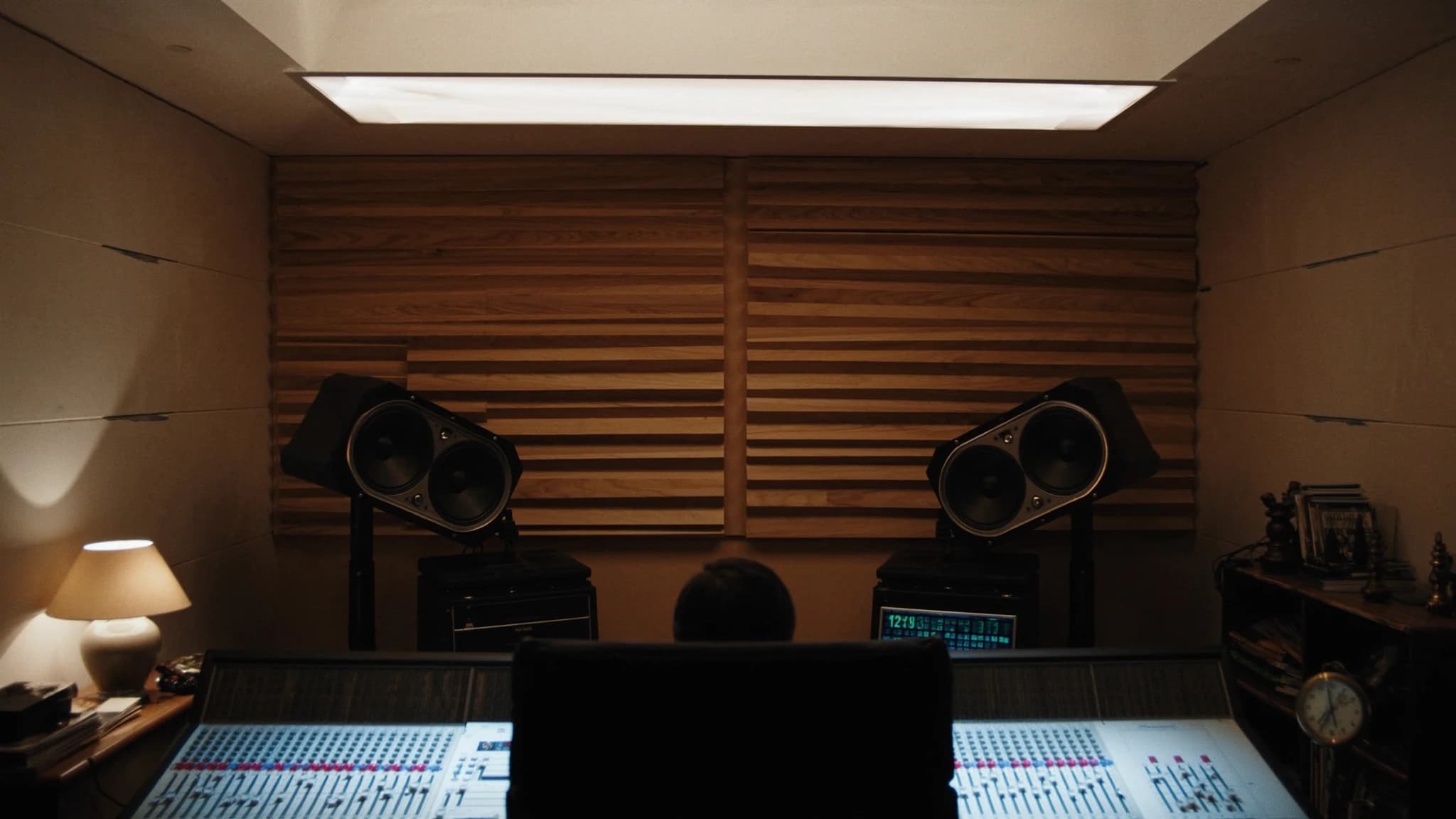
Die korrekte Einrichtung von Studiomonitoren ist der wichtigste Schritt, um akkurate, übertragbare Mixe zu erzielen. Dieser Leitfaden behandelt Nahfeld- vs. Mittelfeld-Optionen, optimale Platzierung und das gleichseitige Dreieck, Raumbehandlung, Subwoofer-Integration und Kalibrierung, mit praktischen Tipps für Marken wie Yamaha HS und KRK.
Wichtigste Punkte
- Wählen Sie Nahfeldmonitore für kleine Räume; passen Sie die Woofergröße an das Raumvolumen an.
- Richten Sie immer ein gleichseitiges Dreieck mit Hochtönern auf Ohrhöhe ein.
- Behandeln Sie erste Reflexionspunkte und Ecken mit Absorption und Bassabsorbern.
- Integrieren Sie Subwoofer mithilfe des Subwoofer-Crawls und einer Übergangsfrequenz um 80 Hz.
- Kalibrieren Sie Ihr System auf 85 dB SPL mit rosa Rauschen und einem SPL-Messgerät.
- Verwenden Sie monitorspezifische EQ- und Raumkontrollfunktionen, um die Akustik zu kompensieren.
Nahfeld- vs. Mittelfeld-Monitore: Das richtige Werkzeug wählen
Nahfeldmonitore sind für nahes Hören konzipiert, typischerweise 1 bis 2 Meter vom Hörer entfernt, und minimieren den Einfluss der Raumakustik. Sie sind der Standard für die meisten Projekt- und Heimstudios, weil der Direktschall gegenüber dem reflektierten Schall dominiert und Ihnen ein klareres Bild des Mixes gibt. Mittelfeldmonitore, platziert 2 bis 4 Meter entfernt, werden in größeren Regieräumen verwendet und bieten höheren Schalldruckpegel und erweiterte Tieftonwiedergabe, erfordern aber einen gut behandelten Raum, um Verfärbungen zu vermeiden.
Für kleine bis mittlere Räume sind Nahfeldmonitore wie der Yamaha HS5 oder HS7 aufgrund ihres flachen Frequenzgangs und detaillierten Mitteltonbereichs ausgezeichnete Wahl. Die KRK Rokit-Serie bietet einen farbigeren, bassbetonteren Klang, den manche Produzenten für bestimmte Genres bevorzugen. Der Schlüssel liegt darin, die Monitorgröße an Ihr Raumvolumen anzupassen: Ein 10-Zoll-Woofer in einem kleinen Raum verursacht Bassansammlungen und ungenauen Tiefton. Als Faustregel sind 5-Zoll- oder 6,5-Zoll-Woofer ideal für Räume unter 200 Quadratfuß, während 8-Zoll oder größer für größere Räume geeignet ist.
Das gleichseitige Dreieck: Grundlage akkurater Stereoabbildung
Das gleichseitige Dreieck ist die goldene Regel der Monitorplatzierung. Positionieren Sie Ihre Hörposition und die beiden Monitore so, dass der Abstand zwischen den Monitoren gleich dem Abstand von jedem Monitor zu Ihren Ohren ist. Wenn Ihre Monitore beispielsweise 4 Fuß voneinander entfernt sind, sollten Sie 4 Fuß von jedem Lautsprecher entfernt sitzen. Dies gewährleistet ein ausgewogenes Stereoabbild und eine präzise Phantommitte.
Winkeln Sie die Monitore so an, dass sie direkt auf Ihre Ohren zeigen, typischerweise ein 30-Grad-Winkel von der Mittelachse. Die Hochtöner sollten sich auf Ohrhöhe befinden, wenn Sie sitzen. Wenn Ihr Schreibtisch oder Ihre Konsole die Monitore zu hoch oder zu niedrig positioniert, neigen Sie sie entsprechend nach unten oder oben. Vermeiden Sie es, Monitore ohne Isolationspads auf derselben Oberfläche wie Ihr Mischpult aufzustellen, da Vibrationen Phasenauslöschungen verursachen und den Tiefton verwaschen können.
Raumbehandlung: Reflexionen und stehende Wellen zähmen
Selbst die besten Monitore klingen in einem unbehandelten Raum schrecklich. Die ersten Reflexionen, Schall, der von Wänden, Decke und Boden reflektiert wird, verursachen Kammfiltereffekte und verwischen das Stereoabbild. Platzieren Sie Absorptionspaneele an den ersten Reflexionspunkten an den Seitenwänden und der Decke. Ein dicker Bassabsorber in den Ecken kontrolliert Bassansammlungen, was besonders wichtig für Monitore mit größeren Woofern ist.
Für Räume mit Yamaha HS-Serie-Monitoren, die für ihren offenlegenden Hochtonbereich bekannt sind, ist Absorption entscheidend, um Hörermüdung zu vermeiden. KRK-Monitore mit ihren integrierten EQ-Anpassungen (HF- und LF-Trim) können abgestimmt werden, um Raumprobleme zu kompensieren, aber Behandlung ist dennoch überlegen. Ein einfacher Test: Klatschen Sie an der Hörposition in die Hände. Wenn Sie ein Flattern oder Klingeln hören, benötigen Sie mehr Absorption. Diffusion kann hinter der Hörposition hinzugefügt werden, um ein Raumgefühl ohne Reflexionen zu bewahren.
Subwoofer und Bassmanagement: Tiefton erweitern ohne Matsch
Das Hinzufügen eines Subwoofers kann die Tieftonwiedergabe Ihres Systems erweitern, bringt aber Herausforderungen bei Platzierung und Integration mit sich. Der Sub sollte an einem Ort platziert werden, der stehende Wellen minimiert, oft nahe einer Ecke, aber nicht genau in der Ecke. Führen Sie einen Subwoofer-Crawl durch: Platzieren Sie den Sub an Ihrer Hörposition, gehen Sie im Raum umher und hören Sie, wo der Bass am gleichmäßigsten klingt. Dort sollte der Sub stehen.
Bassmanagement beinhaltet das Einstellen einer Übergangsfrequenz (typischerweise 80 Hz für die meisten Systeme), sodass die Monitore Mitten und Höhen übernehmen, während der Sub die Tiefen übernimmt. Viele KRK- und Yamaha-Subwoofer haben integrierte Frequenzweichen und Phasenregler. Verwenden Sie ein Messmikrofon und Software wie Room EQ Wizard (REW), um die Phase und den Pegel des Subs mit den Monitoren abzustimmen. Streben Sie einen flachen Frequenzgang von 20 Hz bis 200 Hz an. Vermeiden Sie es, den Sub-Pegel anzuheben, er sollte sich nahtlos einfügen, nicht auffallen.
Kalibrierung: Einen Referenzpegel erreichen
Die Kalibrierung stellt sicher, dass Ihr Monitoringsystem Schall mit einem bekannten, konsistenten Pegel wiedergibt. Der Industriestandard ist 85 dB SPL (C-bewertet, langsam) zum Mischen, aber viele Toningenieure bevorzugen 79-83 dB für längere Sitzungen. Verwenden Sie ein SPL-Messgerät oder ein kalibriertes Mikrofon, das an der Hörposition platziert wird. Spielen Sie rosa Rauschen durch jeden Monitor einzeln ab und passen Sie die Lautstärke des Monitors oder den Ausgang des Interfaces an, bis das Messgerät den Zielpegel anzeigt.
Stellen Sie für Stereo beide Monitore auf denselben Pegel ein. Wenn Sie einen Sub verwenden, kalibrieren Sie den Sub so, dass er am Übergangspunkt mit den Monitoren übereinstimmt. Viele KRK- und Yamaha-Monitore haben Trim-Regler auf der Rückseite zur Feinabstimmung. Dokumentieren Sie Ihre Einstellungen, damit Sie sie abrufen können. Die Kalibrierung sollte nach jeder Raumänderung oder Monitorumstellung wiederholt werden. Denken Sie daran: Ein kalibriertes System liefert Ihnen Mixe, die auf andere Wiedergabesysteme übertragbar sind.
Praktische Tipps für Yamaha HS- und KRK-Nutzer
Yamaha HS-Serie-Monitore sind für ihren flachen, unverfälschten Frequenzgang bekannt, ideal für kritisches Mischen. In unbehandelten Räumen können sie jedoch hart klingen. Verwenden Sie die Raumkontrollschalter (auf der Rückseite), um hohe Frequenzen zu reduzieren, wenn Ihr Raum zu hallig ist. Der HS8S-Subwoofer passt gut zu HS5- oder HS7-Monitoren; stellen Sie die Übergangsfrequenz auf 80 Hz ein und passen Sie die Phase an, um Auslöschungen zu vermeiden.
KRK Rokit-Monitore (G4 und neuer) verfügen über einen integrierten EQ mit drei Einstellungen: 'Mix' (flach), 'Create' (angehobener Bass und Höhen) und 'Focus' (mittenbetont). Für akkurates Mischen verwenden Sie den 'Mix'-Modus. Der KRK S10.4-Subwoofer bietet eine variable Übergangsfrequenz und einen Polaritätsschalter. Verwenden Sie die mitgelieferte K-RAK-Software für erweiterte DSP-Abstimmung. Beide Marken profitieren von Isolationspads zur Entkopplung vom Schreibtisch.
Häufige Fragen
Sollte ich Yamaha HS oder KRK Rokit Monitore kaufen?
Die Yamaha HS-Serie bietet einen flacheren, analytischeren Klang, ideal für kritisches Mischen und Mastering. Die KRK Rokit-Serie hat einen farbigeren, bassbetonteren Klang, den manche für die Produktion inspirierend finden. Wählen Sie basierend auf Ihrem Workflow: HS für Genauigkeit, KRK für Kreativität.
Wie weit sollten Studiomonitore von der Wand entfernt sein?
Mindestens 30 bis 60 cm von der Wand dahinter entfernt, um Bassansammlungen durch rückseitige Ports zu vermeiden. Bei frontportierten Monitoren wie einigen KRK-Modellen können Sie sie näher aufstellen, aber lassen Sie trotzdem etwas Platz.
Brauche ich einen Subwoofer für ein kleines Heimstudio?
Nicht unbedingt. Ein Subwoofer kann helfen, wenn Ihren Monitoren die Tieftonerweiterung fehlt (z. B. 5-Zoll-Woofer), erfordert aber eine sorgfältige Platzierung und Kalibrierung. In einem kleinen Raum kann er mehr Probleme verursachen als lösen.
Was ist die beste Methode, um die Monitorplatzierung zu messen?
Verwenden Sie ein Maßband, um ein gleichseitiges Dreieck zu erstellen. Zur Kalibrierung verwenden Sie ein Messmikrofon (z. B. UMIK-1) und Software wie Room EQ Wizard, um den Frequenzgang zu prüfen und die Platzierung anzupassen.
Wie oft sollte ich meine Monitore neu kalibrieren?
Kalibrieren Sie neu, wann immer Sie Ihre Monitore bewegen, die Raumbehandlung ändern oder feststellen, dass Ihre Mixe nicht übertragen werden. Ansonsten ist einmal alle paar Monate ausreichend.
System aufbauen oder aufrüsten?
SSOUNDS entwickelt und fertigt professionelle PA weltweit, vom einzelnen Raum bis zur Stadiongröße.