Die besten Netzwerk-Switches für Dante und AoIP
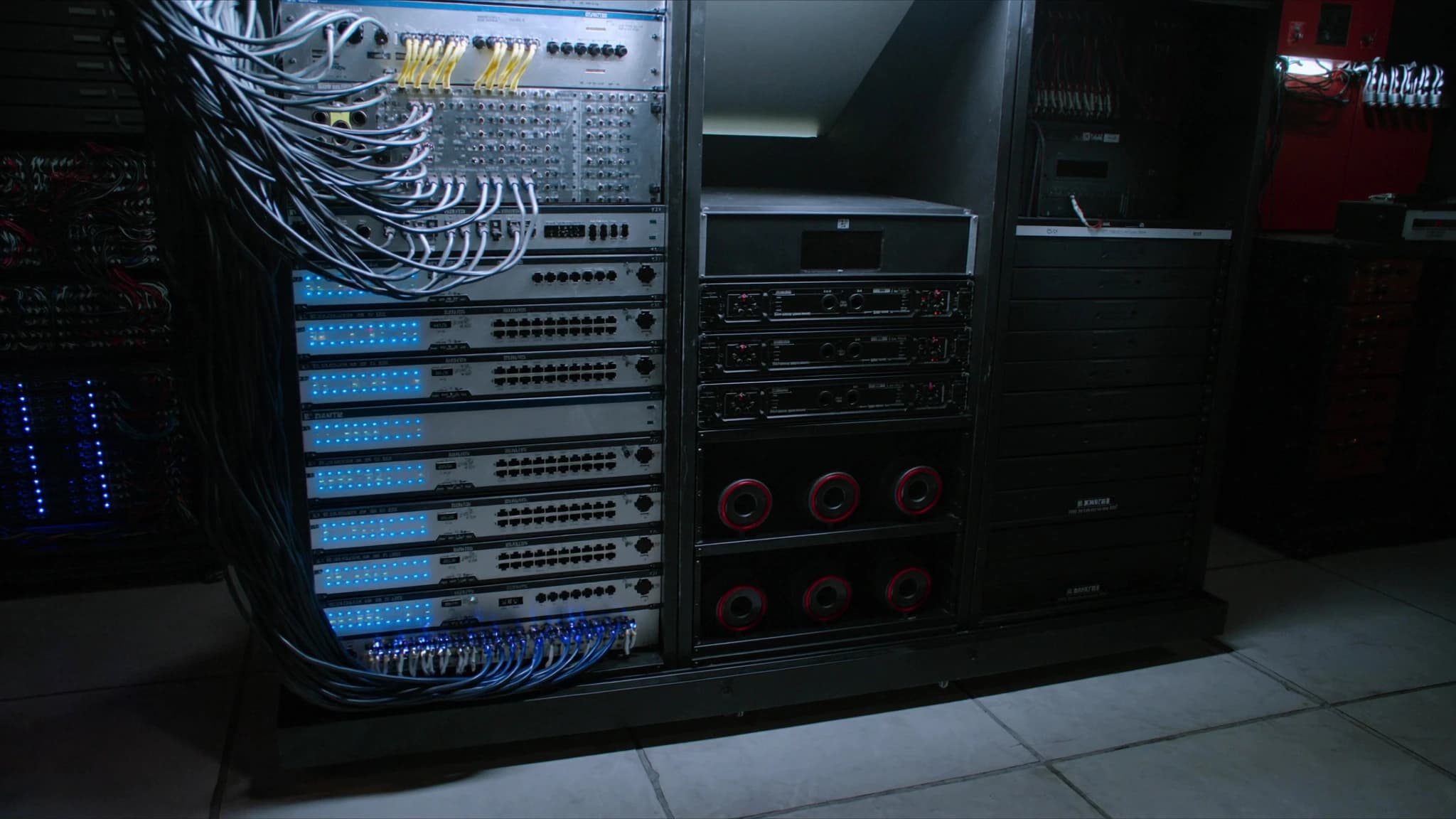
Dante und andere Audio-over-IP-Protokolle (AoIP) haben den Live-Sound, installierte AV und Broadcast verändert und schwere analoge Multicore-Kabel durch ein einziges Ethernet-Kabel ersetzt. Aber nicht jeder Netzwerk-Switch ist dieser Aufgabe gewachsen. Dieser Leitfaden erklärt, was einen Switch wirklich Dante-tauglich macht, wie man einen auswählt und konfiguriert und warum SSOUNDS-Ingenieure für jedes Projekt managed Switches mit bestimmten Funktionen spezifizieren.
Wichtigste Punkte
- Ein Dante-tauglicher Switch muss eine non-blocking Backplane, QoS mit DiffServ, IGMP-Snooping und deaktiviertes EEE haben.
- Managed Switches werden für professionelles AoIP dringend empfohlen, weil sie VLANs, QoS und Monitoring ermöglichen.
- Gigabit-Ethernet ist die Basis; Glasfaser-Uplinks und PoE sind wertvoll für große oder verteilte Systeme.
- Die korrekte Konfiguration (QoS, IGMP, EEE aus) ist genauso wichtig wie die Switch-Hardware selbst.
- SSOUNDS-Verstärker und DSP sind Dante-kompatibel, und unser Team kann Sie beim Netzwerkdesign beraten.
Warum der Switch für Dante und AoIP wichtig ist
Dante, AES67 und andere AoIP-Protokolle basieren auf Standard-Ethernet und IP-Netzwerken, um Hunderte von Audiokanälen mit niedriger Latenz und samplegenauer Synchronisation zu übertragen. Anders als Dateiübertragungen oder Web-Browsing sind Audiostreams zeitkritisch: Ein verzögertes Paket ist ein verlorenes Sample, und ein verlorenes Sample ist ein hörbarer Klick oder Aussetzer. Der Netzwerk-Switch ist der Verkehrspolizist, der diese Streams lenkt, und wenn er nicht korrekt konfiguriert ist, werden Sie die Konsequenzen sofort hören.
Viele Installateure machen den Fehler, einen billigen unmanaged Switch aus dem Bürobedarf zu verwenden. Während er in einem einfachen System mit wenigen Geräten funktionieren mag, fehlen ihm oft die Funktionen, die benötigt werden, um Audioverkehr zu priorisieren, Multicast-Gruppen zu verwalten und Schleifen zu verhindern. In größeren Systemen oder wenn anderer Datenverkehr das Netzwerk teilt, kann ein unmanaged Switch Aussetzer, Latenz und unzuverlässige Leistung verursachen.
Bei SSOUNDS entwerfen wir unsere Lautsprechersysteme, Verstärker und DSP so, dass sie sich nahtlos in Dante- und AES67-Netzwerke integrieren. Aber wir wissen auch, dass das Netzwerk selbst eine kritische Komponente ist. Deshalb empfehlen und unterstützen wir bestimmte Switch-Funktionen, die einen felsenfesten Audiotransport gewährleisten.
Schlüsselfunktionen eines Dante-tauglichen Switches
Nicht alle managed Switches sind gleich. Um Dante- und anderen AoIP-Verkehr zuverlässig zu bewältigen, sollte ein Switch die folgenden Eigenschaften haben:
Non-blocking Backplane: Der Switch muss in der Lage sein, den vollen Durchsatz auf allen Ports gleichzeitig ohne Paketverlust zu bewältigen. Eine non-blocking Architektur stellt sicher, dass auch unter hoher Last Audiostreams nicht verzögert werden. Suchen Sie nach Switches mit einer Switching-Kapazität, die mindestens das Doppelte der Gesamtportanzahl mal der Portgeschwindigkeit beträgt (für Vollduplex).
QoS mit DiffServ: Quality of Service (QoS) ist unerlässlich, um Audioverkehr gegenüber anderen Daten zu priorisieren. Dante verwendet DiffServ-Codepunkte (Differentiated Services), um Audiopakete mit hoher Priorität zu markieren. Der Switch muss DiffServ unterstützen und so konfiguriert sein, dass er diese Markierungen beachtet. Dies stellt sicher, dass Audiopakete vor weniger kritischem Verkehr wie Dateiübertragungen oder E-Mail weitergeleitet werden.
IGMP-Snooping: Dante verwendet Multicast für viele-zu-viele-Audiorouting. Ohne IGMP-Snooping wird Multicast-Verkehr an alle Ports geflutet, was Bandbreite verschwendet und potenziell Überlastung verursacht. IGMP-Snooping ermöglicht es dem Switch, Multicast-Streams nur an die Ports weiterzuleiten, die sie angefordert haben. Dies ist entscheidend in größeren Netzwerken mit mehreren Multicast-Flows.
Energy-Efficient Ethernet (EEE) aus: EEE, auch bekannt als Green Ethernet, versetzt Ports in einen Niedrigenergiezustand, wenn kein Datenverkehr anliegt. Während dies für Büronetzwerke gut ist, kann es bei Dante Latenz und Aussetzer verursachen, weil Audiostreams kontinuierlich sind, aber Phasen geringer Aktivität haben können. Deaktivieren Sie EEE immer auf Ports, die Audio übertragen.
Managed vs. unmanaged: Managed Switches geben Ihnen die Kontrolle, die benötigt wird, um VLANs, QoS, IGMP-Snooping und Monitoring zu konfigurieren. Unmanaged Switches sind Plug-and-Play, aber es fehlen diese Funktionen. Für jede ernsthafte Dante-Installation wird ein managed Switch dringend empfohlen. Einige Hersteller bieten Switches mit Dante-spezifischen Presets an, die die Konfiguration vereinfachen.
Gigabit und darüber hinaus: Während Dante auf 100-Mbps-Netzwerken laufen kann, ist Gigabit-Ethernet die Basis für moderne Systeme. Es bietet reichlich Bandbreite für hohe Kanalzahlen und ermöglicht zukünftige Erweiterungen. Für sehr große Systeme können 10-Gigabit-Uplinks erforderlich sein.
PoE (Power over Ethernet): Viele Dante-Geräte wie IP-Lautsprecher, Mikrofone und Intercom-Stationen können über PoE mit Strom versorgt werden. Ein Switch mit PoE-Unterstützung eliminiert die Notwendigkeit separater Netzteile und vereinfacht die Installation. Stellen Sie sicher, dass der Switch genügend Leistungsbudget für alle angeschlossenen Geräte bietet.
Glasfaser-Uplinks: Glasfaserkabel ermöglichen Langstreckenverbindungen (bis zu mehreren Kilometern) und bieten elektrische Isolierung, was in großen Veranstaltungsorten oder zwischen Gebäuden wichtig ist. Switches mit SFP- oder SFP+-Ports ermöglichen Glasfaser-Uplinks, die ideal für die Verbindung entfernter Racks oder Etagen sind.
Managed vs. unmanaged: Die richtige Wahl treffen
Die Entscheidung zwischen managed und unmanaged Switches ist oft die erste Weggabelung. Unmanaged Switches sind kostengünstig und erfordern keine Konfiguration. Sie funktionieren gut für ein kleines, isoliertes Dante-Netzwerk mit einer Handvoll Geräte und ohne anderen Datenverkehr. Sobald Sie jedoch mehr Geräte hinzufügen, eine Verbindung zu einem Unternehmensnetzwerk herstellen oder Fehler beheben müssen, werden ihre Einschränkungen offensichtlich.
Managed Switches hingegen bieten eine Reihe von Funktionen, die sie für professionelles AoIP unverzichtbar machen. Sie können VLANs erstellen, um Audioverkehr von Steuerdaten zu trennen, QoS konfigurieren, um Audio zu priorisieren, IGMP-Snooping aktivieren, um Multicast zu verwalten, und Portstatistiken überwachen, um Probleme zu identifizieren. Viele managed Switches unterstützen auch Link Aggregation, die Redundanz und erhöhte Bandbreite bieten kann.
Einige Hersteller wie Cisco, Netgear und Luminex bieten Switches mit Dante-spezifischen Presets oder sogar dedizierter Dante-Zertifizierung an. Diese Switches kommen mit empfohlenen Einstellungen, die mit einem einzigen Klick angewendet werden können, was das Risiko einer Fehlkonfiguration reduziert. Während SSOUNDS keine Netzwerk-Switches herstellt, arbeiten wir mit führenden Switch-Anbietern zusammen, um sicherzustellen, dass unsere Systeme reibungslos integriert werden. Unser Engineering-Team kann Hilfestellung bei der Switch-Auswahl und -Konfiguration für jedes SSOUNDS-Projekt geben.
Konfigurieren Ihres Switches für Dante
Sobald Sie einen geeigneten Switch ausgewählt haben, ist die korrekte Konfiguration entscheidend. Hier ist eine Schritt-für-Schritt-Anleitung zu den wesentlichen Einstellungen:
1. EEE deaktivieren: Schalten Sie auf jedem Port, der Dante-Verkehr übertragen wird, Energy-Efficient Ethernet aus. Dies verhindert, dass der Port in einen Niedrigenergiezustand wechselt, der Latenz einführen kann.
2. QoS und DiffServ aktivieren: Aktivieren Sie QoS global und stellen Sie sicher, dass DiffServ aktiviert ist. Dante-Audio wird typischerweise mit DSCP-Wert 56 (CS7) für die Clock-Synchronisation und 46 (EF) für Audio markiert. Der Switch sollte so eingestellt sein, dass er diesen Markierungen vertraut und sie in eine Warteschlange mit hoher Priorität einordnet.
3. IGMP-Snooping aktivieren: Schalten Sie IGMP-Snooping ein und setzen Sie den IGMP-Querier auf einem Switch im Netzwerk (normalerweise der Core-Switch). Dies verhindert Multicast-Flooding. Wenn Ihr Switch IGMP-Snooping mit einem Querier unterstützt, aktivieren Sie es. Andernfalls benötigen Sie möglicherweise ein dediziertes Querier-Gerät.
4. VLANs einrichten (optional, aber empfohlen): Erstellen Sie ein separates VLAN für Dante-Verkehr. Dies isoliert Audio von anderen Daten und reduziert das Risiko von Interferenzen. Wenn Sie VLANs verwenden, stellen Sie sicher, dass QoS und IGMP-Snooping innerhalb des VLANs konfiguriert sind.
5. Unbenutzte Funktionen deaktivieren: Schalten Sie alle Funktionen aus, die stören könnten, wie Storm Control (es sei denn, ordnungsgemäß konfiguriert), Flow Control (was Head-of-Line-Blocking verursachen kann) und Energiesparmodi.
6. Firmware aktualisieren: Betreiben Sie immer die neueste Firmware auf Ihrem Switch. Hersteller veröffentlichen häufig Updates, die die Dante-Leistung verbessern und Fehler beheben.
7. Dokumentieren und beschriften: Führen Sie ein Protokoll Ihrer Konfiguration und beschriften Sie Ports klar. Dies spart Zeit bei der Fehlerbehebung oder Erweiterung.
Top-Switch-Serien für Dante und AoIP
Während SSOUNDS keine Netzwerk-Switches verkauft, haben wir umfangreiche Erfahrung mit den Switches, die in Dante-Netzwerken am besten funktionieren. Hier sind einige Serien, die in der Branche weithin geschätzt werden:
Cisco Catalyst und CBS-Serie: Cisco-Switches sind ein Eckpfeiler im professionellen AV. Die Catalyst-Serie bietet erweiterte Funktionen und Robustheit, während die CBS-Serie (Business) einen erschwinglicheren Einstieg mit vielen der gleichen Dante-relevanten Funktionen bietet. Beide unterstützen QoS, IGMP-Snooping und können mit Dante-Presets konfiguriert werden.
Netgear M4250 und M4300-Serie: Netgear hat mit seiner M4250-Serie speziell den AV-Markt ins Visier genommen, die vorkonfigurierte Dante-Profile enthält. Die M4300-Serie bietet höhere Portdichten und 10G-Uplinks für größere Systeme. Diese Switches sind bekannt für ihre Benutzerfreundlichkeit und Zuverlässigkeit.
Luminex GigaCore-Serie: Luminex-Switches sind speziell für AV- und Entertainment-Netzwerke entwickelt. Sie kommen mit Dante-Presets und sind bekannt für ihre robuste Konstruktion und intuitive Web-Oberfläche. Die GigaCore-Serie ist beliebt bei Touring- und Festinstallationen.
Weitere nennenswerte Erwähnungen: Arista, Extreme Networks und HP/Aruba produzieren ebenfalls Switches, die für Dante geeignet sind. Der Schlüssel liegt darin, sicherzustellen, dass sie die oben beschriebenen Funktionen unterstützen.
Bei der Auswahl eines Switches berücksichtigen Sie die Größe Ihres Netzwerks, die Anzahl der Geräte, den Bedarf an PoE und zukünftige Erweiterungen. Für kritische Anwendungen sollten Sie Switches mit redundanten Netzteilen und hot-swap-fähigen Lüftern in Betracht ziehen.
SSOUNDS und vernetztes Audio
Bei SSOUNDS verstehen wir, dass ein Lautsprechersystem nur so gut ist wie das Signal, das es speist. Deshalb sind unsere Verstärker und DSP-Einheiten mit Dante- und AES67-Kompatibilität ausgestattet, sodass sie sich nahtlos in vernetzte Audiosysteme integrieren lassen. Unser Engineering-Team nutzt KI-gestützte akustische Modellierung und maschinell lernende DSP, um die Systemleistung zu optimieren, und wir bieten umfassende Unterstützung für Netzwerkdesign und -konfiguration.
Ob Sie ein Touring-Rig, eine Festinstallation in einem Stadion oder ein Konferenzraumsystem bauen, das Netzwerk ist das Rückgrat. Durch die Wahl des richtigen Switches und dessen korrekte Konfiguration stellen Sie sicher, dass Ihr SSOUNDS-System die Klarheit, Zuverlässigkeit und Wirkung liefert, die Ihr Publikum erwartet. Wenn Sie Beratung zur Switch-Auswahl oder zum Netzwerkdesign benötigen, steht unser Team Ihnen gerne zur Seite.
Häufige Fragen
Kann ich einen unmanaged Switch für Dante verwenden?
Sie können einen unmanaged Switch für sehr kleine, isolierte Dante-Netzwerke mit minimalem Datenverkehr verwenden. Allerdings fehlen unmanaged Switches QoS, IGMP-Snooping und VLAN-Unterstützung, die für größere Systeme oder wenn andere Daten das Netzwerk teilen, unerlässlich sind. Für zuverlässige Leistung wird ein managed Switch empfohlen.
Welche Switch-Marke ist die beste für Dante?
Mehrere Marken sind in der AV-Branche beliebt, darunter Cisco, Netgear und Luminex. Die beste Wahl hängt von Ihren spezifischen Anforderungen ab, wie Portanzahl, PoE-Anforderungen und Budget. Suchen Sie nach Switches mit Dante-Presets oder Zertifizierung, um die Konfiguration zu vereinfachen.
Muss ich EEE auf meinem Switch deaktivieren?
Ja. Energy-Efficient Ethernet (EEE) kann bei Dante Latenz und Aussetzer verursachen, weil es Ports in einen Niedrigenergiezustand versetzt, wenn kein Datenverkehr anliegt. Deaktivieren Sie EEE immer auf Ports, die Audioverkehr übertragen.
Wie konfiguriere ich QoS für Dante?
Aktivieren Sie QoS und DiffServ auf Ihrem Switch. Dante verwendet DSCP-Werte 56 (CS7) für die Clock-Synchronisation und 46 (EF) für Audio. Konfigurieren Sie den Switch so, dass er diese Markierungen vertraut und sie einer Warteschlange mit hoher Priorität zuweist.
Bietet SSOUNDS Netzwerk-Switches an?
SSOUNDS stellt keine Netzwerk-Switches her, aber unsere Verstärker und DSP sind Dante-kompatibel. Wir arbeiten mit führenden Switch-Anbietern zusammen und können Hilfestellung bei der Auswahl und Konfiguration von Switches für Ihr SSOUNDS-System geben.
System aufbauen oder aufrüsten?
SSOUNDS entwickelt und fertigt professionelle PA weltweit, vom einzelnen Raum bis zur Stadiongröße.