DanteおよびAoIPに最適なネットワークスイッチ
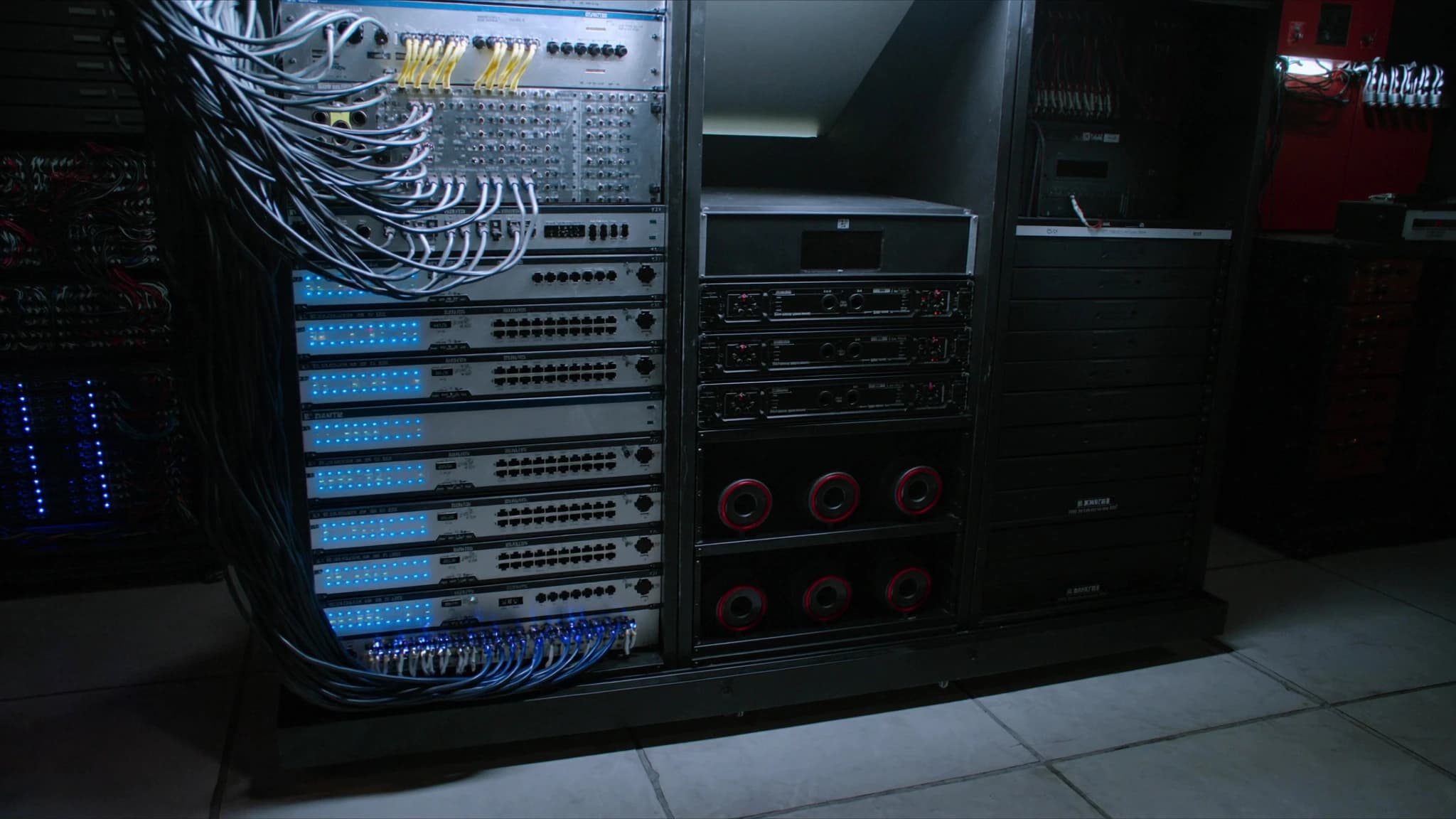
Danteやその他のAudio-over-IP(AoIP)プロトコルは、ライブサウンド、設置型AV、放送を一変させ、重いアナログスネークを1本のイーサネットケーブルに置き換えました。しかし、すべてのネットワークスイッチがその任務を果たせるわけではありません。このガイドでは、スイッチが真にDante対応であるための条件、その選択と設定方法、そしてSSOUNDSのエンジニアがすべてのプロジェクトで特定の機能を備えたマネージドスイッチを指定する理由を説明します。
主なポイント
- Dante対応スイッチには、ノンブロッキングバックプレーン、DiffServを使用したQoS、IGMPスヌーピング、およびEEEの無効化が必要です。
- プロフェッショナルAoIPにはマネージドスイッチを強く推奨します。VLAN、QoS、監視が可能になるためです。
- ギガビットイーサネットがベースラインです。ファイバーアップリンクとPoEは、大規模または分散システムに価値があります。
- 正しい設定(QoS、IGMP、EEEオフ)は、スイッチハードウェア自体と同じくらい重要です。
- SSOUNDSのアンプとDSPはDante互換であり、当社のチームがネットワーク設計についてガイドできます。
DanteとAoIPにとってスイッチが重要な理由
Dante、AES67、その他のAoIPプロトコルは、標準のイーサネットとIPネットワーキングに依存して、数百のオーディオチャンネルを低レイテンシかつサンプル精度の同期で伝送します。ファイル転送やWebブラウジングとは異なり、オーディオストリームは時間に敏感です。遅延したパケットはドロップされたサンプルであり、ドロップされたサンプルは可聴のクリックやドロップアウトです。ネットワークスイッチはこれらのストリームを指示する交通整理役であり、正しく設定されていないと、その結果はすぐに耳でわかります。
多くの設置業者は、オフィス用品店の安価なアンマネージドスイッチを使用するという間違いを犯します。少数のデバイスを持つ単純なシステムでは動作するかもしれませんが、オーディオトラフィックの優先順位付け、マルチキャストグループの管理、ループの防止に必要な機能が欠けていることがよくあります。大規模なシステムや、他のデータトラフィックがネットワークを共有する場合、アンマネージドスイッチはドロップアウト、レイテンシ、不安定なパフォーマンスを引き起こす可能性があります。
SSOUNDSでは、当社のラウドスピーカーシステム、アンプ、DSPをDanteおよびAES67ネットワークとシームレスに統合できるように設計しています。しかし、ネットワーク自体が重要なコンポーネントであることも理解しています。だからこそ、堅牢なオーディオ伝送を保証する特定のスイッチ機能を推奨し、サポートしています。
Dante対応スイッチの主要機能
すべてのマネージドスイッチが同等に作られているわけではありません。Danteやその他のAoIPトラフィックを確実に処理するには、スイッチに以下の特性が必要です:
ノンブロッキングバックプレーン:スイッチは、パケットをドロップすることなく、すべてのポートで同時にフルスループットを処理できる必要があります。ノンブロッキングアーキテクチャは、高負荷時でもオーディオストリームが遅延しないことを保証します。スイッチング容量が、総ポート数×ポート速度(全二重の場合)の少なくとも2倍であるスイッチを探してください。
DiffServを使用したQoS:Quality of Service(QoS)は、他のデータよりもオーディオトラフィックを優先するために不可欠です。DanteはDiffServ(Differentiated Services)コードポイントを使用して、オーディオパケットを高優先度としてマークします。スイッチはDiffServをサポートし、これらのマーキングを尊重するように設定する必要があります。これにより、オーディオパケットがファイル転送や電子メールなどの重要度の低いトラフィックよりも先に転送されることが保証されます。
IGMPスヌーピング:Danteは多対多のオーディオルーティングにマルチキャストを使用します。IGMPスヌーピングがないと、マルチキャストトラフィックがすべてのポートにフラッディングされ、帯域幅を浪費し、輻輳を引き起こす可能性があります。IGMPスヌーピングにより、スイッチはマルチキャストストリームを要求したポートにのみ転送できます。これは、複数のマルチキャストフローを持つ大規模ネットワークでは極めて重要です。
Energy-Efficient Ethernet(EEE)オフ:EEEはグリーンイーサネットとも呼ばれ、トラフィックがアイドル状態のときにポートを低電力状態にします。オフィスネットワークには良いですが、オーディオストリームは連続的であるが低活動期間がある可能性があるため、Danteではレイテンシとドロップアウトを引き起こす可能性があります。オーディオを伝送するポートでは常にEEEを無効にしてください。
マネージド対アンマネージド:マネージドスイッチは、VLAN、QoS、IGMPスヌーピング、監視を設定するために必要な制御を提供します。アンマネージドスイッチはプラグアンドプレイですが、これらの機能が欠けています。本格的なDante展開には、マネージドスイッチを強く推奨します。一部のメーカーはDante専用プリセットを備えたスイッチを提供しており、設定が簡素化されます。
ギガビット以上:Danteは100 Mbpsネットワークで実行できますが、ギガビットイーサネットが現代のシステムのベースラインです。高いチャンネル数に十分な帯域幅を提供し、将来の拡張を可能にします。非常に大規模なシステムでは、10ギガビットアップリンクが必要になる場合があります。
PoE(Power over Ethernet):IPスピーカー、マイク、インターコムステーションなど、多くのDanteデバイスはPoE経由で電源を供給できます。PoEをサポートするスイッチは、別の電源の必要性を排除し、設置を簡素化します。スイッチが接続されたすべてのデバイスに十分な電力バジェットを提供することを確認してください。
ファイバーアップリンク:光ファイバーケーブルは長距離(数キロメートルまで)の伝送を可能にし、電気的絶縁を提供します。これは大規模な会場や建物間で重要です。SFPまたはSFP+ポートを備えたスイッチはファイバーアップリンクを可能にし、離れたラックやフロアを接続するのに理想的です。
マネージド対アンマネージド:正しい選択
マネージドスイッチとアンマネージドスイッチの決定は、しばしば最初の分岐点です。アンマネージドスイッチは安価で、設定が不要です。少数のデバイスと他のトラフィックがない小規模で孤立したDanteネットワークには問題なく機能します。しかし、より多くのデバイスを追加したり、企業ネットワークに接続したり、トラブルシューティングが必要になると、その限界が明らかになります。
一方、マネージドスイッチは、プロフェッショナルAoIPに不可欠な一連の機能を提供します。VLANを作成してオーディオトラフィックを制御データから分離し、QoSを設定してオーディオを優先し、IGMPスヌーピングを有効にしてマルチキャストを管理し、ポート統計を監視して問題を特定できます。多くのマネージドスイッチはリンクアグリゲーションもサポートしており、冗長性と帯域幅の増加を提供できます。
Cisco、Netgear、Luminexなどの一部のメーカーは、Dante専用プリセットや専用のDante認定を備えたスイッチを提供しています。これらのスイッチには、ワンクリックで適用できる推奨設定が付属しており、設定ミスのリスクを軽減します。SSOUNDSはネットワークスイッチを製造していませんが、主要なスイッチベンダーと提携して、当社のシステムがスムーズに統合されるようにしています。当社のエンジニアリングチームは、SSOUNDSプロジェクトのスイッチ選択と設定に関するガイダンスを提供できます。
Dante用のスイッチ設定
適切なスイッチを選択したら、正しい設定が鍵となります。以下は、必須設定のステップバイステップガイドです:
1. EEEを無効にする:Danteトラフィックを伝送するすべてのポートで、Energy-Efficient Ethernetをオフにします。これにより、レイテンシを引き起こす可能性のある低電力状態にポートが入るのを防ぎます。
2. QoSとDiffServを有効にする:QoSをグローバルに有効にし、DiffServが有効になっていることを確認します。Danteオーディオは通常、クロック同期にDSCP値56(CS7)、オーディオに46(EF)でマークされます。スイッチはこれらのマーキングを信頼し、高優先度キューに配置するように設定する必要があります。
3. IGMPスヌーピングを有効にする:IGMPスヌーピングをオンにし、ネットワーク内の1つのスイッチ(通常はコアスイッチ)でIGMPクエリアを設定します。これにより、マルチキャストフラッディングを防ぎます。スイッチがクエリア付きのIGMPスヌーピングをサポートしている場合は、有効にします。そうでない場合は、専用のクエリアデバイスが必要になることがあります。
4. VLANを設定する(オプションだが推奨):Danteトラフィック用に別のVLANを作成します。これにより、オーディオが他のデータから分離され、干渉のリスクが軽減されます。VLANを使用する場合は、QoSとIGMPスヌーピングがVLAN内で設定されていることを確認してください。
5. 未使用の機能を無効にする:ストーム制御(適切に設定されていない場合)、フロー制御(ヘッドオブラインブロッキングを引き起こす可能性がある)、省エネモードなど、干渉する可能性のある機能をオフにします。
6. ファームウェアを更新する:常にスイッチの最新ファームウェアを実行してください。メーカーはDanteパフォーマンスを改善し、バグを修正するアップデートを頻繁にリリースしています。
7. 文書化とラベル付け:設定の記録を保持し、ポートに明確にラベルを付けます。これにより、トラブルシューティングや拡張時の時間を節約できます。
DanteおよびAoIP向けのトップスイッチシリーズ
SSOUNDSはネットワークスイッチを販売していませんが、Danteネットワークで最もよく機能するスイッチについて豊富な経験があります。以下は、業界で広く信頼されているシリーズです:
Cisco CatalystおよびCBSシリーズ:CiscoスイッチはプロフェッショナルAVの定番です。Catalystシリーズは高度な機能と堅牢性を提供し、CBS(Business)シリーズは多くのDante関連機能を備えたより手頃なエントリーポイントを提供します。どちらもQoS、IGMPスヌーピングをサポートし、Danteプリセットで設定できます。
Netgear M4250およびM4300シリーズ:Netgearは、事前設定されたDanteプロファイルを含むM4250シリーズでAV市場を特にターゲットにしています。M4300シリーズは、大規模システム向けに高いポート密度と10Gアップリンクを提供します。これらのスイッチは、使いやすさと信頼性で知られています。
Luminex GigaCoreシリーズ:Luminexスイッチは、AVおよびエンターテインメントネットワーク専用に設計されています。Danteプリセットが付属し、堅牢な構造と直感的なWebインターフェイスで知られています。GigaCoreシリーズは、ツアーや固定設置で人気があります。
その他の注目すべき製品:Arista、Extreme Networks、HP/ArubaもDanteに適したスイッチを製造しています。重要なのは、上記の機能をサポートしていることを確認することです。
スイッチを選択する際は、ネットワークの規模、デバイス数、PoEの必要性、将来の拡張を考慮してください。重要なアプリケーションでは、冗長電源とホットスワップ可能なファンを備えたスイッチを検討してください。
SSOUNDSとネットワークオーディオ
SSOUNDSでは、ラウドスピーカーシステムはそれを駆動する信号と同じくらい良いものであると理解しています。だからこそ、当社のアンプとDSPユニットはDanteおよびAES67互換性を備えて設計されており、ネットワークオーディオシステムにシームレスに統合できます。当社のエンジニアリングチームは、AI支援音響モデリングと機械学習で調整されたDSPを使用してシステムパフォーマンスを最適化し、ネットワーク設計と設定に関する包括的なサポートを提供しています。
ツアーリグ、スタジアムの固定設置、会議室システムのいずれを構築する場合でも、ネットワークはバックボーンです。適切なスイッチを選択し、正しく設定することで、SSOUNDSシステムが聴衆に期待される明瞭さ、信頼性、インパクトを提供することが保証されます。スイッチの選択やネットワーク設計についてアドバイスが必要な場合は、当社のチームがお手伝いします。
よくある質問
Danteにアンマネージドスイッチを使用できますか?
トラフィックが最小限の非常に小規模で孤立したDanteネットワークでは、アンマネージドスイッチを使用できます。ただし、アンマネージドスイッチにはQoS、IGMPスヌーピング、VLANサポートが欠けており、これらは大規模システムや他のデータがネットワークを共有する場合に不可欠です。信頼性の高いパフォーマンスを得るには、マネージドスイッチを推奨します。
Danteに最適なスイッチブランドは何ですか?
AV業界ではCisco、Netgear、Luminexなど、いくつかのブランドが人気です。最適な選択は、ポート数、PoE要件、予算など、お客様の具体的なニーズによって異なります。設定を簡素化するために、Danteプリセットまたは認定を備えたスイッチを探してください。
スイッチのEEEを無効にする必要がありますか?
はい。Energy-Efficient Ethernet(EEE)は、アイドル期間中にポートを低電力状態にするため、Danteでレイテンシやドロップアウトを引き起こす可能性があります。オーディオトラフィックを伝送するポートでは、常にEEEを無効にしてください。
Dante用にQoSを設定するにはどうすればよいですか?
スイッチでQoSとDiffServを有効にします。Danteはクロック同期にDSCP値56(CS7)、オーディオに46(EF)を使用します。スイッチがこれらのマーキングを信頼し、高優先度キューに割り当てるように設定します。
SSOUNDSはネットワークスイッチを提供していますか?
SSOUNDSはネットワークスイッチを製造していませんが、当社のアンプとDSPはDante互換です。当社は主要なスイッチベンダーと提携しており、SSOUNDSシステム用のスイッチの選択と設定に関するガイダンスを提供できます。
システムの構築やアップグレードをお考えですか?
SSOUNDSは、単一の部屋からスタジアム規模まで、プロ用PAを世界中で設計・製造しています。