Skip to content

LED Video Screens for Live Events: A Complete Guide

LED Video Screens for Live Events: A Complete Guide

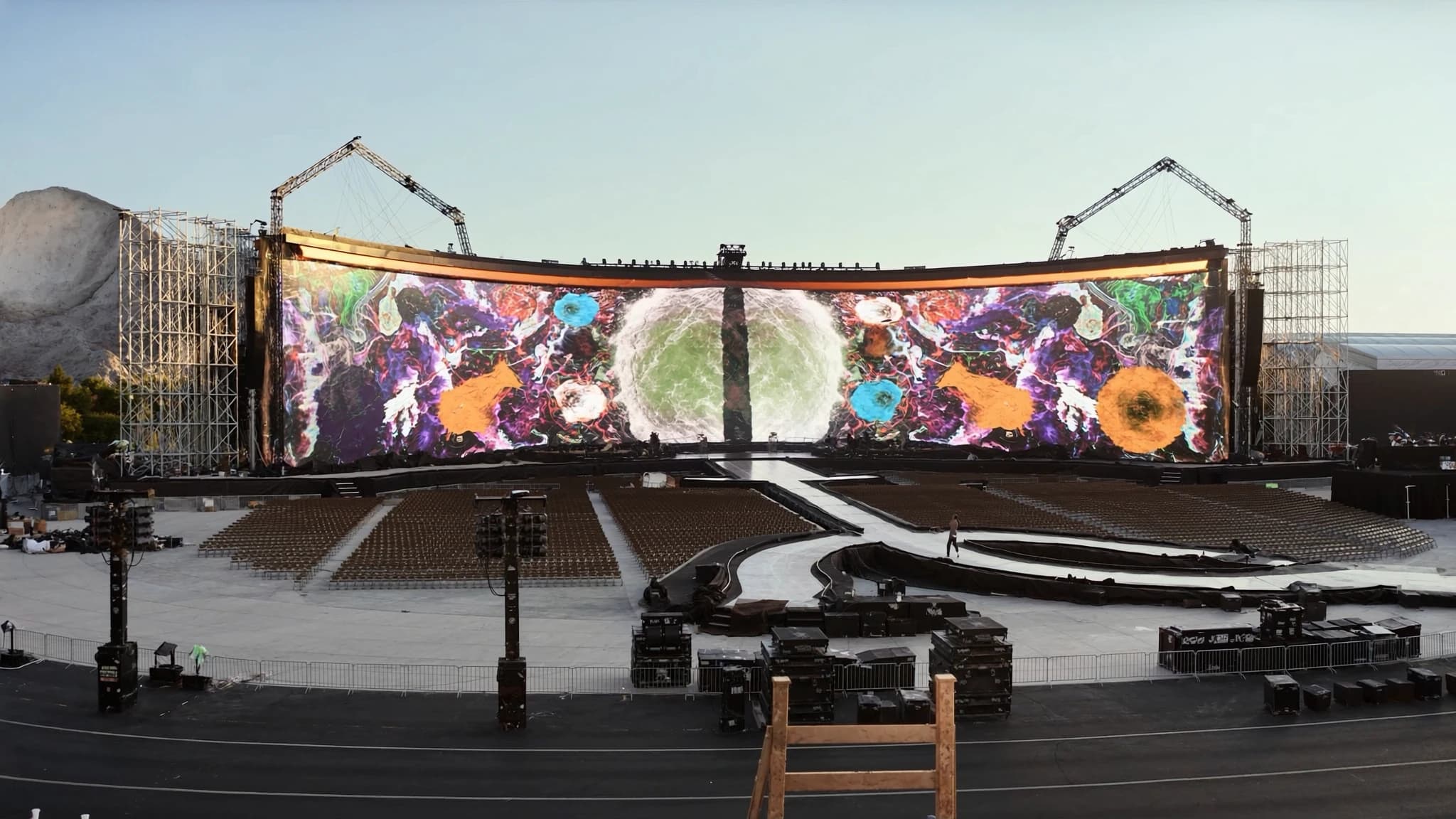
LED video walls have become the visual backbone of modern live events, from concert stages and corporate keynotes to festivals and broadcast sets. This guide covers the essential technical parameters—pixel pitch, brightness, processing, and rigging—that determine screen performance, and explains how to spec an LED wall that delivers stunning, reliable visuals for any event. As a full AVL production partner, SSOUNDS integrates world-class audio with professional LED video solutions to create cohesive, high-impact experiences.

Key takeaways

  • Pixel pitch directly determines viewing distance and image clarity; choose based on the closest audience member and camera positions.
  • Indoor screens need 600–1,500 nits; outdoor screens require 4,000–8,000 nits to combat sunlight.
  • A dedicated LED processor is essential for scaling, color calibration, and signal distribution across multiple cabinets.
  • Rigging and power must be engineered for safety: calculate total weight, wind load, and electrical draw, and use certified hardware.
  • Content should be created at the wall's native resolution and consider refresh rates for broadcast compatibility.
  • SSOUNDS provides complete AVL integration, combining premium audio with professional LED video for cohesive event production.

Understanding LED Panels and Cabinets

LED video walls are built from modular panels (often called cabinets) that tile together to form seamless displays of any size and shape. Each cabinet contains an array of surface-mount LEDs (SMD) or, for finer pitch, chip-on-board (COB) LEDs, along with driver ICs and power management. Cabinet sizes typically range from 500×500 mm to 600×600 mm or 500×1000 mm, with thickness and weight varying by series. For rental and touring, lightweight, rugged cabinets with quick-locking mechanisms are essential for fast setup and teardown.

Key factors when choosing cabinets include: front vs. rear serviceability (front-service panels allow wall mounting against walls), corner protection for transport, and the quality of the die-cast aluminum frame. SSOUNDS recommends cabinets with at least IP30 protection for indoor use and IP65 for outdoor events, along with redundant power and signal inputs to ensure show continuity.

Pixel Pitch and Viewing Distance

Pixel pitch is the distance (in millimeters) between the center of adjacent LEDs. It is the single most important spec for image clarity: smaller pitch = higher resolution and closer minimum viewing distance. For a typical concert where the audience is 10–30 meters away, a pitch of 3.9 mm to 6.9 mm works well. For corporate events or broadcast where cameras get tight shots, 1.2 mm to 2.6 mm is preferred. Outdoor stadium shows often use 8 mm to 12 mm because viewing distances are large and brightness must be high.

A simple rule: minimum viewing distance (in meters) ≈ pixel pitch (in mm). For example, a 2.6 mm pitch looks sharp from about 2.6 meters away. Always consider the closest seat, camera close-ups, and content resolution (e.g., 1080p vs 4K) when selecting pitch. SSOUNDS engineers use this formula to help clients balance budget, resolution needs, and venue size.

Brightness: Nits for Indoor vs. Outdoor

Brightness is measured in nits (candelas per square meter). Indoor LED walls typically need 600–1,500 nits, as ambient light is controlled. Outdoor walls must overcome direct sunlight, requiring 4,000–8,000 nits or more. However, higher brightness increases power consumption and heat, so it's important to match the screen's brightness to the environment. Many modern LED panels offer auto-brightness adjustment via ambient light sensors.

For indoor events, a screen that is too bright can cause eye strain and wash out colors. For outdoor events, insufficient brightness makes the content unreadable. SSOUNDS recommends calibrating brightness to the specific lighting plot and using screens with wide viewing angles (140° horizontal/vertical) to ensure consistent visibility across the audience.

Processors, Scalers, and Signal Management

An LED wall is only as good as the signal driving it. A dedicated LED processor (scaler) receives video sources (HDMI, SDI, DisplayPort, etc.) and maps them to the exact pixel grid of the wall. It handles scaling, color calibration, frame rate conversion, and multi-layer compositing. For large walls built from multiple cabinets, the processor sends data via Ethernet or fiber to sending cards inside each cabinet, which then drive the LED modules.

Advanced processors support HDR, 4K/8K input, and redundant signal paths. For events with multiple screens or creative shapes (curved, concave, or custom angles), the processor can warp and blend edges. SSOUNDS integrates processors from leading manufacturers and recommends units with intuitive software for real-time adjustment and troubleshooting.

Rigging, Power, and Structural Considerations

Rigging an LED wall requires careful planning of weight, wind load (outdoor), and structural support. A typical cabinet weighs 15–30 kg, so a 10×6 meter wall can weigh over a ton. Steel truss or ground-supported towers must be engineered to hold the load. For flown walls, use certified motor hoists with safety chains. Power requirements are substantial: an indoor wall may draw 200–400 W per sqm, outdoor up to 800 W per sqm. Three-phase power distribution is often needed.

Cable management is critical—signal and power cables should be routed neatly with strain relief. SSOUNDS provides full rigging design, load calculations, and on-site supervision to ensure safety and compliance with local regulations. We also offer power distribution racks with surge protection and UPS for critical events.

Content Creation and Playback

Content for LED walls should be created at the native resolution of the wall (or a clean multiple) to avoid scaling artifacts. Use 16:9 or custom aspect ratios matching the wall layout. For video playback, media servers like Disguise, Watchout, or Resolume allow real-time compositing, mapping, and effects. For static content, high-resolution PNGs or JPEGs work well.

Consider refresh rate and scanning: most LED walls run at 1920 Hz or higher to avoid flicker on camera. For broadcast, ensure the wall's refresh rate is synchronized with camera shutter speeds. SSOUNDS collaborates with content creators to optimize pixel mapping and color space (Rec. 709 or DCI-P3) for the best visual impact.

How to Spec an LED Wall for Your Event

Start by defining the viewing distance, ambient light, and desired resolution. Calculate the total screen size and pixel pitch needed. Determine if the wall is indoor or outdoor, and choose cabinets accordingly. Factor in budget for processing, rigging, power, and backup components. Always request a demo or visit a showroom to see the screen in person.

SSOUNDS offers turnkey AVL solutions: we spec, supply, and integrate LED video walls alongside our professional loudspeaker systems, amplifiers, and DSP. Our team provides technical drawings, load plans, and on-site support to ensure seamless operation. Whether you need a 10-meter wide main stage screen or a curved backdrop, we deliver a unified audio-visual experience that elevates your event.

Frequently asked

What pixel pitch should I choose for a concert stage with a 15-meter viewing distance?

For a 15-meter minimum viewing distance, a pixel pitch of 3.9 mm to 6.9 mm is typical. A 3.9 mm pitch will look sharp and allow closer seats, while 6.9 mm is more budget-friendly. Always test with your content to confirm.

Can I use indoor LED panels outdoors?

Indoor panels lack the brightness (usually <1,500 nits) and weather sealing (IP rating) needed for outdoor use. They can be damaged by moisture and sunlight. For outdoor events, use panels rated IP65 or higher with 4,000+ nits brightness.

How much power does an LED wall consume?

Power consumption varies: indoor walls draw about 200–400 W per sqm, outdoor walls up to 800 W per sqm. A 50 sqm outdoor wall could require 40 kW. Always plan for three-phase power and include a generator or UPS for critical events.

What is the difference between SMD and COB LED technology?

SMD (Surface-Mount Device) uses individual red, green, and blue LEDs mounted on a PCB. COB (Chip-on-Board) places multiple LED chips directly on the substrate, allowing finer pixel pitches and better heat dissipation. COB offers higher contrast and durability but is more expensive.

Do I need a media server for my LED wall?

A media server is recommended for complex content playback, real-time mapping, and effects. For simple static images or single video loops, a laptop with playback software and a basic processor may suffice. For multi-layer, interactive, or broadcast content, invest in a server like Disguise or Resolume.

Building or upgrading a system?

SSOUNDS engineers and manufactures professional PA worldwide — from a single room to stadium scale.

Talk to an engineer
Chat on WhatsApp