Skip to content

The Best Network Switches for Dante and AoIP

The Best Network Switches for Dante and AoIP

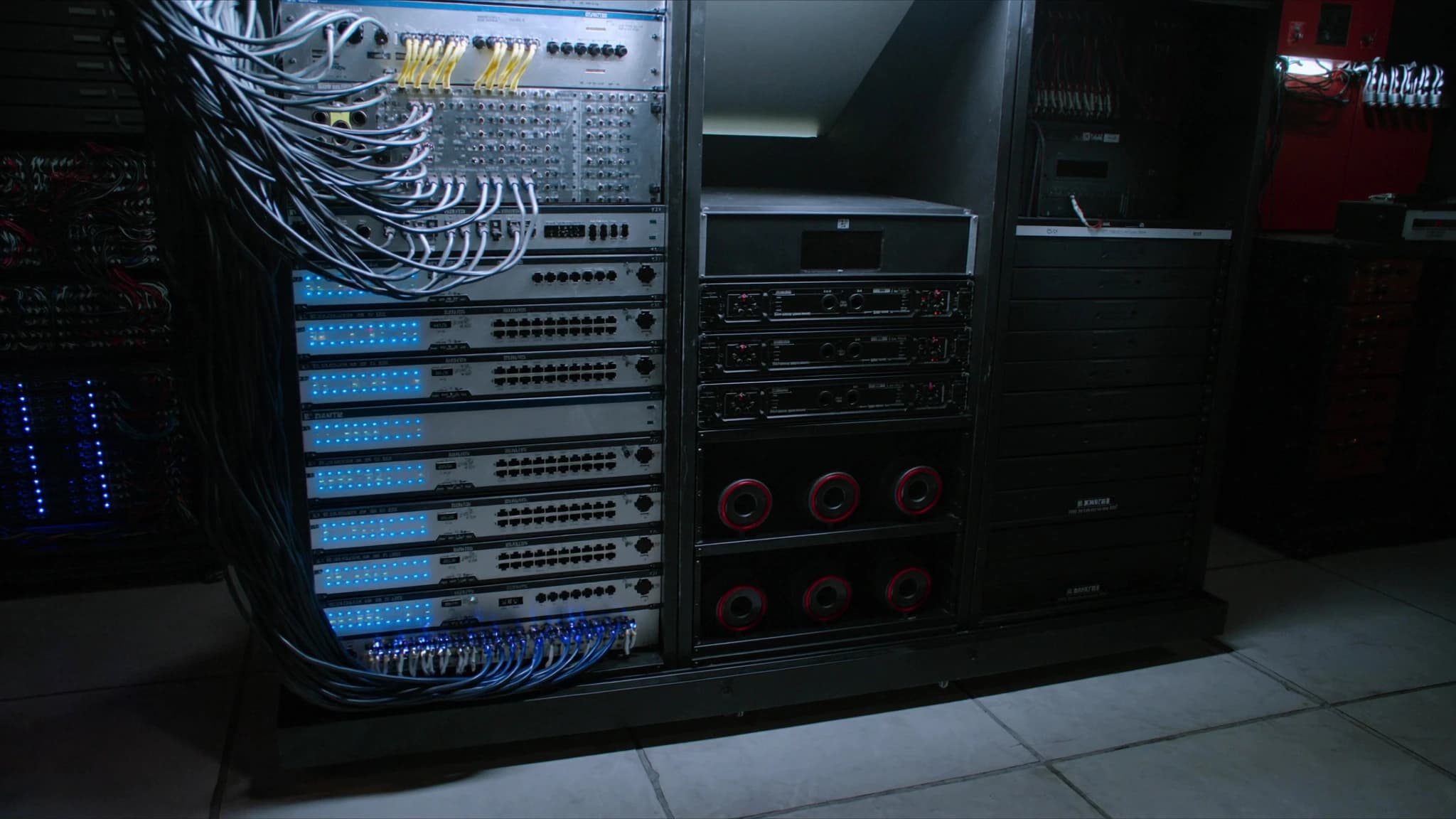
Dante and other Audio-over-IP (AoIP) protocols have revolutionised live sound, but their reliability depends entirely on your network infrastructure. Choosing the wrong switch can introduce dropouts, latency, or total system failure. This guide explains exactly what makes a switch Dante-ready and how to select and configure the right hardware for your rig.

Key takeaways

  • A Dante-ready switch must be Gigabit, non-blocking, and support QoS (DiffServ) with strict priority queuing.
  • IGMP snooping with a single querier is essential to manage multicast traffic efficiently.
  • Energy-Efficient Ethernet (EEE) must be disabled on all ports to prevent latency and clocking issues.
  • Managed switches are required for any professional Dante network; unmanaged switches are unreliable.
  • PoE and fibre uplinks add flexibility for powering devices and extending distances.
  • Always test your switch configuration with Dante Controller before deploying in a live show.

What Makes a Switch Dante-Ready?

Not all network switches are suitable for Dante. At minimum, a Dante-ready switch must support Gigabit Ethernet (1000BASE-T) on all ports, as Dante uses standard IP packets and requires high bandwidth for multiple audio channels. A non-blocking backplane is critical: the switch must be able to handle full wire-speed traffic on all ports simultaneously without dropping packets. This is often expressed as a switching capacity equal to or greater than the sum of all port speeds.

Quality of Service (QoS) is non-negotiable. Dante uses DiffServ (DSCP) to prioritise audio traffic over other data. The switch must be able to honour and map these tags to strict priority queues. Without proper QoS, a burst of non-audio traffic can cause audio dropouts. Additionally, IGMP snooping is required to manage multicast traffic efficiently. Dante uses multicast for many-to-many connections; without IGMP snooping, the switch floods all ports with multicast packets, overwhelming the network.

Energy-Efficient Ethernet (EEE, 802.3az) must be disabled. EEE powers down idle links to save energy, but the wake-up time introduces latency and can cause clocking issues in Dante. Most managed switches allow EEE to be turned off per port or globally. Finally, the switch should support jumbo frames (though not strictly required, they reduce CPU load on Dante devices) and have a solid, fanless design for rack-mount reliability in live sound environments.

Managed vs. Unmanaged Switches

For any Dante network larger than a handful of devices, a managed switch is essential. Unmanaged switches lack the ability to configure QoS, disable EEE, or enable IGMP snooping. They may work in a simple point-to-point setup, but they are a gamble for professional use. Managed switches give you control over every parameter that ensures deterministic audio delivery.

When selecting a managed switch, look for a web-based or CLI interface that allows you to set port VLANs, configure QoS with strict priority, enable IGMP snooping with querier, and disable EEE. Some switches also offer features like port mirroring for troubleshooting and SNMP for remote monitoring. For touring applications, a compact, rugged switch with locking power connectors is ideal.

Key Features: PoE, Fibre Uplinks, and Redundancy

Power over Ethernet (PoE) is a major convenience for powering Dante-enabled microphones, stage boxes, and speakers. However, not all PoE switches are created equal. Ensure the switch provides at least 802.3af (15.4W) or 802.3at (30W) per port, with a total power budget sufficient for your devices. Some high-power devices require PoE+ or even PoE++ (60W).

Fibre uplinks are invaluable for long cable runs between stages, FOH, and broadcast trucks. SFP/SFP+ ports allow you to use single-mode or multi-mode fibre, eliminating ground loops and extending distances beyond 100 metres. For large-scale systems, a switch with at least two SFP+ ports (10GbE) provides future-proofing for high-channel-count Dante or AES67 networks.

Redundancy is another consideration. Dante supports redundant networks (primary and secondary), but this requires a switch that can handle two separate VLANs or physical networks. Some switches offer dual power supplies and link aggregation for added resilience. For critical applications, consider a switch with a redundant power supply and managed failover.

How to Configure a Switch for Dante

Start by disabling Energy-Efficient Ethernet (EEE) on all ports. This is often found under power management settings. Next, enable IGMP snooping and set the IGMP querier to one switch (if multiple switches are used, only one should act as querier). For QoS, create a traffic class for DSCP values used by Dante (typically CS3 for audio, CS6 for PTP clocking). Assign strict priority to these queues, ensuring audio packets are always served first.

VLANs can isolate Dante traffic from other network traffic (e.g., control, video). However, if you use a single VLAN, ensure that no other high-bandwidth services compete on the same subnet. Disable spanning tree protocol on ports connected to Dante devices (or use rapid spanning tree with edge ports) to avoid delays during link changes. Finally, set all ports to Gigabit full duplex and disable flow control (pause frames) as they can cause audio dropouts.

Top Switch Recommendations for Dante

While SSOUNDS does not manufacture network switches, we have extensive experience integrating Dante systems with various brands. For small to medium rigs, the Cisco Catalyst 3560-CX or 2960-X series are proven performers with excellent QoS and IGMP support. For touring and rental, the Luminex GigaCore series offers rugged, purpose-built switches with Dante-optimised firmware. The Netgear M4300 series is also popular for its ease of configuration and PoE+ capabilities.

For large-scale installations, the Arista 7050X or Extreme Networks Summit series provide high-density 10GbE and advanced multicast features. Always verify that the switch firmware is up to date and that you have tested the configuration with Dante Controller's latency and clocking diagnostics before a show.

Common Pitfalls and How to Avoid Them

One of the most common mistakes is using a switch with EEE enabled. Even if the switch is managed, EEE can cause intermittent audio dropouts that are hard to diagnose. Always double-check that EEE is disabled. Another pitfall is using a switch with insufficient backplane bandwidth for the number of Dante channels. Calculate your worst-case bandwidth: each Dante channel at 24-bit/48kHz uses about 4 Mbps. A 48-port switch with all ports active could require over 2 Gbps of internal bandwidth—ensure your switch can handle it.

Improper IGMP configuration can also cause issues. If IGMP snooping is enabled but no querier is configured, multicast traffic may be flooded to all ports. Similarly, using multiple switches without a single querier can lead to multicast storms. Finally, avoid daisy-chaining switches without proper uplink bandwidth; use a star topology with high-speed uplinks to the core switch.

Frequently asked

Can I use a consumer-grade switch for Dante?

Consumer switches often lack IGMP snooping, QoS, and the ability to disable EEE. They may work in very small, static setups but are not reliable for professional use. Always use a managed switch designed for AV networking.

Do I need a 10GbE switch for Dante?

For most Dante systems, 1GbE is sufficient. 10GbE becomes necessary when running very high channel counts (e.g., 512+ channels) or when combining Dante with other high-bandwidth protocols like AES67 or video. For typical live sound applications (up to 128 channels), 1GbE with proper QoS is fine.

What is the difference between Dante and AES67 in terms of switch requirements?

AES67 is a standard that Dante can operate in. The switch requirements are similar: Gigabit, QoS, IGMP snooping. However, AES67 may use different DSCP values and requires careful clocking (PTPv2). Most Dante switches also support AES67 with proper configuration.

How many Dante devices can I connect to a single switch?

The limit depends on the switch's backplane capacity and the number of audio channels. A typical 48-port Gigabit switch can handle hundreds of Dante channels if properly configured. However, each device uses one port, so the port count is the physical limit. Use VLANs or multiple switches for larger systems.

Should I use a dedicated switch for Dante or can I share with other traffic?

It is best practice to use a dedicated switch or VLAN for Dante traffic to avoid interference from data bursts (e.g., file transfers, video streaming). If sharing, ensure strict QoS prioritisation and sufficient bandwidth. For critical applications, a separate physical network is recommended.

Building or upgrading a system?

SSOUNDS engineers and manufactures professional PA worldwide — from a single room to stadium scale.

Talk to an engineer
Chat on WhatsApp