Opstelling van studiomonitors: een complete gids
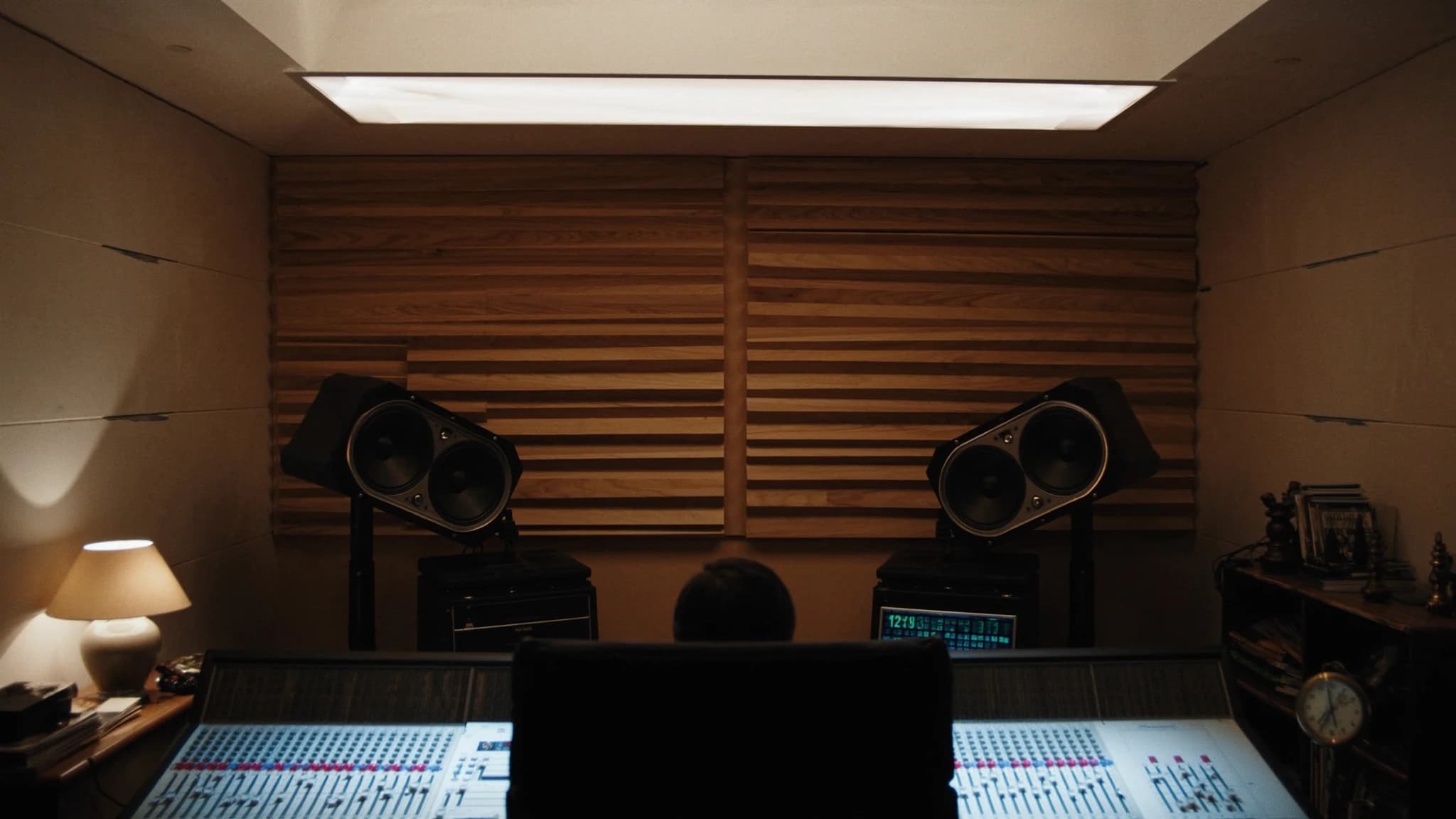
Het correct opstellen van studiomonitors is de belangrijkste stap naar nauwkeurige, goed vertaalbare mixes. Deze gids behandelt nearfield- versus midfield-keuzes, optimale plaatsing en de gelijkzijdige driehoek, akoestische behandeling van de ruimte, subwooferintegratie en kalibratie, met praktische tips voor merken zoals Yamaha HS en KRK.
Belangrijkste punten
- Kies nearfield-monitors voor kleine ruimtes; stem de wooferformaat af op het volume van de ruimte.
- Zet altijd een gelijkzijdige driehoek op met tweeters op oorhoogte.
- Behandel eerste reflectiepunten en hoeken met absorptie en basstraps.
- Integreer subwoofers met behulp van de subwoofer crawl en een crossover rond 80 Hz.
- Kalibreer je systeem op 85 dB SPL met roze ruis en een SPL-meter.
- Gebruik monitorspecifieke EQ- en room control-functies om akoestiek te compenseren.
Nearfield- versus midfield-monitors: de juiste tool kiezen
Nearfield-monitors zijn ontworpen voor luisteren op korte afstand, doorgaans 1 tot 2 meter van de luisteraar, en minimaliseren de invloed van de akoestiek van de ruimte. Ze zijn de standaard voor de meeste project- en thuisstudio's omdat direct geluid domineert boven gereflecteerd geluid, wat je een helderder beeld van de mix geeft. Midfield-monitors, op 2 tot 4 meter afstand, worden gebruikt in grotere control rooms en bieden hogere SPL en uitgebreidere laagfrequente weergave, maar vereisen een goed behandelde ruimte om kleuring te voorkomen.
Voor kleine tot middelgrote ruimtes zijn nearfield-monitors zoals de Yamaha HS5 of HS7 uitstekende keuzes vanwege hun vlakke respons en gedetailleerde midden. De KRK Rokit-serie biedt een gekleurder, basrijker geluid dat sommige producers voor bepaalde genres prefereren. Het belangrijkste is om de monitorformaat af te stemmen op het volume van je ruimte: een 10-inch woofer in een kleine ruimte veroorzaakt basopbouw en onnauwkeurig laag. Als vuistregel zijn 5-inch of 6,5-inch woofers ideaal voor ruimtes onder 200 sq ft, terwijl 8-inch of groter geschikt is voor grotere ruimtes.
De gelijkzijdige driehoek: basis voor nauwkeurige stereobeeldvorming
De gelijkzijdige driehoek is de gulden regel voor monitorplaatsing. Plaats je luisterpositie en de twee monitors zo dat de afstand tussen de monitors gelijk is aan de afstand van elke monitor tot je oren. Als je monitors bijvoorbeeld 4 feet uit elkaar staan, moet je 4 feet van elke speaker zitten. Dit zorgt voor een gebalanceerd stereobeeld en een precies fantoommidden.
Richt de monitors zo dat ze direct op je oren wijzen, doorgaans een hoek van 30 graden vanaf de middenas. De tweeters moeten op oorhoogte zijn wanneer je zit. Als je bureau of console de monitors te hoog of te laag dwingt, kantel ze dan naar beneden of naar boven. Vermijd het plaatsen van monitors op hetzelfde oppervlak als je mengconsole zonder isolatiepads, omdat trillingen fase-uitdoving kunnen veroorzaken en het laag kunnen vertroebelen.
Akoestische behandeling: reflecties en staande golven temmen
Zelfs de beste monitors klinken verschrikkelijk in een onbehandelde ruimte. De eerste reflecties, geluid dat weerkaatst van muren, plafond en vloer, veroorzaken kamfiltering en vertroebelen het stereobeeld. Plaats absorptiepanelen op de eerste reflectiepunten op de zijmuren en het plafond. Een dikke basstrap in de hoeken beheerst laagfrequente opbouw, wat vooral belangrijk is voor monitors met grotere woofers.
Voor ruimtes met Yamaha HS-serie monitors, die bekend staan om hun onthullende hoog, is absorptie cruciaal om luistermoeheid te voorkomen. KRK-monitors, met hun ingebouwde EQ-aanpassingen (HF- en LF-trim), kunnen worden afgestemd om ruimteproblemen te compenseren, maar behandeling is nog steeds superieur. Een eenvoudige test: klap in je handen op de luisterpositie; als je een flutter of nagalm hoort, heb je meer absorptie nodig. Diffusie kan achter de luisterpositie worden toegevoegd om een gevoel van ruimte te behouden zonder reflecties.
Subwoofers en basmanagement: laag uitbreiden zonder modder
Het toevoegen van een subwoofer kan de laagfrequente weergave van je systeem uitbreiden, maar introduceert uitdagingen op het gebied van plaatsing en integratie. De sub moet worden geplaatst op een locatie die staande golven minimaliseert, vaak nabij een hoek maar niet precies in de hoek. Voer een subwoofer crawl uit: plaats de sub op je luisterpositie, loop door de kamer en luister waar de bas het meest gelijkmatig klinkt. Daar moet de sub staan.
Basmanagement omvat het instellen van een crossover-frequentie (doorgaans 80 Hz voor de meeste systemen) zodat de monitors midden en hoog verwerken terwijl de sub het laag voor zijn rekening neemt. Veel KRK- en Yamaha-subwoofers hebben ingebouwde crossovers en fase-regelaars. Gebruik een meetmicrofoon en software zoals Room EQ Wizard (REW) om de fase en het niveau van de sub af te stemmen op de monitors. Streef naar een vlakke respons van 20 Hz tot 200 Hz. Vermijd het verhogen van het subniveau; het moet naadloos opgaan, niet opvallen.
Kalibratie: een referentieniveau bereiken
Kalibratie zorgt ervoor dat je monitorsysteem geluid weergeeft op een bekend, consistent niveau. De industriestandaard is 85 dB SPL (C-gewogen, slow) voor mixen, maar veel engineers geven de voorkeur aan 79-83 dB voor langere sessies. Gebruik een SPL-meter of een gekalibreerde microfoon op de luisterpositie. Speel roze ruis door elke monitor afzonderlijk en pas het volume van de monitor of de interface-uitgang aan tot de meter het doelniveau aangeeft.
Voor stereo stel je beide monitors op hetzelfde niveau in. Als je een sub gebruikt, kalibreer de sub dan om overeen te komen met de monitors op het crossover-punt. Veel KRK- en Yamaha-monitors hebben trimregelaars op het achterpaneel voor fijnafstelling. Documenteer je instellingen zodat je ze kunt terugvinden. Kalibratie moet worden herhaald na elke ruimteverandering of herplaatsing van monitors. Onthoud: een gekalibreerd systeem geeft je mixes die vertalen naar andere weergavesystemen.
Praktische tips voor Yamaha HS- en KRK-gebruikers
Yamaha HS-serie monitors staan bekend om hun vlakke, ongekleurde respons, ideaal voor kritisch mixen. Ze kunnen echter hard klinken in onbehandelde ruimtes. Gebruik de room control-schakelaars (aan de achterkant) om hoge frequenties te verlagen als je ruimte te levendig is. De HS8S-subwoofer combineert goed met HS5- of HS7-monitors; stel de crossover in op 80 Hz en pas de fase aan om uitdoving te voorkomen.
KRK Rokit-monitors (G4 en nieuwer) hebben een ingebouwde EQ met drie standen: 'Mix' (vlak), 'Create' (verhoogde bas en treble) en 'Focus' (midden vooruit). Gebruik voor nauwkeurig mixen de 'Mix'-modus. De KRK S10.4-subwoofer biedt een variabele crossover en polariteitsschakelaar. Gebruik de meegeleverde K-RAK-software voor geavanceerde DSP-afstemming. Beide merken profiteren van isolatiepads om te ontkoppelen van het bureau.
Veelgestelde vragen
Moet ik Yamaha HS- of KRK Rokit-monitors kopen?
De Yamaha HS-serie biedt een vlakker, analytischer geluid dat ideaal is voor kritisch mixen en masteren. De KRK Rokit-serie heeft een gekleurder, basrijker geluid dat sommigen inspirerend vinden voor productie. Kies op basis van je workflow: HS voor nauwkeurigheid, KRK voor creativiteit.
Hoe ver moeten studiomonitors van de muur staan?
Minimaal 30 tot 60 cm van de muur erachter om basopbouw door achterpoorten te voorkomen. Voor monitors met poorten aan de voorkant, zoals sommige KRK-modellen, kun je ze dichterbij plaatsen, maar laat nog wat ruimte.
Heb ik een subwoofer nodig voor een kleine thuisstudio?
Niet per se. Een subwoofer kan helpen als je monitors weinig laagweergave hebben (bijvoorbeeld 5-inch woofers), maar vereist zorgvuldige plaatsing en kalibratie. In een kleine ruimte kan het meer problemen veroorzaken dan oplossen.
Wat is de beste manier om de monitorplaatsing te meten?
Gebruik een meetlint om een gelijkzijdige driehoek te creëren. Voor kalibratie gebruik je een meetmicrofoon (bijvoorbeeld UMIK-1) en software zoals Room EQ Wizard om de frequentierespons te controleren en de plaatsing aan te passen.
Hoe vaak moet ik mijn monitors opnieuw kalibreren?
Herhaal de kalibratie wanneer je je monitors verplaatst, de akoestische behandeling van de ruimte verandert of merkt dat je mixes niet goed vertalen. Anders is eens in de paar maanden voldoende.
Een systeem bouwen of upgraden?
SSOUNDS ontwerpt en produceert professionele PA wereldwijd, van een enkele ruimte tot stadionformaat.