De beste netwerkswitches voor Dante en AoIP
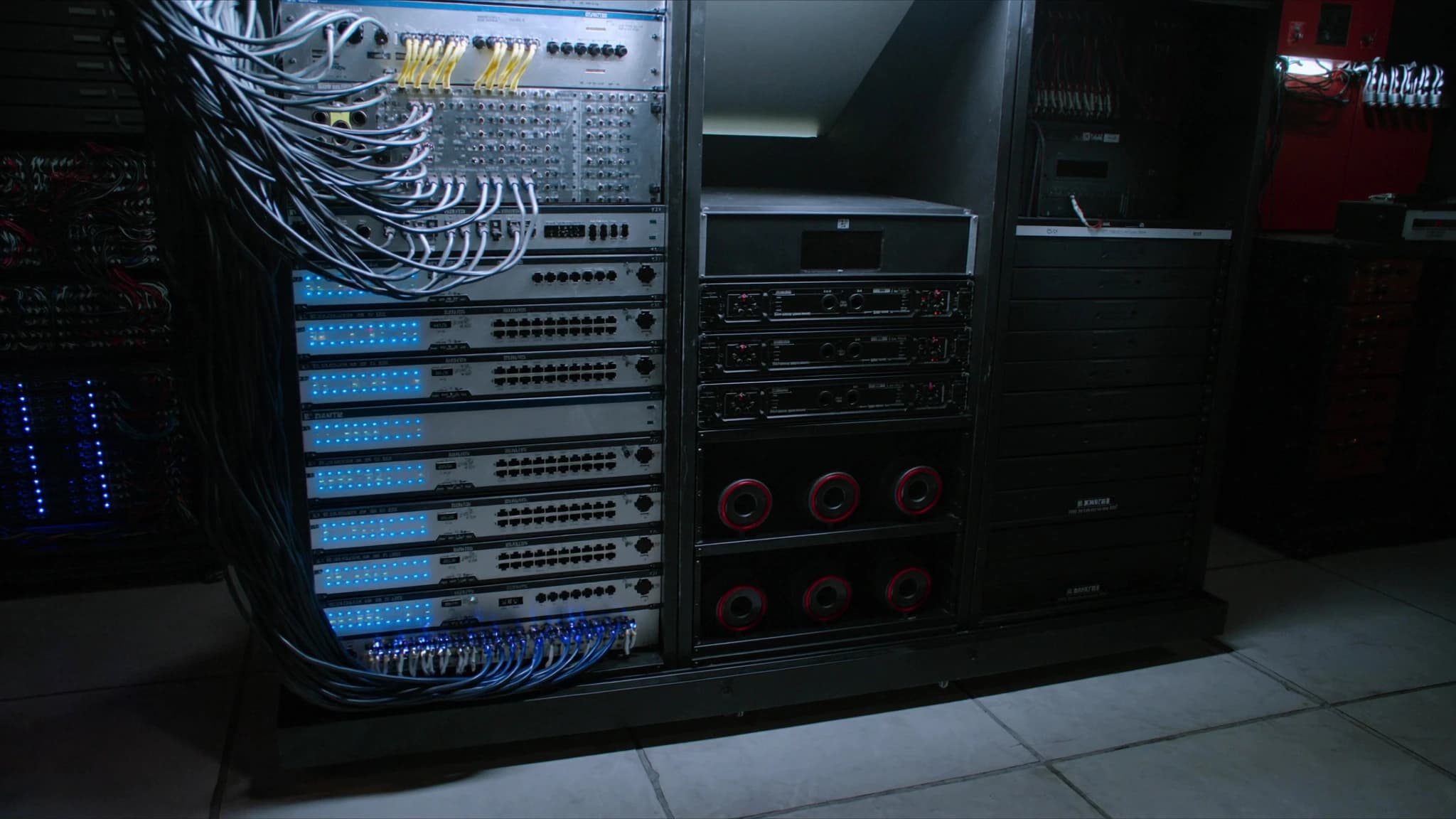
Dante en andere audio-over-IP (AoIP)-protocollen hebben live sound, vaste AV-installaties en broadcast getransformeerd, waarbij zware analoge snakes zijn vervangen door een enkele Ethernet-kabel. Maar niet elke netwerkswitch is geschikt voor de taak. Deze gids legt uit wat een switch echt Dante-ready maakt, hoe je er een kiest en configureert, en waarom SSOUNDS-engineers managed switches met specifieke functies specificeren voor elk project.
Belangrijkste punten
- Een Dante-ready switch moet een non-blocking backplane, QoS met DiffServ, IGMP snooping en EEE uitgeschakeld hebben.
- Managed switches worden sterk aanbevolen voor professionele AoIP omdat ze VLAN's, QoS en monitoring mogelijk maken.
- Gigabit Ethernet is de basis; fibre-uplinks en PoE zijn waardevol voor grote of gedistribueerde systemen.
- Correcte configuratie (QoS, IGMP, EEE uit) is net zo belangrijk als de switchhardware zelf.
- SSOUNDS-versterkers en DSP zijn Dante-compatibel, en ons team kan je begeleiden bij netwerkontwerp.
Waarom de switch belangrijk is voor Dante en AoIP
Dante, AES67 en andere AoIP-protocollen vertrouwen op standaard Ethernet- en IP-netwerken om honderden audiokanalen te transporteren met lage latentie en sample-nauwkeurige synchronisatie. Anders dan bestandsoverdrachten of webbrowsen zijn audiostreams tijdsgevoelig: een vertraagd pakket is een gemist sample, en een gemist sample is een hoorbare klik of dropout. De netwerkswitch is de verkeersregelaar die deze streams leidt, en als deze niet correct is geconfigureerd, hoor je de gevolgen onmiddellijk.
Veel installateurs maken de fout om een goedkope unmanaged switch uit een kantoorwinkel te gebruiken. Hoewel deze misschien werkt in een eenvoudig systeem met een paar apparaten, mist hij vaak de functies die nodig zijn om audiotraffic te prioriteren, multicastgroepen te beheren en lussen te voorkomen. In grotere systemen, of waar ander dataverkeer het netwerk deelt, kan een unmanaged switch dropouts, latentie en onbetrouwbare prestaties veroorzaken.
Bij SSOUNDS ontwerpen we onze luidsprekersystemen, versterkers en DSP om naadloos te integreren met Dante- en AES67-netwerken. Maar we weten ook dat het netwerk zelf een kritieke component is. Daarom bevelen we specifieke switchfuncties aan en ondersteunen we deze, die zorgen voor rotsvaste audiotransport.
Belangrijkste kenmerken van een Dante-ready switch
Niet alle managed switches zijn gelijk. Om Dante en andere AoIP-traffic betrouwbaar te verwerken, moet een switch de volgende kenmerken hebben:
Non-blocking backplane: De switch moet volledige doorvoer op alle poorten tegelijkertijd aankunnen zonder pakketten te laten vallen. Een non-blocking architectuur zorgt ervoor dat zelfs onder zware belasting audiostreams niet worden vertraagd. Zoek naar switches met een switchingcapaciteit die ten minste tweemaal het totale poortaantal maal de poortsnelheid is (voor full-duplex).
QoS met DiffServ: Quality of Service (QoS) is essentieel voor het prioriteren van audiotraffic boven andere data. Dante gebruikt DiffServ (Differentiated Services)-codepunten om audiopakketten met hoge prioriteit te markeren. De switch moet DiffServ ondersteunen en geconfigureerd zijn om deze markeringen te honoreren. Dit zorgt ervoor dat audiopakketten vóór minder kritieke traffic zoals bestandsoverdrachten of e-mail worden doorgestuurd.
IGMP snooping: Dante gebruikt multicast voor many-to-many audiorouting. Zonder IGMP snooping wordt multicasttraffic naar alle poorten geflood, wat bandbreedte verspilt en mogelijk congestie veroorzaakt. IGMP snooping stelt de switch in staat om multicaststreams alleen door te sturen naar de poorten die erom hebben verzocht. Dit is cruciaal in grotere netwerken met meerdere multicaststromen.
Energy-Efficient Ethernet (EEE) uit: EEE, ook wel green Ethernet genoemd, zet poorten in een laag vermogenstatus wanneer traffic idle is. Hoewel goed voor kantoornetwerken, kan het latentie en dropouts veroorzaken bij Dante, omdat audiostreams continu zijn maar periodes van lage activiteit kunnen hebben. Schakel EEE altijd uit op poorten die audio vervoeren.
Managed vs unmanaged: Managed switches geven je de controle die nodig is om VLAN's, QoS, IGMP snooping en monitoring te configureren. Unmanaged switches zijn plug-and-play maar missen deze functies. Voor elke serieuze Dante-implementatie wordt een managed switch sterk aanbevolen. Sommige fabrikanten bieden switches met Dante-specifieke presets, wat de configuratie vereenvoudigt.
Gigabit en verder: Hoewel Dante op 100 Mbps-netwerken kan draaien, is gigabit Ethernet de basis voor moderne systemen. Het biedt voldoende bandbreedte voor hoge kanaalaantallen en maakt toekomstige uitbreiding mogelijk. Voor zeer grote systemen kunnen 10 Gigabit-uplinks nodig zijn.
PoE (Power over Ethernet): Veel Dante-apparaten, zoals IP-luidsprekers, microfoons en intercomstations, kunnen via PoE worden gevoed. Een switch met PoE-ondersteuning elimineert de noodzaak van aparte voedingen, wat de installatie vereenvoudigt. Zorg ervoor dat de switch voldoende stroombudget biedt voor alle aangesloten apparaten.
Fibre-uplinks: Glasvezelkabels maken lange afstanden mogelijk (tot enkele kilometers) en bieden elektrische isolatie, wat belangrijk is in grote locaties of tussen gebouwen. Switches met SFP- of SFP+-poorten maken fibre-uplinks mogelijk, ideaal voor het verbinden van verre racks of verdiepingen.
Managed vs unmanaged: de juiste keuze maken
De beslissing tussen managed en unmanaged switches is vaak het eerste splitsingspunt. Unmanaged switches zijn goedkoop en vereisen geen configuratie. Ze werken prima voor een klein, geïsoleerd Dante-netwerk met een handvol apparaten en geen andere traffic. Zodra je echter meer apparaten toevoegt, verbinding maakt met een bedrijfsnetwerk of moet troubleshooten, worden hun beperkingen duidelijk.
Managed switches daarentegen bieden een reeks functies die hen onmisbaar maken voor professionele AoIP. Je kunt VLAN's aanmaken om audiotraffic van controledata te scheiden, QoS configureren om audio te prioriteren, IGMP snooping inschakelen om multicast te beheren en poortstatistieken monitoren om problemen te identificeren. Veel managed switches ondersteunen ook link aggregation, wat redundantie en verhoogde bandbreedte kan bieden.
Sommige fabrikanten, zoals Cisco, Netgear en Luminex, bieden switches met Dante-specifieke presets of zelfs speciale Dante-certificering. Deze switches worden geleverd met aanbevolen instellingen die met één klik kunnen worden toegepast, wat het risico op verkeerde configuratie vermindert. Hoewel SSOUNDS geen netwerkswitches produceert, werken we samen met toonaangevende switchleveranciers om ervoor te zorgen dat onze systemen soepel integreren. Ons engineeringteam kan advies geven over switchselectie en -configuratie voor elk SSOUNDS-project.
Je switch configureren voor Dante
Zodra je een geschikte switch hebt gekozen, is correcte configuratie essentieel. Hier is een stapsgewijze handleiding voor de essentiële instellingen:
1. Schakel EEE uit: Schakel op elke poort die Dante-traffic zal vervoeren Energy-Efficient Ethernet uit. Dit voorkomt dat de poort in een laag vermogenstatus terechtkomt die latentie kan introduceren.
2. Schakel QoS en DiffServ in: Activeer QoS globaal en zorg ervoor dat DiffServ is ingeschakeld. Dante-audio wordt doorgaans gemarkeerd met DSCP-waarde 56 (CS7) voor kloksynchronisatie en 46 (EF) voor audio. De switch moet worden ingesteld om deze markeringen te vertrouwen en ze in een wachtrij met hoge prioriteit te plaatsen.
3. Schakel IGMP snooping in: Schakel IGMP snooping in en stel de IGMP querier in op één switch in het netwerk (meestal de coreswitch). Dit voorkomt multicastflooding. Als je switch IGMP snooping met een querier ondersteunt, schakel dit dan in. Anders heb je mogelijk een aparte querier-apparaat nodig.
4. Stel VLAN's in (optioneel maar aanbevolen): Maak een apart VLAN voor Dante-traffic. Dit isoleert audio van andere data en vermindert het risico op interferentie. Als je VLAN's gebruikt, zorg er dan voor dat QoS en IGMP snooping binnen het VLAN zijn geconfigureerd.
5. Schakel ongebruikte functies uit: Schakel alle functies uit die kunnen interfereren, zoals storm control (tenzij correct geconfigureerd), flow control (wat head-of-line blocking kan veroorzaken) en energiebesparende modi.
6. Werk firmware bij: Gebruik altijd de nieuwste firmware op je switch. Fabrikanten brengen regelmatig updates uit die Dante-prestaties verbeteren en bugs oplossen.
7. Documenteer en label: Houd een record bij van je configuratie en label poorten duidelijk. Dit bespaart tijd bij troubleshooting of uitbreiding.
Top switchseries voor Dante en AoIP
Hoewel SSOUNDS geen netwerkswitches verkoopt, hebben we uitgebreide ervaring met de switches die het beste werken in Dante-netwerken. Hier zijn enkele series die in de industrie breed worden vertrouwd:
Cisco Catalyst en CBS series: Cisco-switches zijn een vast onderdeel in professionele AV. De Catalyst-serie biedt geavanceerde functies en robuustheid, terwijl de CBS (Business)-serie een betaalbaarder instapmodel biedt met veel van dezelfde Dante-relevante functies. Beide ondersteunen QoS, IGMP snooping en kunnen worden geconfigureerd met Dante-presets.
Netgear M4250 en M4300 series: Netgear richt zich specifiek op de AV-markt met zijn M4250-serie, die vooraf geconfigureerde Dante-profielen bevat. De M4300-serie biedt hogere poortdichtheden en 10G-uplinks voor grotere systemen. Deze switches staan bekend om hun gebruiksgemak en betrouwbaarheid.
Luminex GigaCore series: Luminex-switches zijn speciaal ontworpen voor AV- en entertainmentnetwerken. Ze worden geleverd met Dante-presets en staan bekend om hun robuuste constructie en intuïtieve webinterface. De GigaCore-serie is populair in touring en vaste installaties.
Andere noemenswaardige vermeldingen: Arista, Extreme Networks en HP/Aruba produceren ook switches die geschikt zijn voor Dante. Het belangrijkste is dat ze de hierboven beschreven functies ondersteunen.
Houd bij het selecteren van een switch rekening met de grootte van je netwerk, het aantal apparaten, de behoefte aan PoE en toekomstige uitbreiding. Overweeg voor kritieke toepassingen switches met redundante voedingen en hot-swappable ventilatoren.
SSOUNDS en networked audio
Bij SSOUNDS begrijpen we dat een luidsprekersysteem slechts zo goed is als het signaal dat het voedt. Daarom zijn onze versterkers en DSP-units ontworpen met Dante- en AES67-compatibiliteit, waardoor ze naadloos integreren in networked audiosystemen. Ons engineeringteam gebruikt AI-ondersteunde akoestische modellering en machine-learning-afgestemde DSP om systeemprestaties te optimaliseren, en we bieden uitgebreide ondersteuning voor netwerkontwerp en -configuratie.
Of je nu een touring rig bouwt, een vaste installatie in een stadion of een vergaderruimsysteem, het netwerk is de ruggengraat. Door de juiste switch te kiezen en correct te configureren, zorg je ervoor dat je SSOUNDS-systeem de helderheid, betrouwbaarheid en impact levert die je publiek verwacht. Als je advies nodig hebt over switchselectie of netwerkontwerp, staat ons team klaar om te helpen.
Veelgestelde vragen
Kan ik een unmanaged switch voor Dante gebruiken?
Je kunt een unmanaged switch gebruiken voor zeer kleine, geïsoleerde Dante-netwerken met minimaal verkeer. Unmanaged switches missen echter QoS, IGMP snooping en VLAN-ondersteuning, die essentieel zijn voor grotere systemen of wanneer andere data het netwerk deelt. Voor betrouwbare prestaties wordt een managed switch aanbevolen.
Wat is het beste switchmerk voor Dante?
Verschillende merken zijn populair in de AV-industrie, waaronder Cisco, Netgear en Luminex. De beste keuze hangt af van je specifieke behoeften, zoals poortaantal, PoE-vereisten en budget. Zoek naar switches met Dante-presets of -certificering om de configuratie te vereenvoudigen.
Moet ik EEE op mijn switch uitschakelen?
Ja. Energy-Efficient Ethernet (EEE) kan latentie en dropouts veroorzaken bij Dante, omdat het poorten in een laag vermogenstatus plaatst tijdens idle-periodes. Schakel EEE altijd uit op poorten die audiotraffic vervoeren.
Hoe configureer ik QoS voor Dante?
Schakel QoS en DiffServ in op je switch. Dante gebruikt DSCP-waarden 56 (CS7) voor kloksynchronisatie en 46 (EF) voor audio. Configureer de switch om deze markeringen te vertrouwen en ze toe te wijzen aan een wachtrij met hoge prioriteit.
Levert SSOUNDS netwerkswitches?
SSOUNDS produceert geen netwerkswitches, maar onze versterkers en DSP zijn Dante-compatibel. We werken samen met toonaangevende switchleveranciers en kunnen advies geven over het selecteren en configureren van switches voor je SSOUNDS-systeem.
Een systeem bouwen of upgraden?
SSOUNDS ontwerpt en produceert professionele PA wereldwijd, van een enkele ruimte tot stadionformaat.