De beste netwerktopologie voor live sound
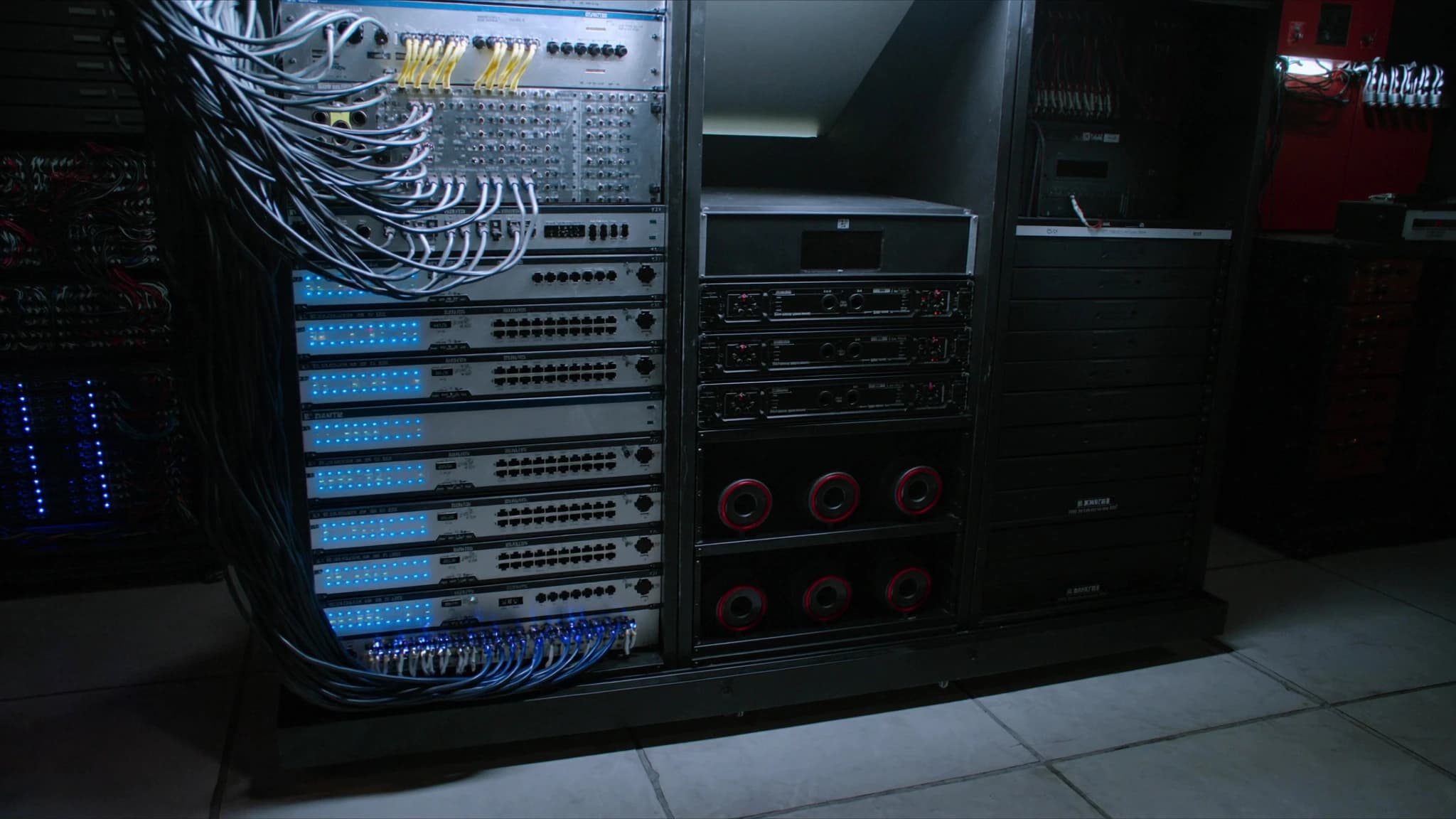
In moderne live sound is het netwerk de ruggengraat van je hele audiosysteem. Het vervoert digitale audio, besturingsdata en monitoringsignalen door de hele locatie. De juiste topologie kan het verschil betekenen tussen een vlekkeloze show en een catastrofale storing. Deze gids behandelt de belangrijkste overwegingen voor het ontwerpen van een betrouwbaar shownetwerk, van ster- en redundante topologieën tot VLAN's en kabelbeheer.
Belangrijkste punten
- Ster-topologie is eenvoudig maar heeft een single point of failure; gebruik redundante switches voor kritieke evenementen.
- Redundante ring-topologie biedt de hoogste betrouwbaarheid met automatische failover onder 50 ms.
- Primaire/secundaire Dante-netwerken bieden naadloze back-up; houd ze fysiek gescheiden.
- Gebruik VLAN's om audio-, besturings- en IT-verkeer te scheiden; schakel IGMP snooping en QoS in.
- Glasvezelverbindingen zijn het beste voor lange kabeltrajecten; houd koper onder 100 meter en gebruik shielded kabel.
- Test het netwerk altijd onder belasting en documenteer de topologie voor snelle probleemoplossing.
Ster-topologie: eenvoudig en effectief
De ster-topologie is het meest voorkomende en meest rechttoe rechtaan netwerkontwerp voor live sound. In deze opstelling worden alle apparaten, mengtafels, stageboxen, versterkers en DSP-units, aangesloten op een centrale switch. Dit centrale punt vereenvoudigt probleemoplossing en maakt eenvoudige uitbreiding mogelijk. Voor kleinere tot middelgrote shows kan één gigabit-switch met voldoende poorten zowel audio- (Dante, AVB of MADI) als besturingsverkeer verwerken.
De ster-topologie heeft echter een single point of failure: als de centrale switch uitvalt, stort het hele netwerk in. Om dit te beperken, gebruik altijd een hoogwaardige managed switch met redundante voedingen (dubbele PSU's) en overweeg een reserveswitch op stand-by. Voor missiekritische evenementen kan een redundante ster (dubbele switches) worden ingezet, maar dit verhoogt de complexiteit en de kosten.
Redundante ring-topologie: maximale betrouwbaarheid
Voor grootschalige tours en festivals waar uptime niet onderhandelbaar is, biedt een redundante ring-topologie (vaak met protocollen zoals Dante Redundant of RSTP) de hoogste betrouwbaarheid. In een ring is elk apparaat verbonden met twee buren, waardoor een lus ontstaat. Als een kabel of switch uitvalt, wordt verkeer automatisch in de tegenovergestelde richting omgeleid, met failovertijden doorgaans onder 50 milliseconden, onmerkbaar voor het publiek.
SSOUNDS-engineers adviseren vaak een dubbele ring voor primaire en secundaire Dante-netwerken. Dit creëert twee onafhankelijke ringen: één voor primaire audio en één voor secundaire (back-up). Elk apparaat stuurt identieke audio over beide netwerken, dus als de ene ring uitvalt, neemt de andere naadloos over. De keerzijde is verdubbelde bekabeling en switchpoorten, maar voor hoofdacts en broadcast-evenementen is het de gouden standaard.
Primaire/secundaire Dante-netwerken
Dante's primaire/secundaire redundantie is een hoeksteen van live sound-netwerken. In dit ontwerp wordt elk Dante-apparaat aangesloten op twee afzonderlijke switches (of twee VLAN's op dezelfde switch), één voor het primaire netwerk en één voor het secundaire. De primaire vervoert de hoofd audiostream; de secundaire vervoert een identieke kopie. Als een kabel, switch of poort op de primaire uitvalt, schakelt de ontvanger automatisch binnen milliseconden over op de secundaire.
Om dit effectief te implementeren, zorg dat primaire en secundaire netwerken fysiek geïsoleerd zijn, gebruik aparte switches of aparte VLAN's zonder routing ertussen. Deel nooit één kabel voor zowel primair als secundair (bijvoorbeeld één Cat6 voor beide is een single point of failure). SSOUNDS DSP- en versterkerplatforms ondersteunen Dante-redundantie native, waardoor naadloze integratie in dergelijke topologieën mogelijk is.
VLAN's: audio- en besturingsverkeer scheiden
In complexe netwerken zijn VLAN's (Virtual Local Area Networks) essentieel om verschillende soorten verkeer te scheiden. Maak voor live sound minimaal drie VLAN's: één voor Dante-audio, één voor besturing (bijvoorbeeld OSC, HTTP of propriëtaire protocollen zoals SSOUNDS NetControl) en één voor algemeen IT-verkeer (Wi-Fi, internet). Dit voorkomt dat audiopakketten worden vertraagd door besturingspieken of grote bestandsoverdrachten.
Gebruik een managed switch met IGMP snooping om multicast-verkeer te optimaliseren (Dante gebruikt multicast voor clocking en discovery). Zonder IGMP snooping overspoelen multicast-pakketten alle poorten, wat bandbreedte verspilt. Stel ook QoS (Quality of Service) in om Dante-audiopakketten (doorgaans DSCP 46) prioriteit te geven boven besturings- en datagegevens. Dit zorgt voor lage latency en jitter, zelfs onder zware belasting.
Switchplaatsing en kabeltrajecten
Switchplaatsing moet de signaalstroom volgen: plaats een switch bij de FOH (front of house) voor mengtafels en bij het podium voor stageboxen en versterkers. Gebruik voor grote locaties meerdere switches die via glasvezelverbindingen zijn verbonden om lange afstanden te overbruggen zonder signaalverlies. Glasvezel is immuun voor elektromagnetische interferentie en kan honderden meters afleggen, ideaal voor festivalvelden of arenaplafonds.
Houd voor koperkabels (Cat5e/Cat6) de kabellengtes onder 100 meter per segment. Gebruik shielded kabel (STP) in omgevingen met hoge EMI, zoals in de buurt van powerdistro's of lichtdimmers. Label elke kabel duidelijk en gebruik kleurcodering (bijvoorbeeld rood voor primaire Dante, blauw voor secundair, geel voor besturing). SSOUNDS adviseert vooraf afgemonteerde, fabrieksgeteste kabels voor betrouwbaarheid.
Praktijkgerichte best practices van SSOUNDS-engineers
Op basis van honderden implementaties benadrukken SSOUNDS-engineers drie regels: (1) Vertrouw nooit op één switch of kabel, zorg altijd voor een back-uppad. (2) Test je netwerk onder belasting vóór de showdag, gebruik Dante Controller om latency en packet loss te monitoren. (3) Documenteer je netwerktopologie en label alles. In een crisis bespaart duidelijke documentatie minuten die de show kunnen redden.
Gebruik voor grote line array-systemen zoals die van SSOUNDS een apart netwerk voor versterkerbesturing, gescheiden van audio. Dit maakt remote monitoring van versterkerstatus, temperatuur en limiteractiviteit mogelijk zonder risico op audio-dropouts. Veel SSOUNDS-versterkers hebben dubbele netwerkpoorten voor daisy-chaining in een ring-topologie, wat de bekabeling vereenvoudigt terwijl redundantie behouden blijft.
Veelgestelde vragen
Wat is de beste topologie voor een kleine clubshow?
Een eenvoudige ster-topologie met één managed gigabit-switch is meestal voldoende. Gebruik een switch met dubbele voeding voor extra betrouwbaarheid en overweeg een tweede switch als hot spare.
Kan ik één kabel gebruiken voor zowel primaire als secundaire Dante?
Nee. Dat creëert een single point of failure. Primair en secundair netwerk moeten fysiek gescheiden zijn, met verschillende kabels en switches (of verschillende VLAN's op aparte poorten).
Heb ik glasvezel nodig voor een festival?
Als de afstanden groter zijn dan 100 meter of als er sprake is van hoge EMI (bijvoorbeeld in de buurt van generatoren), wordt glasvezel aanbevolen. Voor kortere afstanden is shielded Cat6 prima.
Hoe geef ik Dante-verkeer prioriteit op mijn netwerk?
Schakel QoS in op je managed switch en stel Dante-audiopakketten in op DSCP 46 (Expedited Forwarding). Zorg dat IGMP snooping is ingeschakeld om multicast-flooding te beperken.
Wat gebeurt er als een switch faalt in een ring-topologie?
Verkeer wordt automatisch in de tegenovergestelde richting omgeleid. Met protocollen zoals RSTP of Dante Redundant is failover doorgaans minder dan 50 ms, onhoorbaar voor het publiek.
Een systeem bouwen of upgraden?
SSOUNDS ontwerpt en produceert professionele PA wereldwijd, van een enkele ruimte tot stadionformaat.