LED-videoschermen voor live-evenementen: een complete gids
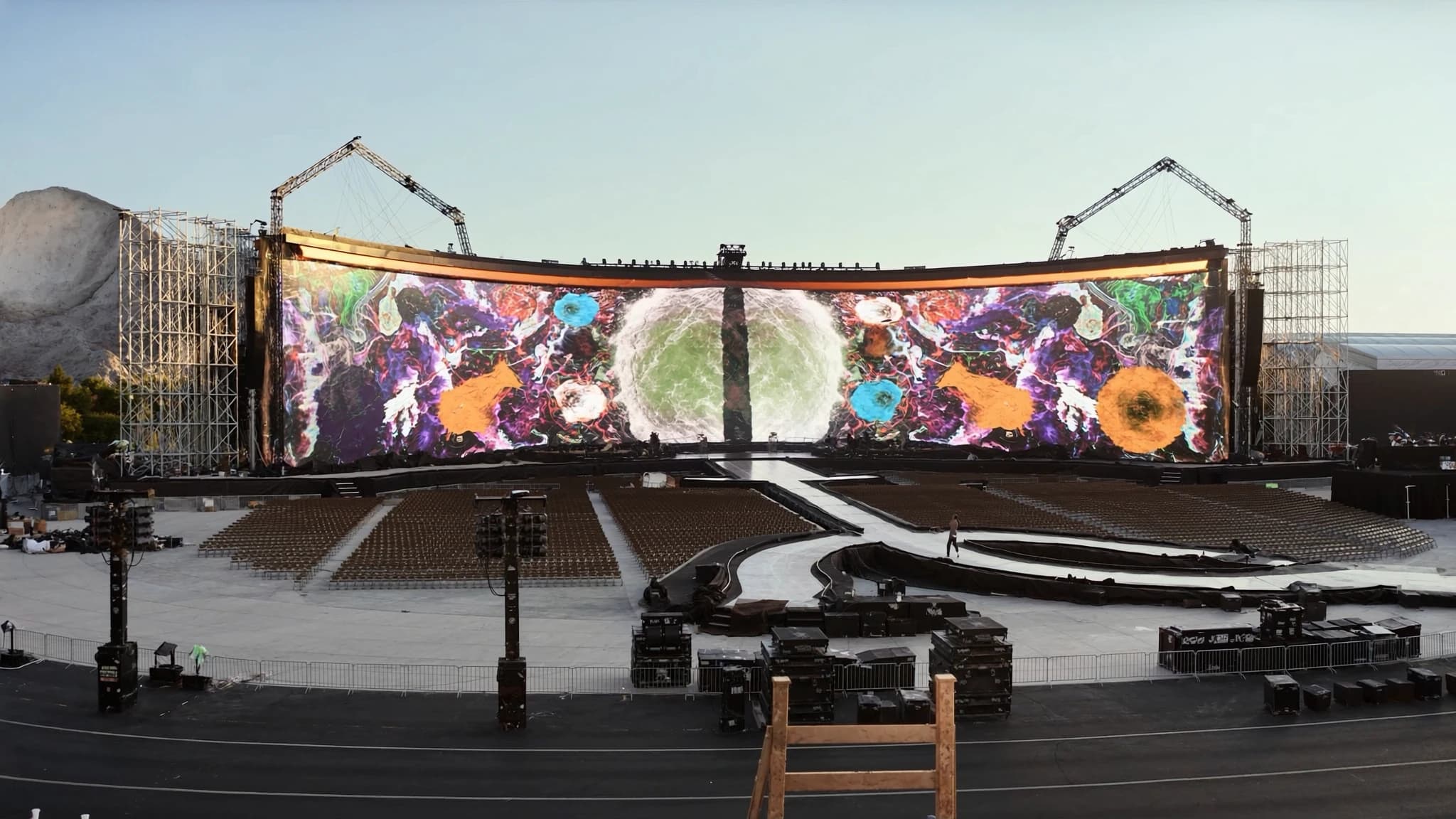
LED-videowalls zijn het hart van moderne live-evenementproductie geworden en bieden ongeëvenaarde helderheid, contrast en schaalbaarheid voor alles van zakelijke conferenties tot enorme buitenfestivals. Als volledige AVL-productiepartner integreert SSOUNDS wereldklasse audio met geavanceerde LED-video-oplossingen, voor naadloze synchronisatie en resultaten van professioneel niveau. Deze gids behandelt de essentiële technische specificaties, panelen, pixel pitch, helderheid, processing, rigging en content, om je te helpen de perfecte LED-wall te specificeren voor je volgende show of installatie.
Belangrijkste punten
- LED-videowalls zijn modulair, schaalbaar en verkrijgbaar in indoor-/outdoorvarianten met verschillende pixel pitches voor een optimale kijkafstand.
- Pixel pitch (in mm) is ongeveer gelijk aan de minimale kijkafstand in meters; kies P1,9–P2,5 voor dichtbij, P3,9–P6 voor middenafstand en P8+ voor grote afstanden.
- Indoorhelderheid: 500–1.500 nits; outdoor: 5.000–10.000+ nits met automatische helderheidssensoren voor energie-efficiëntie.
- Videoprocessors verzorgen scaling, kleurkalibratie en multisource-switching; investeer in betrouwbare merken zoals NovaStar of Brompton.
- Rigging moet rekening houden met gewicht, windbelasting en veiligheid; stroomberekeningen moeten redundantie en goede aarding omvatten.
- Content moet op native resolutie worden gemaakt, met safe zones voor tekst, en worden afgespeeld via professionele mediaservers voor real-time controle.
LED-panelen en cabinets: de bouwstenen
LED-videowalls zijn opgebouwd uit modulaire panelen (cabinets) die aan elkaar worden getegeld tot een naadloos display. Elk cabinet bevat een array van light-emitting diodes (LED's) die op een PCB zijn gesoldeerd, samen met voedingen, data-ontvangers en montagehardware. Standaard cabinetformaten variëren van 500×500 mm tot 500×1000 mm, met dieptes die variëren op basis van indoor- of outdoorclassificatie.
Indoorcabinets zijn doorgaans lichter en dunner (vaak onder 10 kg) met passieve koeling, terwijl outdoorcabinets zwaarder, weerbestendig (IP65 of hoger) en voorzien van actieve ventilator koeling zijn om direct zonlicht en regen aan te kunnen. Voor rental- en staging-toepassingen zorgen snelvergrendelingsmechanismen (bijv. snelontgrendelingshendels of cam locks) voor snelle montage en demontage zonder gereedschap.
Overweeg bij het selecteren van cabinets de pixel pitch (hierna besproken), de kijkhoek (meestal 140°–160° horizontaal/verticaal) en de verversingssnelheid (≥1920 Hz voor flikkervrije camera-opnames). SSOUNDS adviseert cabinets met redundante voeding en data-ingangen voor missiekritische evenementen.
Pixel pitch en kijkafstand
Pixel pitch is de afstand in millimeters tussen het midden van aangrenzende LED's. Het bepaalt de resolutie van het display en de optimale kijkafstand. Een kleinere pixel pitch (bijv. 1,2 mm) levert een hogere resolutie en stelt kijkers in staat dichterbij te staan zonder individuele pixels te zien, terwijl een grotere pitch (bijv. 10 mm) geschikt is voor kijken op grote afstand.
Een algemene regel: minimale kijkafstand (in meters) ≈ pixel pitch (in mm). Een P2,5-wall is bijvoorbeeld zichtbaar vanaf 2,5 m afstand. Voor publiek op de voorste rij kies je P1,9–P2,5; voor het middenveld P3,9–P6; voor extreme afstanden (bijv. stadions) P8–P16. Houd altijd rekening met de dichtstbijzijnde kijkerafstand om een 'screen door'-effect te voorkomen.
SSOUNDS-engineers gebruiken AI-ondersteunde simulatietools om de ideale pixel pitch voor je locatie-indeling te berekenen, met een balans tussen budget, resolutie en zichtbaarheid. Voor multifunctionele ruimtes biedt een P3,9-wall een goed compromis tussen kosten en helderheid voor typische evenementafstanden.
Helderheid (nits) voor indoor versus outdoor
Helderheid wordt gemeten in nits (candela per vierkante meter). Indoor-LED-walls vereisen doorgaans 500–1.500 nits, omdat omgevingslicht onder controle is. Outdoorwalls moeten direct zonlicht overwinnen en hebben 5.000–10.000 nits of meer nodig. Hogere helderheid verhoogt echter het stroomverbruik en de warmte, dus outdoorwalls hebben vaak automatische helderheidssensoren die zich aanpassen op basis van omgevingslicht.
Voor binnenevenementen met podiumverlichting streef je naar 1.000–1.500 nits om contrast te behouden zonder de voorste rijen te verblinden. Buitenevenementen overdag vereisen ten minste 5.000 nits; voor nachtgebruik is 2.000–3.000 nits voldoende. Controleer altijd het zwartniveau en de contrastratio van de LED; een paneel met hoog contrast (bijv. 5000:1) ziet er zelfs bij gematigde helderheid beter uit.
SSOUNDS biedt een reeks indoor- en outdoor-LED-panelen met gekalibreerde helderheidscurves, voor consistente kleur en luminantie over de hele wall. Onze systemen bevatten omgevingssensoren voor automatische helderheidsaanpassing bij buiteninstallaties.
Processors en scalers: de hersenen van de wall
Een LED-wall vereist een videoprocessor (scaler) om ingangssignalen (HDMI, SDI, DisplayPort, enz.) te ontvangen en deze naar de native resolutie van het paneel te mappen. De processor verzorgt scaling, kleurkalibratie, framesynchronisatie en multi-layer compositing. Voor grote walls kunnen meerdere processors in een daisy-chain of in een redundante opstelling worden gebruikt.
Belangrijke functies om op te letten: ondersteuning voor 4K/8K-ingangen, HDR (HDR10, HLG), lage latency (kritisch voor live-evenementen met IMAG), genlock voor multiscreen-synchronisatie en EDID-beheer. Processors maken ook 'canvas'-mapping mogelijk, waarbij één bron over meerdere wallsecties wordt verdeeld of met projectie wordt geblend.
SSOUNDS integreert toonaangevende processors (bijv. NovaStar, Brompton) in ons AVL-ecosysteem, vooraf geconfigureerd voor naadloze bediening via één netwerk. Onze engineers kunnen redundante processingpaden ontwerpen om zero downtime tijdens kritische shows te garanderen.
Rigging en stroom: structurele en elektrische overwegingen
Het riggen van een LED-wall omvat het bevestigen van cabinets aan een draagconstructie (truss, ground support of muurbevestiging). Elk cabinet heeft een gewicht en windbelastingsclassificatie; outdoorwalls moeten windkrachten kunnen weerstaan. Gebruik gecertificeerde rigginghardware (shackles, klemmen, motoren) en volg de belastingslimieten van de fabrikant. Bereken voor gevlogen walls het totale gewicht en zorg dat de truss of het dak dit kan dragen.
Stroomvereisten: LED-walls verbruiken aanzienlijk veel elektriciteit. Een typisch P3,9-indoorcabinet kan 200–400 W trekken; outdoorcabinets kunnen meer dan 600 W verbruiken. Bereken het totale vermogen en voorzie in aparte circuits met goede aarding. Gebruik power distribution units (PDU's) met overspanningsbeveiliging en remote monitoring. SSOUNDS adviseert redundante stroomtoevoer voor kritische evenementen.
Databekabeling: gebruik afgeschermde Cat6 of glasvezel voor signaaltransmissie tussen cabinets en processor. Voor grote walls heeft glasvezel de voorkeur om signaalverlies over lange afstanden te voorkomen. Plan kabelroutes om interferentie met audiolijnen te vermijden.
Contentcreatie en weergave
Content voor LED-walls moet worden gemaakt op de native resolutie van de wall (of een veelvoud daarvan) om scaling-artefacten te voorkomen. Gebruik mediaservers (bijv. Resolume, Watchout, Disguise) voor weergave, met ondersteuning voor real-time compositing, mapping en synchronisatie met licht en audio. Zorg voor IMAG (image magnification) dat camerabeelden correct worden gekadreerd en kleurgematcht.
Houd rekening met de beeldverhouding: de meeste walls worden op maat gebouwd, dus content moet op het canvas passen. Gebruik safe zones voor tekst en logo's. Benut voor impactvolle visuals de hoge helderheid en het contrast van de wall; vermijd te donkere content die paneelnaden zichtbaar kan maken.
SSOUNDS biedt contentadvies en integratie van weergavehardware, zodat je media feilloos op onze LED-systemen draaien. We kunnen ook vooraf gekalibreerde kleurprofielen leveren voor een consistente look over meerdere walls.
Hoe je een LED-wall specificeert voor een show of installatie
Begin met het definiëren van het type evenement, de afmetingen van de locatie en de publieksindeling. Bepaal de primaire kijkafstand(en) om de pixel pitch te kiezen. Bereken de benodigde wallgrootte (breedte × hoogte) op basis van het podiumontwerp of architectonische beperkingen. Overweeg voor rental de modulariteit; gebruik standaard cabinetformaten voor flexibele configuraties.
Kies vervolgens indoor- of outdoorpanelen op basis van locatie en omgevingslicht. Specificeer helderheid (nits) en contrastratio. Bepaal de processingvereisten: aantal ingangen, resolutie en back-upbehoeften. Raadpleeg voor rigging een constructeur als de wall gevlogen wordt. Begroot ten slotte contentcreatie, bekabeling en technische ondersteuning ter plaatse.
SSOUNDS biedt end-to-end AVL-oplossingen: we helpen je de perfecte LED-wall te specificeren, integreren deze met onze premium PA-systemen en leveren engineering ter plaatse. Onze AI-ondersteunde ontwerptools optimaliseren dekking, helderheid en pixel pitch voor jouw specifieke locatie, voor een verbluffende visuele ervaring die je audio aanvult.
Veelgestelde vragen
Wat is het verschil tussen indoor- en outdoor-LED-panelen?
Indoorpanelen zijn lichter, hebben een lagere helderheid (500–1.500 nits) en zijn niet weerbestendig. Outdoorpanelen zijn zwaarder, helderder (5.000–10.000+ nits) en hebben IP65+-bescherming tegen regen, stof en UV. Ze gebruiken ook actieve koeling om warmte te beheren.
Hoe bereken ik het totale benodigde vermogen voor een LED-wall?
Vermenigvuldig het aantal cabinets met het maximale stroomverbruik per cabinet (zie datasheet). Voeg 20% headroom toe voor pieken. Bijvoorbeeld: 50 cabinets × 300 W = 15.000 W; met headroom 18.000 W. Gebruik aparte circuits en een PDU met overspanningsbeveiliging.
Kan ik een LED-wall buiten in direct zonlicht gebruiken?
Ja, maar je hebt een outdoorpaneel nodig met een helderheid van ten minste 5.000 nits (bij voorkeur 7.000+ voor sterk zonlicht). Zorg er ook voor dat het paneel een hoge contrastratio en een antireflectiecoating heeft. Automatische helderheidssensoren helpen de zichtbaarheid te optimaliseren.
Welke pixel pitch moet ik kiezen voor een zakelijk evenement met de voorste rij op 3 meter?
Voor een kijkafstand van 3 m is een pixel pitch van P2,5–P3,9 geschikt. P2,5 lijkt scherper maar kost meer; P3,9 is een goede balans. Als het budget het toelaat, kies dan P2,5 voor premium helderheid.
Hoe integreert SSOUNDS LED-video met audiosystemen?
SSOUNDS biedt een uniform AVL-ecosysteem waarin LED-videoprocessors en audio-DSP via een gemeenschappelijk netwerk (bijv. Dante, AVB) worden gesynchroniseerd. Onze engineers ontwerpen het volledige systeem om lip-sync, gecoördineerde showcontrol en ondersteuning van één leverancier voor probleemoplossing te garanderen.
Een systeem bouwen of upgraden?
SSOUNDS ontwerpt en produceert professionele PA wereldwijd, van een enkele ruimte tot stadionformaat.