Pixel Pitch Uitgelegd: Het Kiezen van de Juiste LED-Schermresolutie
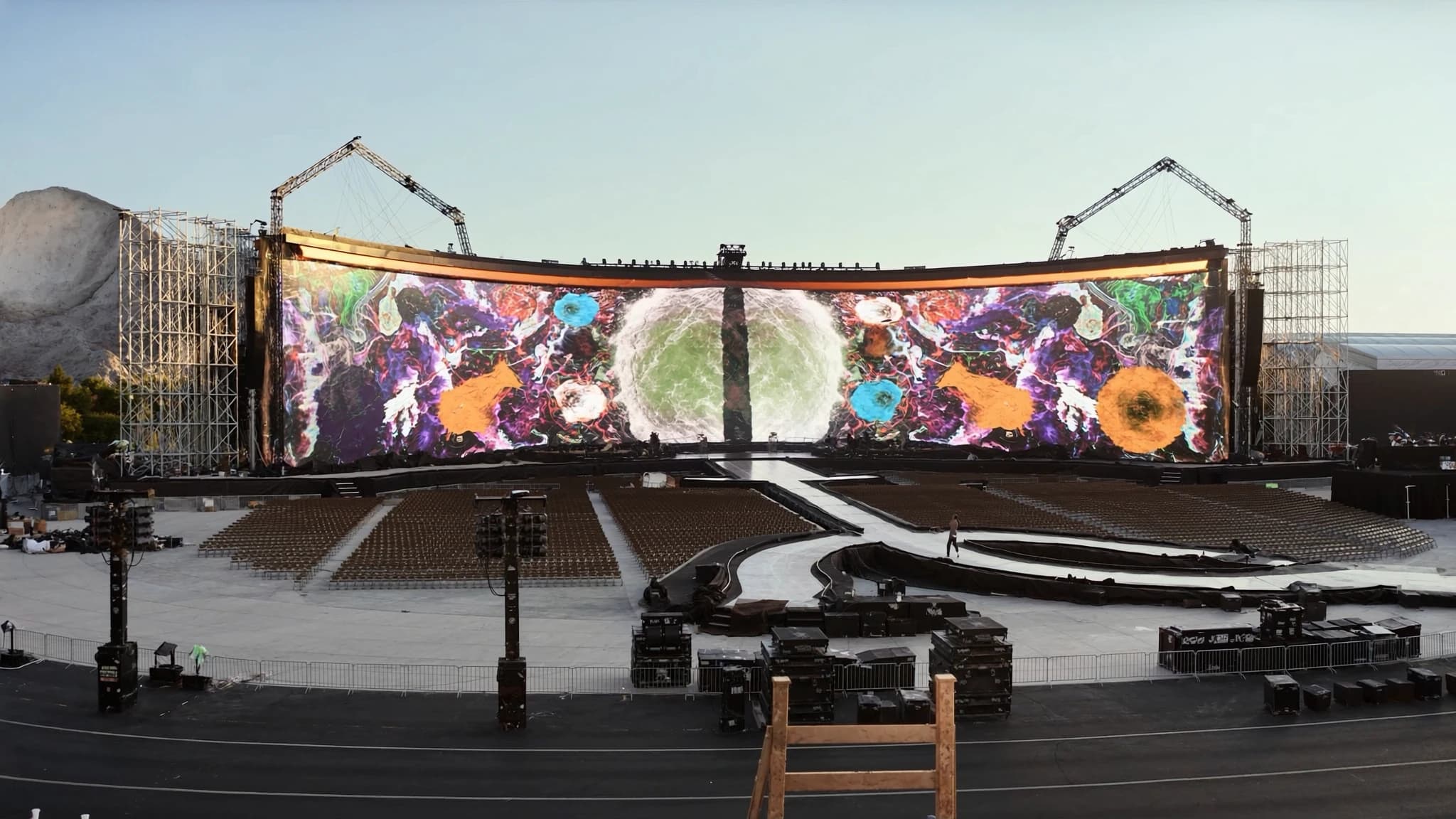
Pixel pitch is de belangrijkste specificatie bij het kiezen van een LED-scherm, maar wordt vaak verkeerd begrepen. Deze gids legt uit wat pixel pitch betekent, hoe het de resolutie en kijkafstand bepaalt, en hoe u de juiste pitch voor uw locatie kiest.
Belangrijkste punten
- Pixel pitch is de afstand tussen pixels in millimeters; een kleinere pitch betekent een hogere resolutie en een dichtere minimale kijkafstand.
- De minimale kijkafstand (in meters) is ongeveer gelijk aan de pixel pitch in millimeters (bijv. P3.9 = 3,9 m).
- Indoor schermen gebruiken doorgaans fijnere pitches (P1.5 tot P4), terwijl outdoor schermen grotere pitches gebruiken (P6 en hoger) voor helderheid en kostenefficiëntie.
- Kleinere pitches kosten meer per vierkante meter, maar zijn noodzakelijk voor close-up kijken en content met veel detail.
- Kies de pitch op basis van de dichtstbijzijnde kijker, het type content en het omgevingslicht; SSOUNDS kan helpen bij simulatie en systeemintegratie.
Wat is Pixel Pitch?
Pixel pitch is de fysieke afstand tussen de middelpunten van twee aangrenzende pixels op een LED-display, gemeten in millimeters. Een P3.9-scherm heeft pixels met een onderlinge afstand van 3,9 mm, terwijl een P1.5-scherm pixels heeft met een onderlinge afstand van 1,5 mm. Hoe kleiner de pitch, hoe meer pixels per oppervlakte-eenheid, wat de resolutie verhoogt en het mogelijk maakt dat kijkers dichterbij kunnen staan zonder individuele pixels te zien.
Pixel pitch beïnvloedt direct de productiekosten, omdat dichtere pixelarrays meer LED's en complexere aansturingselektronica vereisen. Het beïnvloedt ook de helderheid en het stroomverbruik, omdat kleinere pitches vaak een lagere helderheid per pixel hebben maar een hogere algehele pixeldichtheid.
Hoe Pixel Pitch Resolutie en Kijkafstand Bepaalt
De resolutie wordt bepaald door het totale aantal pixels over het scherm, wat een functie is van de schermgrootte en de pixel pitch. Een scherm van 5 m breed met P3.9-pitch heeft bijvoorbeeld ongeveer 1280 pixels horizontaal (5000 mm / 3,9 mm), terwijl hetzelfde scherm met P1.5-pitch ongeveer 3333 pixels heeft. Een hogere resolutie betekent scherpere beelden en fijnere details.
De minimale kijkafstand is de dichtstbijzijnde afstand waarop een kijker kan staan voordat individuele pixels zichtbaar worden, vaak berekend als 1000 keer de pixel pitch in millimeters. Voor P3.9 is dat ongeveer 3,9 meter; voor P1.5 ongeveer 1,5 meter. Deze vuistregel helpt om een vloeiend, naadloos beeld voor het publiek te garanderen.
Indoor versus Outdoor Pitch Keuzes
Indoor toepassingen gebruiken doorgaans fijnere pitches (P1.5 tot P4) omdat kijkers dichterbij zijn en het omgevingslicht gecontroleerd is. Directiekamers, retaildisplays en broadcaststudio's profiteren van hoge resolutie op korte afstanden. Outdoor schermen gebruiken echter vaak grotere pitches (P6 tot P10 of hoger) omdat het publiek verder weg is en een hoge helderheid nodig is om zonlicht te weerstaan. Grotere pitches verlagen ook de kosten en het stroomverbruik, wat cruciaal is voor grootschalige installaties.
Voor outdoor evenementen waar kijkers 10 meter of meer verwijderd kunnen zijn, kan een P6- of P8-scherm uitstekende helderheid bieden. Het komt erop aan de pitch af te stemmen op de typische kijkafstand en het vereiste detailniveau.
Kosten versus Helderheid: De Afweging
Kleinere pixel pitches kosten aanzienlijk meer per vierkante meter vanwege de hogere LED-dichtheid en nauwere productietoleranties. Ze vereisen ook meer verwerkingskracht en kunnen zwaarder zijn, wat gevolgen heeft voor rigging en installatie. Ze leveren echter superieure helderheid op korte afstand, wat essentieel is voor toepassingen zoals virtual production, controlekamers en high-end retail.
Grotere pitches zijn betaalbaarder, lichter en energiezuiniger, waardoor ze ideaal zijn voor billboards, stadionomtrekken en podiumachtergronden waar kijkers ver weg zijn. Het doel is om het juiste compromis te vinden waarbij het beeld er vanaf de beoogde kijkposities geweldig uitziet zonder te veel uit te geven aan onnodige resolutie.
Hoe u de Juiste Pitch voor Uw Locatie Kiest
Begin met het bepalen van de dichtstbijzijnde kijkafstand. Als kijkers binnen 3 meter komen, overweeg dan P1.5 tot P2.6. Voor 3 tot 6 meter werkt P2.6 tot P3.9 goed. Voor 6 tot 10 meter is P4 tot P6 geschikt. Buiten 10 meter is P6 tot P10 of groter vaak voldoende. Houd ook rekening met de content: gedetailleerde tekst en graphics vereisen een fijnere pitch dan videoweergave.
Bij SSOUNDS benaderen we de selectie van LED-schermen met dezelfde technische nauwkeurigheid die we toepassen op luidsprekersystemen. Ons team gebruikt geavanceerde simulatie om kijkhoeken, omgevingslicht en contentvereisten te modelleren, zodat de gekozen pitch optimale helderheid en waarde biedt. We houden ook rekening met structurele belasting, stroomvoorziening en signaalverwerking om een naadloze integratie met uw audiosysteem te creëren.
Verder dan Pitch: Andere Kritieke Factoren
Pixel pitch is cruciaal, maar het is niet de enige specificatie. Helderheid (gemeten in nits), verversingssnelheid, kleurbereik en scanfrequentie beïnvloeden ook de prestaties. Voor indoor gebruik is 800 tot 1500 nits gebruikelijk; outdoor vereist 5000 nits of meer. De verversingssnelheid moet ten minste 1920 Hz zijn om flikkering op camera te voorkomen. Kleuruniformiteit en kalibratie zijn ook essentieel voor een professionele uitstraling.
SSOUNDS LED-oplossingen zijn ontworpen om onze audiosystemen aan te vullen, met geïntegreerde bediening en monitoring. We zorgen ervoor dat elk scherm dat we specificeren voldoet aan de eisen van de toepassing, van gebedshuizen tot concertpodia.
Veelgestelde vragen
Wat betekent P3.9 op een LED-scherm?
P3.9 betekent dat de afstand tussen de middelpunten van aangrenzende pixels 3,9 millimeter is. Deze pitch is gebruikelijk voor indoor podia en kijkafstanden op middellange afstand.
Hoe bereken ik de minimale kijkafstand voor een gegeven pixel pitch?
Een eenvoudige regel is om de pixel pitch te vermenigvuldigen met 1000 om de minimale kijkafstand in millimeters te krijgen. P2.6 geeft bijvoorbeeld een minimale afstand van 2600 mm, ofwel 2,6 meter.
Is een kleinere pixel pitch altijd beter?
Niet noodzakelijk. Een kleinere pitch verhoogt de kosten, het stroomverbruik en het gewicht. Het is alleen beter als kijkers dicht genoeg bij zijn om van de extra resolutie te profiteren. Voor kijken op afstand is een grotere pitch kosteneffectiever.
Welke pitch is het beste voor outdoor LED-schermen?
Outdoor schermen gebruiken doorgaans P6 tot P10 of groter, afhankelijk van de kijkafstand. Deze pitches bieden een hoge helderheid en zijn betaalbaarder voor grote oppervlakken.
Kan SSOUNDS helpen bij de selectie en integratie van LED-schermen?
Ja. SSOUNDS biedt deskundig advies over pixel pitch en volledige systeemintegratie, zodat uw LED-scherm naadloos samenwerkt met uw audio- en controlesystemen. Neem contact met ons op om uw project te bespreken.
Een systeem bouwen of upgraden?
SSOUNDS ontwerpt en produceert professionele PA wereldwijd, van een enkele ruimte tot stadionformaat.