Smart-Home-Audio-Integration: Ein vollständiger Leitfaden
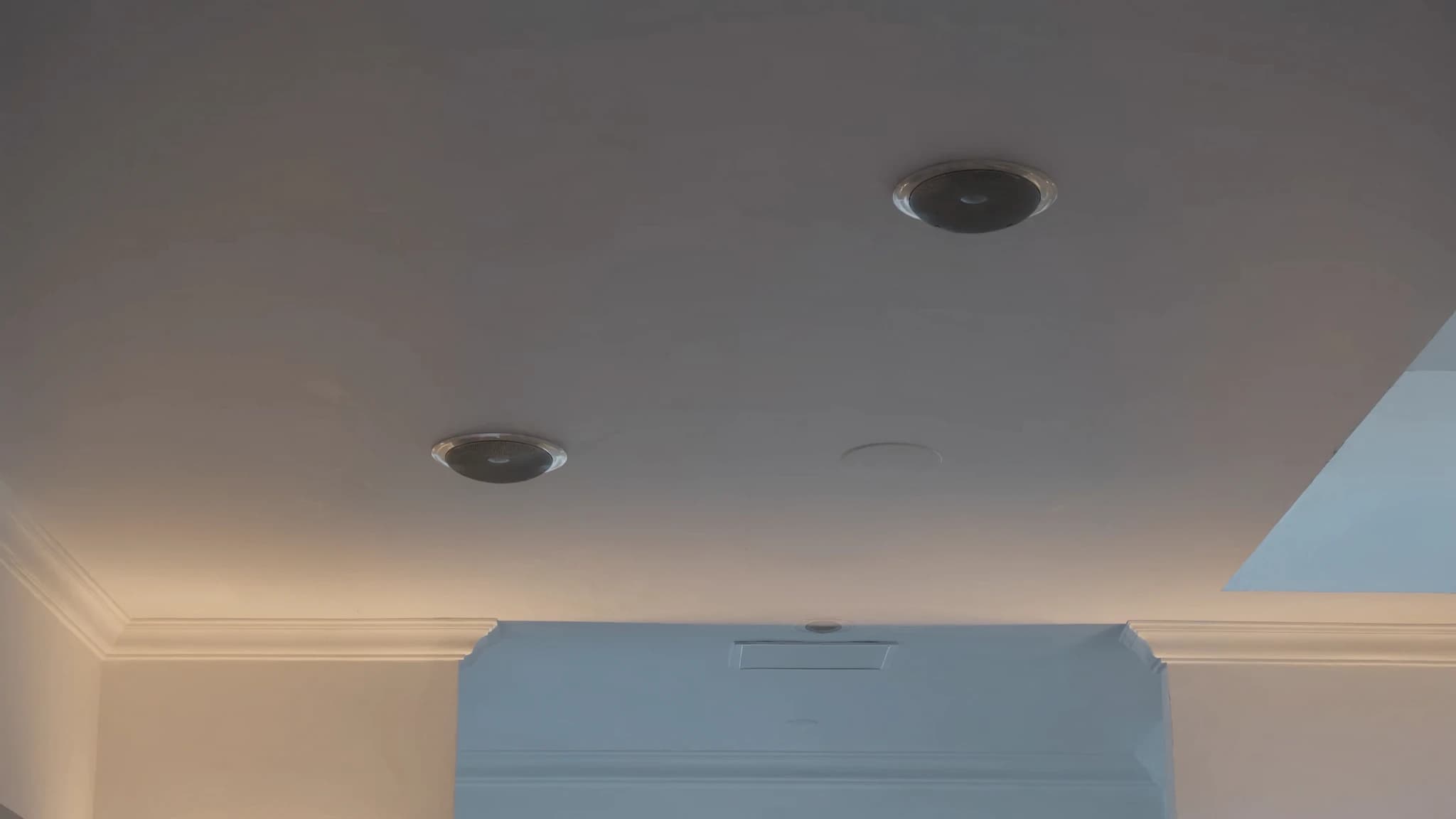
Smart-Home-Audio-Integration verändert die Art und Weise, wie Sie Klang erleben, und verbindet Streaming-Dienste, Sprachassistenten, Multiroom-Steuerung und Lichtszenen zu einem nahtlosen Ökosystem. Als professioneller PA-Hersteller versteht SSOUNDS die Technik hinter zuverlässigem High-Fidelity-Audio, ob für ein Stadion oder Ihr Wohnzimmer. Dieser Leitfaden behandelt alles von Deckenlautsprechern bis zur Systemzuverlässigkeit und hilft Ihnen, ein smartes Audio-Setup aufzubauen, das performt.
Wichtigste Punkte
- Zentralisieren Sie Streaming mit einem dedizierten Audio-Server oder einer Matrix für Flexibilität und Qualität.
- Verwenden Sie separate Sprachassistenten-Geräte zur Steuerung Ihres Hauptsystems; vermeiden Sie integrierte Smart-Speaker für kritisches Hören.
- Für Multiroom investieren Sie in einen Multi-Zonen-Verstärker und ein kabelgebundenes Netzwerk für Zuverlässigkeit.
- Wählen Sie geschlossene Deckenlautsprecher mit geeigneter Platzierung für sauberen, konsistenten Klang.
- Integrieren Sie Beleuchtung über einen Smart-Home-Hub mit IP- oder potentialfreien Triggern.
- Bauen Sie ein robustes Netzwerk mit Ethernet, statischen IPs und einer UPS auf, um Aussetzer zu verhindern.
Streaming und Quellenverwaltung
Das Herzstück jedes smarten Audiosystems ist die Frage, wie Sie Musik in Ihre Lautsprecher bekommen. Moderne Systeme unterstützen Streaming-Dienste wie Spotify, Apple Music, Tidal und Qobuz über Wi-Fi, Bluetooth oder kabelgebundene Verbindungen. Für Multiroom-Setups kommen Plattformen wie AirPlay 2, Google Cast oder Sonos infrage, doch diese beschränken Sie oft auf ihr Ökosystem. Ein flexiblerer Ansatz nutzt eine dedizierte Audio-Matrix oder einen DSP (digitaler Signalprozessor), der mehrere Eingänge annimmt und sie auf Zonen verteilt.
SSOUNDS-Ingenieure empfehlen die Verwendung eines zentralisierten Audio-Servers oder Streamers (z. B. eines Bluesound Node oder eines PCs mit Roon), der mit einem Mehrkanalverstärker verbunden ist. Das bietet Ihnen verlustfreies Streaming, niedrige Latenz und Unabhängigkeit von einem einzelnen Sprachassistenten. Für Zuverlässigkeit verdrahten Sie Ihr Netzwerk. Ethernet ist für konsistentes Streaming immer besser als Wi-Fi, besonders bei hochauflösendem Audio.
Sprachassistenten und Steuerung
Sprachassistenten wie Amazon Alexa, Google Assistant und Apple Siri bieten Komfort, können aber die Audioqualität beeinträchtigen, wenn sie in günstige Smart-Speaker integriert sind. Der bessere Ansatz: Verwenden Sie ein dediziertes Sprachassistenten-Gerät (wie einen Echo Dot oder Nest Mini), um Ihr Hauptaudiosystem per Infrarot, Wi-Fi oder Smart-Home-Hub zu steuern. So bleiben Ihre primären Lautsprecher auf Klangqualität fokussiert.
Für Sprachsteuerung im gesamten Haus integrieren Sie ein Mikrofonarray in Schlüsselräumen (z. B. deckenmontierte Mikrofone), das in einen zentralen Prozessor eingespeist wird. SSOUNDS hat mit Integratoren zusammengearbeitet, um Sprachsteuerung in großen Veranstaltungsorten einzusetzen; zu Hause gelten dieselben Prinzipien: Stellen Sie sicher, dass Mikrofone von Lautsprechern entfernt platziert werden, um Rückkopplungen zu vermeiden, und verwenden Sie geräuschunterdrückende Algorithmen. Für Privatsphäre verwenden Sie einen physischen Stummschalter oder ein System, das Sprache lokal statt in der Cloud verarbeitet.
Multiroom-Audio und Zonensteuerung
Multiroom-Audio ermöglicht es Ihnen, in verschiedenen Räumen unterschiedliche Musik abzuspielen oder denselben Titel überall zu synchronisieren. Die Schlüsselkomponenten: ein Mehrkanalverstärker (oder mehrere Verstärker), ein Matrix-Switcher oder DSP und Lautsprecher in jeder Zone. Deckenlautsprecher sind wegen ihres diskreten Aussehens beliebt, aber In-Wall- oder Regallautsprecher können ebenfalls funktionieren.
Für nahtloses Multiroom verwenden Sie ein System, das unabhängige Lautstärke, Quellenauswahl und Gruppierung unterstützt. Der Ansatz von SSOUNDS für groß angelegte Multi-Zonen-Systeme nutzt Dante- oder AVB-Netzwerke für latenzarme Verteilung mit hoher Kanalzahl; für die meisten Haushalte überdimensioniert, aber die Zuverlässigkeitslektionen gelten: Verwenden Sie ein dediziertes Netzwerk-VLAN für Audio, vermeiden Sie Daisy-Chaining von Switches und terminieren Sie Kabel ordnungsgemäß. Für den Wohnbereich ziehen Sie einen Verstärker in kommerzieller Qualität wie einen Sonance oder einen Multi-Zonen-Receiver von Denon oder Yamaha in Betracht.
Deckenlautsprecher: Platzierung und Auswahl
Deckenlautsprecher sind das Rückgrat vieler Smart-Home-Audiosysteme, weil sie in der Architektur verschwinden. Schlüsselfaktoren: Treibergröße (6,5 Zoll ist ein guter Kompromiss aus Bass und Klarheit), Hochtönertyp (Soft Dome für sanfte Höhen, Metall für mehr Detail) und ob sie ein Back Can haben (geschlossen vs. offen). Offene Lautsprecher koppeln mit dem Deckenhohlraum, was den Bass verwaschen kann; verwenden Sie geschlossene Back Cans für saubereren Klang.
Die Platzierung ist wichtig: Für Stereoabbildung platzieren Sie Lautsprecher 6 bis 10 Fuß voneinander entfernt und zum Hörbereich ausgerichtet. Für Hintergrundmusik im gesamten Haus verteilen Sie sie in einem Raster mit 8 bis 12 Fuß Abstand. Vermeiden Sie die Platzierung in der Nähe von Luftauslässen oder Leuchten. SSOUNDS-Ingenieure empfehlen die Verwendung eines Schallpegelmessers und rosa Rauschens, um die Pegel zwischen Zonen auszugleichen. Wenn Sie in einem Neubau installieren, verdrahten Sie vorab mit CL2-zertifiziertem Lautsprecherkabel und verlegen Sie Leerrohre für zukünftige Upgrades.
Licht- und Szenenintegration
Smartes Audio wird erst dann wirklich immersiv, wenn es mit der Beleuchtung synchronisiert wird. Zum Beispiel kann eine Szene 'Filmabend' das Licht dimmen, die Projektorleinwand absenken und Audio auf Surround-Sound umschalten. Dafür ist ein Smart-Home-Hub (wie Hubitat, Home Assistant oder Control4) erforderlich, der sowohl mit Ihren Lichtern (Philips Hue, Lutron) als auch mit Ihrem Audiosystem kommuniziert.
Integrationsmethoden: Verwenden Sie IP-Steuerung (Ihr Audiosystem hat eine REST-API oder Telnet-Befehle), Infrarot (für ältere Geräte) oder ein potentialfreies Relais (für einfaches Ein/Aus). Die DSP-Plattformen von SSOUNDS unterstützen GPIO-Trigger, die Lichtszenen basierend auf Audioereignissen auslösen können, etwa einen Strobe bei Bass-Hits. Für Zuverlässigkeit halten Sie Szenen einfach: Testen Sie jeden Trigger einzeln und verwenden Sie nach Möglichkeit eine kabelgebundene Verbindung zwischen Hub und Audiosystem.
Zuverlässigkeit: Netzwerk und Strom
Nichts zerstört ein Smart-Home-Erlebnis so sehr wie ein System, das keine Verbindung herstellt oder Audio aussetzt. Beginnen Sie mit einem soliden Netzwerk: Verwenden Sie einen dedizierten Router für IoT-Geräte, aktivieren Sie Multicast für Streaming-Protokolle und legen Sie statische IPs für kritische Geräte fest (Verstärker, Streamer, Hubs). Wi-Fi ist praktisch, aber störanfällig; für feste Installationen verlegen Sie Ethernet zu jeder Audiokomponente.
Die Stromqualität ist wichtig: Verwenden Sie eine UPS (unterbrechungsfreie Stromversorgung) für Ihren Netzwerk-Switch und Audioprozessor, um Neustarts bei Spannungseinbrüchen zu verhindern. Schützen Sie alle Geräte mit Überspannungsschutz. Die Erfahrung von SSOUNDS im Touring-Sound, wo Zuverlässigkeit nicht verhandelbar ist, lehrt, dass jede Verbindung gesichert sein sollte (z. B. Neutrik SpeakON für Lautsprecher, EtherCON für Netzwerk). Für den Heimbereich verwenden Sie hochwertige Bananenstecker oder Klemmen und beschriften Sie jedes Kabel.
Häufige Fragen
Kann ich meinen vorhandenen Stereo-Receiver mit einem Smart-Home-System verwenden?
Ja, wenn es eine Fernbedienung oder IP-Steuerung hat. Verwenden Sie einen smarten IR-Blaster (wie Broadlink) oder einen Wi-Fi-fähigen Schalter zum Ein- und Ausschalten. Für die Lautstärkeregelung kann ein motorisiertes Potentiometer oder ein smarter Vorverstärker erforderlich sein.
Was ist der beste Weg, Musik ohne Verzögerung zwischen Räumen zu synchronisieren?
Verwenden Sie ein kabelgebundenes Netzwerk und ein Protokoll wie AirPlay 2, Google Cast oder ein dediziertes Multiroom-System von Sonos, Denon HEOS oder Bluesound. Für professionelle Synchronisation verwenden Sie Dante oder AVB mit einem Master-Clock.
Brauche ich einen Subwoofer mit Deckenlautsprechern?
Deckenlautsprecher haben typischerweise wenig tiefen Bass. Ein Subwoofer (kabelgebunden oder kabellos) verleiht Filmen und Musik mehr Druck. Platzieren Sie ihn in einer Ecke oder entlang einer Wand für die beste Wiedergabe.
Wie steuere ich Audio von mehreren Sprachassistenten?
Bleiben Sie bei einem Ökosystem (z. B. alles Google oder alles Alexa), um Konflikte zu vermeiden. Verwenden Sie bei Bedarf einen Hub, der mehrere Assistenten unterstützt, aber rechnen Sie mit einigen Integrationsproblemen.
Welchen Lautsprecherkabelquerschnitt sollte ich für lange Strecken verwenden?
Für Strecken bis zu 50 Fuß ist 16 AWG in Ordnung. Für 50 bis 100 Fuß verwenden Sie 14 AWG. Über 100 Fuß verwenden Sie 12 AWG oder ziehen Sie ein verteiltes Audiosystem mit lokalen Verstärkern in Betracht.
System aufbauen oder aufrüsten?
SSOUNDS entwickelt und fertigt professionelle PA weltweit, vom einzelnen Raum bis zur Stadiongröße.