Skip to content

The Club-Standard DJ Booth Setup Explained

The Club-Standard DJ Booth Setup Explained

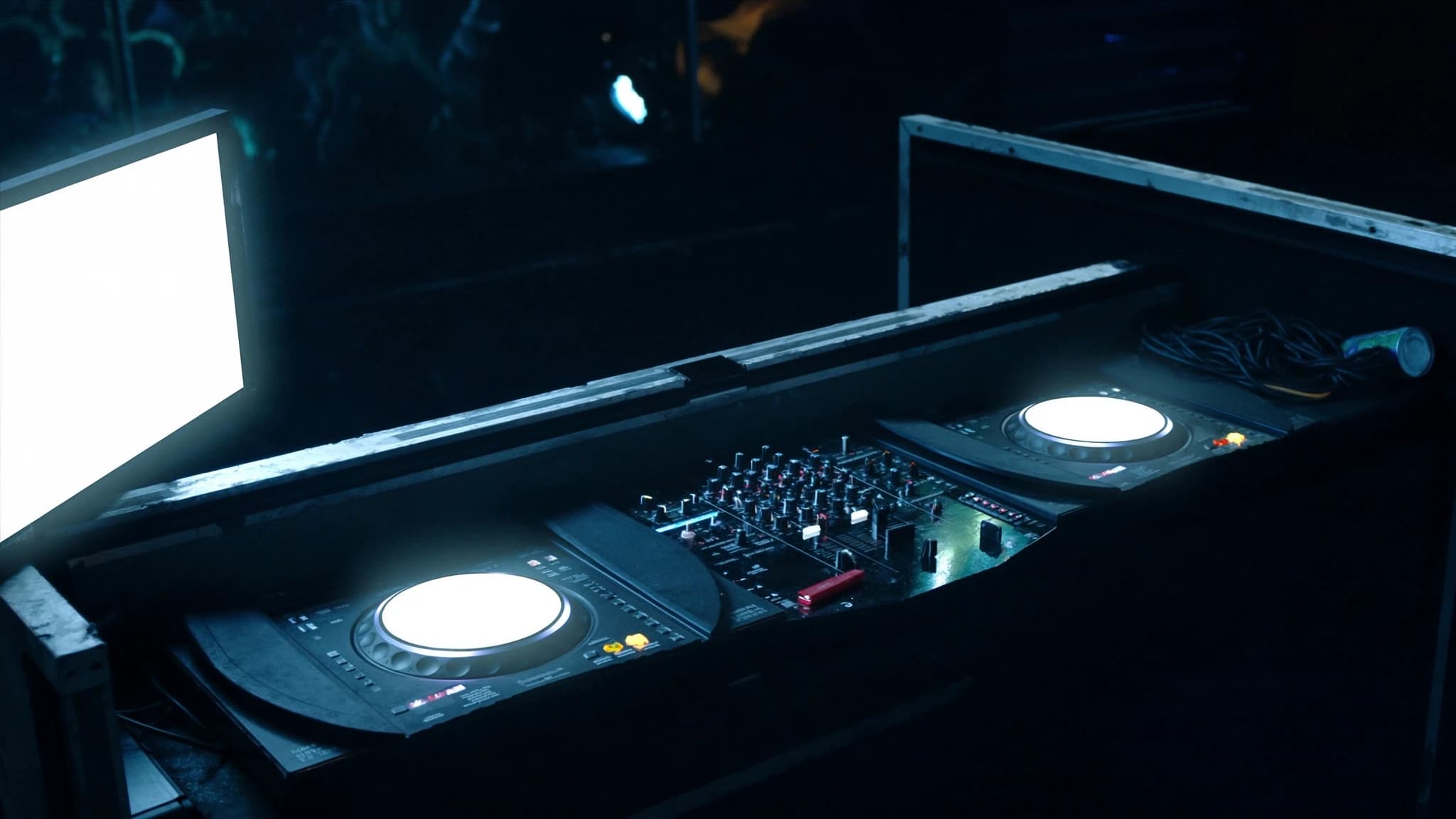
The 2026 industry-standard club DJ booth is built around Pioneer DJ’s CDJ-3000 media players and a DJM mixer, paired with proper booth monitoring, acoustic isolation, and seamless PA integration. This guide breaks down each component and explains how the booth interacts with the main sound system to deliver a flawless performance.

Key takeaways

  • The CDJ-3000 and DJM mixer are the 2026 club standard, offering advanced networking and sound quality.
  • Booth monitors must be isolated and positioned for accurate monitoring without interfering with the main PA.
  • Acoustic treatment and isolation risers prevent vibration and sound spill, ensuring a clean DJ mix.
  • Signal flow should use balanced XLR connections, with digital networking (Dante/AES67) for flexibility.
  • PA coverage design minimises booth bleed, allowing the DJ to hear clearly without excessive volume.
  • Future-proofing with networked audio and modular design prepares the booth for immersive and digital trends.

Core Components: CDJ-3000s and DJM Mixer

The CDJ-3000 remains the flagship media player in clubs worldwide, offering multi-core processing for smooth waveform rendering, high-resolution touchscreens, and support for lossless audio formats. Its Pro DJ Link enables sync, track sharing, and beat-matched transitions across multiple players.

The DJM mixer (typically the DJM-900NXS2 or DJM-V10) provides a 4-channel layout with world-class EQs, filters, and built-in sound cards for recording. The DJM-V10 adds a third band of EQ per channel and send/return loops for external effects, making it a favourite for advanced DJs.

Booth Monitors: Critical for Beatmatching and Cueing

Booth monitors deliver a dedicated mix to the DJ, separate from the main PA. This allows the DJ to hear the master output, cue channels, and adjust levels without relying on the house sound. Typical club booth monitors are 2-way passive or active speakers, often 8–12 inches, placed at ear height on stands or wall-mounted.

SSOUNDS recommends using high-SPL, low-distortion monitors with a flat frequency response to ensure accurate monitoring. The booth mix should be fed from the mixer’s booth output (balanced XLR) and can be equalised independently to compensate for room acoustics. Isolation pads or decoupling mounts prevent vibration transfer to the DJ equipment.

Acoustic Isolation and Booth Design

A well-designed DJ booth minimises sound spill from the main PA and reduces stage vibrations. The booth should be positioned away from subwoofers and main stacks, ideally with a solid back wall and side baffles to create a controlled listening environment.

Acoustic treatment includes bass traps in corners, absorption panels on rear walls, and diffusers on the ceiling to reduce flutter echoes. The DJ’s listening position should be symmetric to the monitors, with the tweeters aimed at ear level. Isolation risers under turntables or CDJs further decouple sensitive equipment from floor vibrations.

Connectivity and Signal Flow

The booth’s signal chain starts with the DJ mixer’s master output (balanced XLR) feeding the main PA system via a patch panel or digital snake. The booth output (also balanced XLR) feeds the booth monitors, often routed through a separate amplifier or powered speakers. Pro DJ Link uses Ethernet cables to network CDJs and the mixer for sync and track sharing.

For redundancy, many clubs install a backup analogue line from the mixer to a secondary PA processor. Digital connectivity via AES67 or Dante is becoming common for multi-room venues, allowing the booth to send audio over a single network cable. SSOUNDS systems integrate seamlessly with Dante, ensuring low latency and flexible routing.

PA and Booth Interaction: Level Balancing and Coverage

The booth monitors must be loud enough for the DJ to hear over the main PA, but not so loud that they cause feedback or bleed into the dance floor. A typical booth SPL is 85–95 dB at the DJ’s ears, with the main PA delivering 100–110 dB on the dance floor. Sound isolation and directional monitors help contain the booth mix.

SSOUNDS line arrays and point-source systems are designed with consistent coverage and controlled directivity, reducing energy spill into the booth area. By aligning the PA’s coverage pattern with the venue’s geometry, the DJ can rely on the booth mix without interference from the main system. System tuning with DSP ensures seamless crossover and phase alignment between the booth and PA.

Future-Proofing: 2026 Trends and Upgrades

The 2026 club booth is increasingly digital, with USB-C connectivity, wireless cueing via Bluetooth (for headphones), and integration with lighting and video systems over DMX and Art-Net. Some clubs are adopting immersive audio formats like Dolby Atmos, requiring additional height channels and object-based mixing.

SSOUNDS continues to innovate with AI-assisted system optimisation, allowing booth and PA tuning to adapt to room changes in real time. For new installations, specifying a networked audio backbone (Dante/AES67) and modular booth furniture ensures easy upgrades as technology evolves.

Frequently asked

What is the ideal SPL for booth monitors?

85–95 dB at the DJ’s ears is typical, but it depends on the main PA level and room acoustics. The booth should be loud enough to hear the mix clearly without causing feedback or bleed.

Can I use the same speakers for booth monitors and main PA?

No, booth monitors should be separate from the main PA to give the DJ independent control. Using the same speakers would compromise the DJ’s mix and cause feedback issues.

How do I connect CDJ-3000s to a DJM mixer?

Use Pro DJ Link via Ethernet cables for sync and track sharing, and connect audio outputs (RCA or digital) from each CDJ to the corresponding channel input on the mixer. The mixer’s master output goes to the PA, and the booth output goes to the monitors.

What is the benefit of using Dante in a DJ booth?

Dante allows audio, control, and monitoring to be carried over a single Ethernet cable, reducing cable clutter and enabling flexible routing. It also supports low-latency transmission and easy integration with digital consoles and PA systems.

How do I reduce subwoofer vibration affecting my DJ equipment?

Place subwoofers away from the booth, use isolation risers under turntables/CDJs, and add mass-loaded vinyl or decoupling mats on the booth surface. Acoustic treatment like bass traps also helps.

Building or upgrading a system?

SSOUNDS engineers and manufactures professional PA worldwide — from a single room to stadium scale.

Talk to an engineer
Chat on WhatsApp