LED Video Screens for Live Events: A Complete Guide
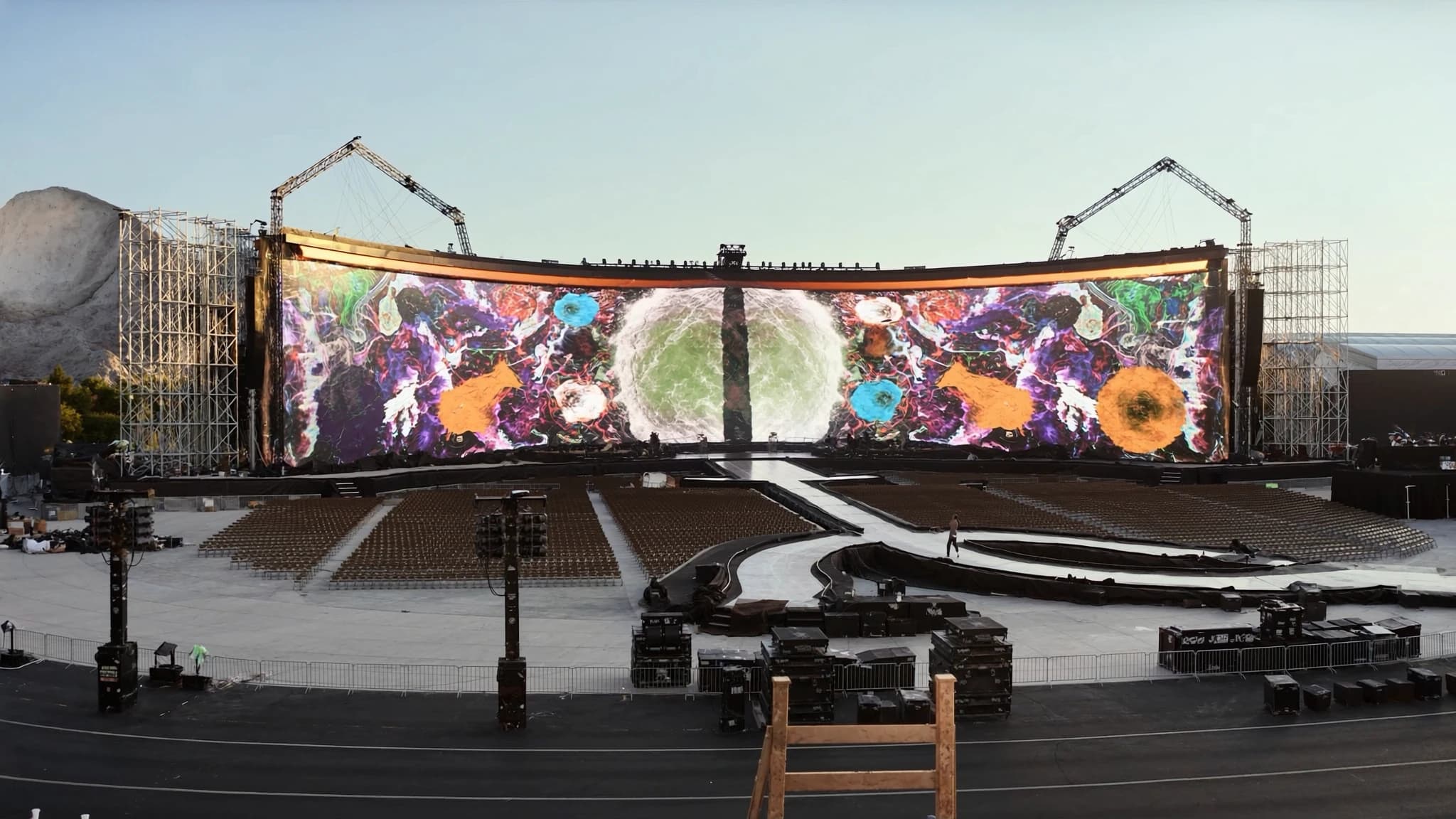
LED video walls have become the backbone of modern live event production, offering unmatched brightness, contrast, and scalability for everything from corporate conferences to massive outdoor festivals. As a full AVL production partner, SSOUNDS integrates world-class audio with advanced LED video solutions, ensuring seamless synchronization and professional-grade results. This guide covers the essential technical specifications, panels, pixel pitch, brightness, processing, rigging, and content, to help you spec the perfect LED wall for your next show or installation.
Key takeaways
- LED video walls are modular, scalable, and available in indoor/outdoor variants with different pixel pitches for optimal viewing distance.
- Pixel pitch (in mm) roughly equals minimum viewing distance in meters; choose P1.9–P2.5 for close-up, P3.9–P6 for mid-range, and P8+ for long distances.
- Indoor brightness: 500–1,500 nits; outdoor: 5,000–10,000+ nits with auto-brightness sensors for energy efficiency.
- Video processors handle scaling, color calibration, and multi-source switching; invest in reliable brands like NovaStar or Brompton.
- Rigging must account for weight, wind load, and safety; power calculations should include redundancy and proper grounding.
- Content should be created at native resolution, with safe zones for text, and played back via professional media servers for real-time control.
LED Panels and Cabinets: The Building Blocks
LED video walls are constructed from modular panels (cabinets) that tile together to form a seamless display. Each cabinet contains an array of light-emitting diodes (LEDs) soldered onto a PCB, along with power supplies, data receivers, and mounting hardware. Standard cabinet sizes range from 500×500 mm to 500×1000 mm, with depths varying based on indoor or outdoor ratings.
Indoor cabinets are typically lighter and thinner (often under 10 kg) with passive cooling, while outdoor cabinets are heavier, weatherproofed (IP65 or higher), and have active fan cooling to handle direct sunlight and rain. For rental and staging applications, quick-locking mechanisms (e.g., quick-release levers or cam locks) allow fast assembly and disassembly without tools.
When selecting cabinets, consider the pixel pitch (discussed next), viewing angle (typically 140°–160° horizontal/vertical), and refresh rate (≥1920 Hz for flicker-free camera capture). SSOUNDS recommends cabinets with redundant power and data inputs for mission-critical events.
Pixel Pitch and Viewing Distance
Pixel pitch is the distance in millimeters between the center of adjacent LEDs. It determines the display's resolution and optimal viewing distance. A smaller pixel pitch (e.g., 1.2 mm) yields higher resolution and allows viewers to stand closer without seeing individual pixels, while a larger pitch (e.g., 10 mm) is suited for long-distance viewing.
A general rule: minimum viewing distance (in meters) ≈ pixel pitch (in mm). For example, a P2.5 wall is viewable from 2.5 m away. For front-row audiences, choose P1.9–P2.5; for mid-field, P3.9–P6; for extreme distances (e.g., stadiums), P8–P16. Always consider the closest viewer distance to avoid a 'screen door' effect.
SSOUNDS engineers use AI-assisted simulation tools to calculate the ideal pixel pitch for your venue layout, balancing budget, resolution, and visibility. For multi-purpose spaces, a P3.9 wall offers a good compromise between cost and clarity for typical event distances.
Brightness (Nits) for Indoor vs. Outdoor
Brightness is measured in nits (candelas per square meter). Indoor LED walls typically require 500–1,500 nits, as ambient light is controlled. Outdoor walls must overcome direct sunlight, needing 5,000–10,000 nits or more. However, higher brightness increases power consumption and heat, so outdoor walls often have auto-brightness sensors that adjust based on ambient light.
For indoor events with stage lighting, aim for 1,000–1,500 nits to maintain contrast without blinding the front rows. Outdoor daytime events require at least 5,000 nits; for night use, 2,000–3,000 nits is sufficient. Always check the LED's black level and contrast ratio, a high-contrast panel (e.g., 5000:1) will look better even at moderate brightness.
SSOUNDS offers a range of indoor and outdoor LED panels with calibrated brightness curves, ensuring consistent color and luminance across the entire wall. Our systems include environmental sensors for automatic brightness adjustment in outdoor installations.
Processors and Scalers: The Brains of the Wall
An LED wall requires a video processor (scaler) to receive input signals (HDMI, SDI, DisplayPort, etc.) and map them to the panel's native resolution. The processor handles scaling, color calibration, frame synchronization, and multi-layer compositing. For large walls, multiple processors may be daisy-chained or used in a redundant setup.
Key features to look for: support for 4K/8K inputs, HDR (HDR10, HLG), low latency (critical for live events with IMAG), genlock for multi-screen sync, and EDID management. Processors also enable 'canvas' mapping, dividing a single source across multiple wall sections or blending with projection.
SSOUNDS integrates leading processors (e.g., NovaStar, Brompton) into our AVL ecosystem, pre-configured for seamless control via a single network. Our engineers can design redundant processing paths to ensure zero downtime during critical shows.
Rigging and Power: Structural and Electrical Considerations
Rigging an LED wall involves attaching cabinets to a support structure (truss, ground support, or wall mount). Each cabinet has a weight and wind load rating; outdoor walls must withstand wind forces. Use certified rigging hardware (shackles, clamps, motors) and follow manufacturer's load limits. For flown walls, calculate total weight and ensure the truss or roof can support it.
Power requirements: LED walls consume significant electricity. A typical P3.9 indoor cabinet may draw 200–400 W; outdoor cabinets can exceed 600 W. Calculate total power and provide dedicated circuits with proper grounding. Use power distribution units (PDUs) with surge protection and remote monitoring. SSOUNDS recommends redundant power feeds for critical events.
Data cabling: Use shielded Cat6 or fiber optic for signal transmission between cabinets and processor. For large walls, fiber is preferred to avoid signal degradation over long distances. Plan cable paths to avoid interference with audio lines.
Content Creation and Playback
Content for LED walls should be created at the wall's native resolution (or a multiple thereof) to avoid scaling artifacts. Use media servers (e.g., Resolume, Watchout, Disguise) for playback, supporting real-time compositing, mapping, and synchronization with lighting and audio. For IMAG (image magnification), ensure camera feeds are properly framed and color-matched.
Consider aspect ratio: most walls are built to a custom size, so content must be designed to fit the canvas. Use safe zones for text and logos. For high-impact visuals, leverage the wall's high brightness and contrast, avoid overly dark content that may reveal panel seams.
SSOUNDS provides content consultancy and playback hardware integration, ensuring your media runs flawlessly on our LED systems. We can also supply pre-calibrated color profiles for consistent look across multiple walls.
How to Spec an LED Wall for a Show or Install
Start by defining the event type, venue dimensions, and audience layout. Determine the primary viewing distance(s) to select pixel pitch. Calculate the required wall size (width × height) based on stage design or architectural constraints. For rental, consider modularity, use standard cabinet sizes to allow flexible configurations.
Next, choose indoor vs. outdoor panels based on location and ambient light. Specify brightness (nits) and contrast ratio. Decide on processing requirements: number of inputs, resolution, and backup needs. For rigging, consult a structural engineer if flying the wall. Finally, budget for content creation, cabling, and on-site technical support.
SSOUNDS offers end-to-end AVL solutions: we help you spec the perfect LED wall, integrate it with our premium PA systems, and provide on-site engineering. Our AI-assisted design tools optimize coverage, brightness, and pixel pitch for your specific venue, ensuring a stunning visual experience that complements your audio.
Frequently asked
What is the difference between indoor and outdoor LED panels?
Indoor panels are lighter, have lower brightness (500–1,500 nits), and are not weatherproof. Outdoor panels are heavier, brighter (5,000–10,000+ nits), and have IP65+ protection against rain, dust, and UV. They also use active cooling to manage heat.
How do I calculate the total power needed for an LED wall?
Multiply the number of cabinets by the maximum power draw per cabinet (check datasheet). Add 20% headroom for peaks. For example, 50 cabinets × 300 W = 15,000 W; with headroom, 18,000 W. Use dedicated circuits and a PDU with surge protection.
Can I use an LED wall outdoors in direct sunlight?
Yes, but you need an outdoor-rated panel with at least 5,000 nits brightness (preferably 7,000+ for strong sunlight). Also ensure the panel has a high contrast ratio and anti-glare coating. Auto-brightness sensors help optimize visibility.
What pixel pitch should I choose for a corporate event with front row at 3 meters?
For a viewing distance of 3 m, a pixel pitch of P2.5–P3.9 is suitable. P2.5 will appear sharper but costs more; P3.9 is a good balance. If budget allows, go with P2.5 for premium clarity.
How does SSOUNDS integrate LED video with audio systems?
SSOUNDS provides a unified AVL ecosystem where LED video processors and audio DSP are synchronized via a common network (e.g., Dante, AVB). Our engineers design the entire system to ensure lip-sync, coordinated show control, and single-vendor support for troubleshooting.
Building or upgrading a system?
SSOUNDS engineers and manufactures professional PA worldwide, from a single room to stadium scale.