Pixel Pitch Explained: Choosing LED Screen Resolution
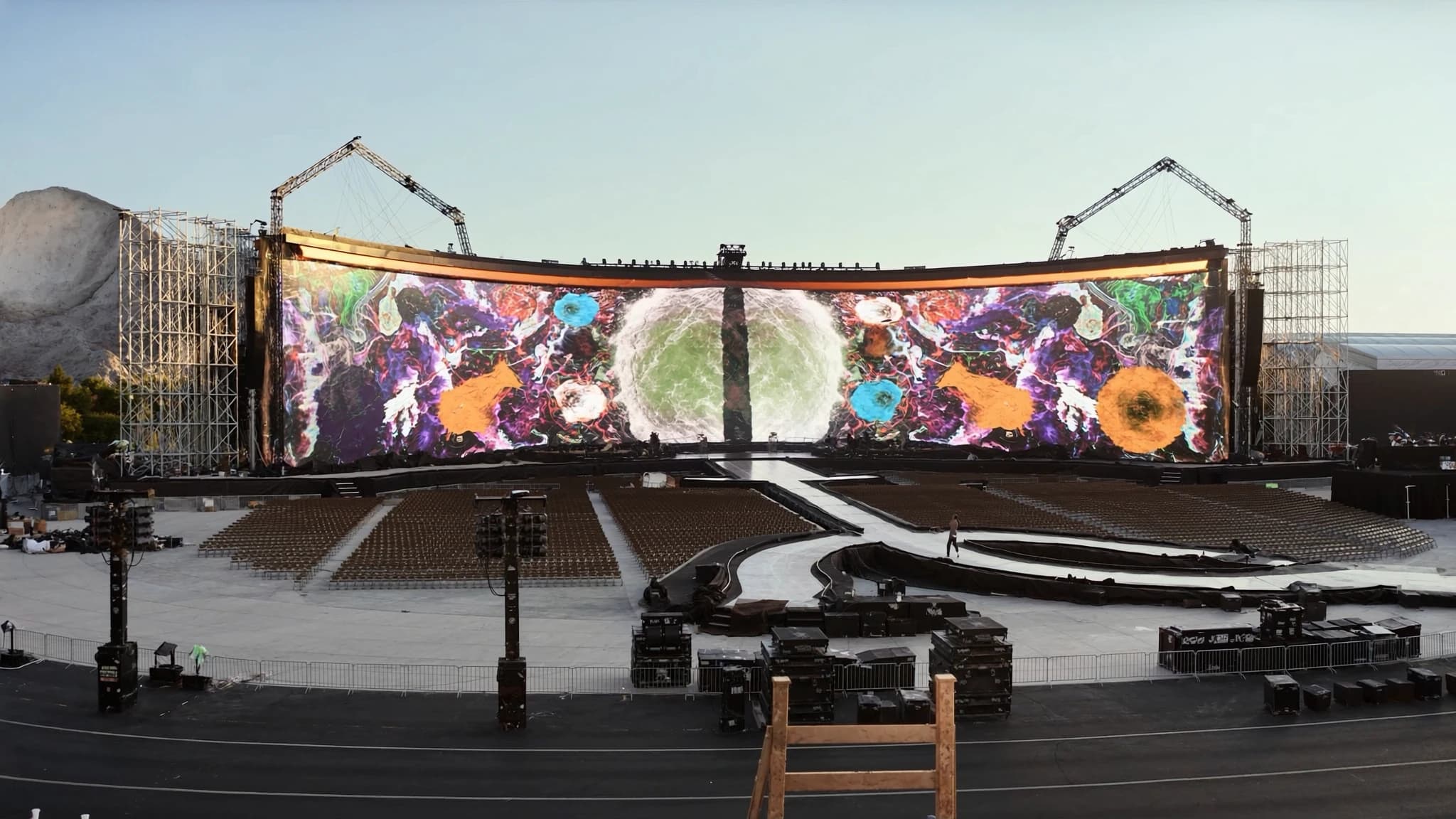
Pixel pitch is the single most important specification when selecting an LED screen, yet it is widely misunderstood. This guide breaks down what pixel pitch means, how it determines resolution and viewing distance, and how to choose the right pitch for your venue.
Key takeaways
- Pixel pitch is the distance between pixels in millimeters; smaller pitch means higher resolution and closer minimum viewing distance.
- Minimum viewing distance (in meters) is roughly equal to the pixel pitch in millimeters (e.g., P3.9 = 3.9m).
- Indoor screens typically use finer pitches (P1.5 to P4), while outdoor screens use larger pitches (P6 and up) for brightness and cost efficiency.
- Smaller pitches cost more per square meter but are necessary for close-up viewing and high-detail content.
- Choose pitch based on the closest viewer, content type, and ambient light; SSOUNDS can help with simulation and system integration.
What Is Pixel Pitch?
Pixel pitch is the physical distance between the centers of two adjacent pixels on an LED display, measured in millimeters. A P3.9 screen has pixels spaced 3.9mm apart, while a P1.5 screen has pixels spaced 1.5mm apart. The smaller the pitch, the more pixels per unit area, which increases resolution and allows viewers to stand closer without seeing individual pixels.
Pixel pitch directly affects manufacturing cost because denser pixel arrays require more LEDs and more complex driver electronics. It also influences brightness and power consumption, as smaller pitches often have lower brightness per pixel but higher overall pixel density.
How Pixel Pitch Sets Resolution and Viewing Distance
Resolution is determined by the total number of pixels across the screen, which is a function of screen size and pixel pitch. For example, a 5m wide screen with P3.9 pitch has approximately 1280 pixels horizontally (5000mm / 3.9mm), while the same screen with P1.5 pitch has about 3333 pixels. Higher resolution means sharper images and finer detail.
Minimum viewing distance is the closest a viewer can stand before individual pixels become visible, often calculated as 1,000 times the pixel pitch in millimeters. For P3.9, that is roughly 3.9 meters; for P1.5, about 1.5 meters. This rule of thumb helps ensure a smooth, seamless image for the audience.
Indoor vs Outdoor Pitch Choices
Indoor applications typically use finer pitches (P1.5 to P4) because viewers are closer and ambient light is controlled. Corporate boardrooms, retail displays, and broadcast studios benefit from high resolution at short distances. Outdoor screens, however, often use larger pitches (P6 to P10 or higher) because audiences are farther away and high brightness is needed to combat sunlight. Larger pitches also reduce cost and power consumption, which is critical for large-scale installations.
For outdoor events where viewers might be 10 meters or more away, a P6 or P8 screen can deliver excellent clarity. The key is to match pitch to the typical viewing distance and the level of detail required.
Cost vs Clarity: The Trade-Off
Smaller pixel pitches cost significantly more per square meter due to higher LED density and tighter manufacturing tolerances. They also require more processing power and can be heavier, impacting rigging and installation. However, they deliver superior clarity at close range, which is essential for applications like virtual production, control rooms, and high-end retail.
Larger pitches are more affordable, lighter, and more power-efficient, making them ideal for billboards, stadium perimeters, and stage backdrops where viewers are distant. The goal is to find the sweet spot where the image looks great from the intended viewing positions without overspending on unnecessary resolution.
How to Pick the Right Pitch for Your Venue
Start by defining the closest viewing distance. If viewers will be within 3 meters, consider P1.5 to P2.6. For 3 to 6 meters, P2.6 to P3.9 works well. For 6 to 10 meters, P4 to P6 is suitable. Beyond 10 meters, P6 to P10 or larger is often sufficient. Also consider the content: detailed text and graphics need finer pitch than video playback.
At SSOUNDS, we approach LED screen selection with the same engineering rigor we apply to loudspeaker systems. Our team uses advanced simulation to model viewing angles, ambient light, and content requirements, ensuring the chosen pitch delivers optimal clarity and value. We also consider structural load, power availability, and signal processing to create a seamless integration with your audio system.
Beyond Pitch: Other Critical Factors
Pixel pitch is crucial, but it is not the only specification. Brightness (measured in nits), refresh rate, color gamut, and scan rate also impact performance. For indoor use, 800 to 1500 nits is typical; outdoor requires 5000 nits or more. Refresh rate should be at least 1920Hz to avoid flicker on camera. Color uniformity and calibration are also vital for a professional look.
SSOUNDS LED solutions are engineered to complement our audio systems, with integrated control and monitoring. We ensure that every screen we specify meets the demands of the application, from houses of worship to concert stages.
Frequently asked
What does P3.9 mean on an LED screen?
P3.9 means the distance between the centers of adjacent pixels is 3.9 millimeters. This pitch is common for indoor stages and medium-distance viewing.
How do I calculate the minimum viewing distance for a given pixel pitch?
A simple rule is to multiply the pixel pitch by 1000 to get the minimum viewing distance in millimeters. For example, P2.6 gives a minimum distance of 2600mm, or 2.6 meters.
Is a smaller pixel pitch always better?
Not necessarily. Smaller pitch increases cost, power consumption, and weight. It is only better if viewers will be close enough to benefit from the extra resolution. For distant viewing, a larger pitch is more cost-effective.
What pitch is best for outdoor LED screens?
Outdoor screens typically use P6 to P10 or larger, depending on viewing distance. These pitches offer high brightness and are more affordable for large areas.
Can SSOUNDS help with LED screen selection and integration?
Yes. SSOUNDS provides expert guidance on pixel pitch and full system integration, ensuring your LED screen works seamlessly with your audio and control systems. Contact us to discuss your project.
Building or upgrading a system?
SSOUNDS engineers and manufactures professional PA worldwide, from a single room to stadium scale.