The Best Network Switches for Dante and AoIP
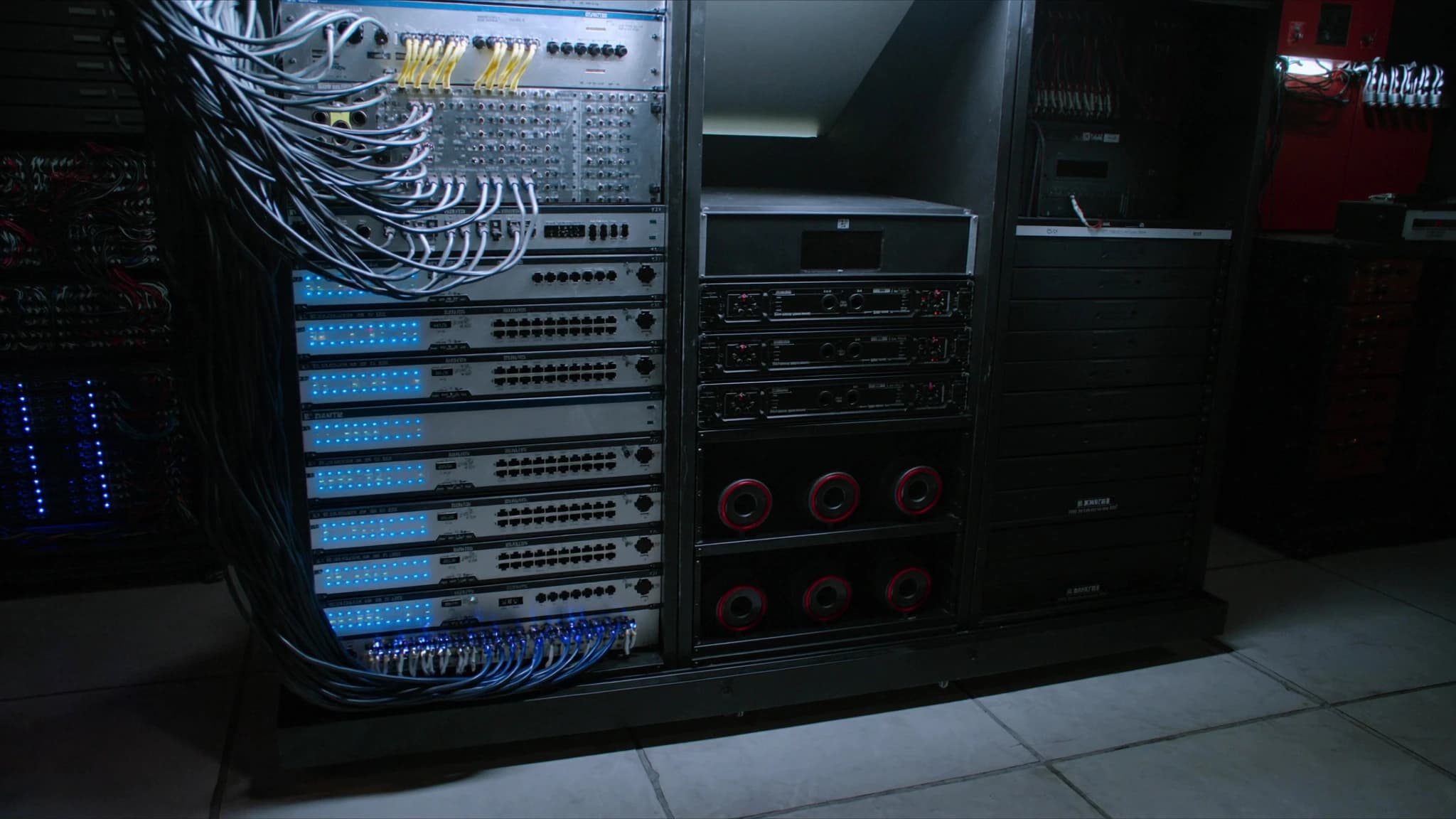
Dante and other audio-over-IP (AoIP) protocols have transformed live sound, installed AV, and broadcast, replacing heavy analogue snakes with a single Ethernet cable. But not every network switch is up to the task. This guide explains what makes a switch truly Dante-ready, how to choose and configure one, and why SSOUNDS engineers specify managed switches with specific features for every project.
Key takeaways
- A Dante-ready switch must have a non-blocking backplane, QoS with DiffServ, IGMP snooping, and EEE disabled.
- Managed switches are strongly recommended for professional AoIP because they allow VLANs, QoS, and monitoring.
- Gigabit Ethernet is the baseline; fibre uplinks and PoE are valuable for large or distributed systems.
- Correct configuration (QoS, IGMP, EEE off) is as important as the switch hardware itself.
- SSOUNDS amplifiers and DSP are Dante-compatible, and our team can guide you on network design.
Why the Switch Matters for Dante and AoIP
Dante, AES67, and other AoIP protocols rely on standard Ethernet and IP networking to transport hundreds of audio channels with low latency and sample-accurate synchronisation. Unlike file transfers or web browsing, audio streams are time-sensitive: a delayed packet is a dropped sample, and a dropped sample is an audible click or dropout. The network switch is the traffic cop that directs these streams, and if it is not configured correctly, you will hear the consequences immediately.
Many installers make the mistake of using a cheap unmanaged switch from an office supply store. While it might work in a simple system with a few devices, it often lacks the features needed to prioritise audio traffic, manage multicast groups, and prevent loops. In larger systems, or where other data traffic shares the network, an unmanaged switch can cause dropouts, latency, and unreliable performance.
At SSOUNDS, we design our loudspeaker systems, amplifiers, and DSP to integrate seamlessly with Dante and AES67 networks. But we also know that the network itself is a critical component. That is why we recommend and support specific switch features that ensure rock-solid audio transport.
Key Features of a Dante-Ready Switch
Not all managed switches are created equal. To handle Dante and other AoIP traffic reliably, a switch should have the following characteristics:
Non-blocking backplane: The switch must be able to handle full throughput on all ports simultaneously without dropping packets. A non-blocking architecture ensures that even under heavy load, audio streams are not delayed. Look for switches with a switching capacity that is at least twice the total port count times the port speed (for full-duplex).
QoS with DiffServ: Quality of Service (QoS) is essential for prioritising audio traffic over other data. Dante uses DiffServ (Differentiated Services) code points to mark audio packets with high priority. The switch must support DiffServ and be configured to honour these markings. This ensures that audio packets are forwarded ahead of less critical traffic like file transfers or email.
IGMP snooping: Dante uses multicast for many-to-many audio routing. Without IGMP snooping, multicast traffic is flooded to all ports, wasting bandwidth and potentially causing congestion. IGMP snooping allows the switch to forward multicast streams only to the ports that have requested them. This is crucial in larger networks with multiple multicast flows.
Energy-Efficient Ethernet (EEE) off: EEE, also known as green Ethernet, puts ports into a low-power state when traffic is idle. While good for office networks, it can cause latency and dropouts with Dante because audio streams are continuous but may have periods of low activity. Always disable EEE on ports carrying audio.
Managed vs unmanaged: Managed switches give you the control needed to configure VLANs, QoS, IGMP snooping, and monitoring. Unmanaged switches are plug-and-play but lack these features. For any serious Dante deployment, a managed switch is strongly recommended. Some manufacturers offer switches with Dante-specific presets, which simplify configuration.
Gigabit and beyond: While Dante can run on 100 Mbps networks, gigabit Ethernet is the baseline for modern systems. It provides ample bandwidth for high channel counts and allows for future expansion. For very large systems, 10 Gigabit uplinks may be necessary.
PoE (Power over Ethernet): Many Dante devices, such as IP speakers, microphones, and intercom stations, can be powered via PoE. A switch with PoE support eliminates the need for separate power supplies, simplifying installation. Ensure the switch provides enough power budget for all connected devices.
Fibre uplinks: Fibre optic cables allow for long-distance runs (up to several kilometres) and provide electrical isolation, which is important in large venues or between buildings. Switches with SFP or SFP+ ports enable fibre uplinks, which are ideal for connecting distant racks or floors.
Managed vs Unmanaged: Making the Right Choice
The decision between managed and unmanaged switches is often the first fork in the road. Unmanaged switches are inexpensive and require no configuration. They work fine for a small, isolated Dante network with a handful of devices and no other traffic. However, as soon as you add more devices, connect to a corporate network, or need to troubleshoot, their limitations become apparent.
Managed switches, on the other hand, offer a suite of features that make them indispensable for professional AoIP. You can create VLANs to separate audio traffic from control data, configure QoS to prioritise audio, enable IGMP snooping to manage multicast, and monitor port statistics to identify issues. Many managed switches also support link aggregation, which can provide redundancy and increased bandwidth.
Some manufacturers, such as Cisco, Netgear, and Luminex, offer switches with Dante-specific presets or even dedicated Dante certification. These switches come with recommended settings that can be applied with a single click, reducing the risk of misconfiguration. While SSOUNDS does not manufacture network switches, we partner with leading switch vendors to ensure our systems integrate smoothly. Our engineering team can provide guidance on switch selection and configuration for any SSOUNDS project.
Configuring Your Switch for Dante
Once you have chosen a suitable switch, correct configuration is key. Here is a step-by-step guide to the essential settings:
1. Disable EEE: On every port that will carry Dante traffic, turn off Energy-Efficient Ethernet. This prevents the port from entering a low-power state that can introduce latency.
2. Enable QoS and DiffServ: Activate QoS globally and ensure DiffServ is enabled. Dante audio is typically marked with DSCP value 56 (CS7) for clock sync and 46 (EF) for audio. The switch should be set to trust these markings and place them in a high-priority queue.
3. Enable IGMP snooping: Turn on IGMP snooping and set the IGMP querier on one switch in the network (usually the core switch). This prevents multicast flooding. If your switch supports IGMP snooping with a querier, enable it. Otherwise, you may need a dedicated querier device.
4. Set up VLANs (optional but recommended): Create a separate VLAN for Dante traffic. This isolates audio from other data and reduces the risk of interference. If you use VLANs, ensure that QoS and IGMP snooping are configured within the VLAN.
5. Disable unused features: Turn off any features that could interfere, such as storm control (unless properly configured), flow control (which can cause head-of-line blocking), and energy-saving modes.
6. Update firmware: Always run the latest firmware on your switch. Manufacturers frequently release updates that improve Dante performance and fix bugs.
7. Document and label: Keep a record of your configuration and label ports clearly. This will save time during troubleshooting or expansion.
Top Switch Series for Dante and AoIP
While SSOUNDS does not sell network switches, we have extensive experience with the switches that work best in Dante networks. Here are some series that are widely trusted in the industry:
Cisco Catalyst and CBS series: Cisco switches are a staple in professional AV. The Catalyst series offers advanced features and robustness, while the CBS (Business) series provides a more affordable entry point with many of the same Dante-relevant features. Both support QoS, IGMP snooping, and can be configured with Dante presets.
Netgear M4250 and M4300 series: Netgear has specifically targeted the AV market with its M4250 series, which includes pre-configured Dante profiles. The M4300 series offers higher port densities and 10G uplinks for larger systems. These switches are known for their ease of use and reliability.
Luminex GigaCore series: Luminex switches are designed specifically for AV and entertainment networks. They come with Dante presets and are known for their robust construction and intuitive web interface. The GigaCore series is popular in touring and fixed installations.
Other notable mentions: Arista, Extreme Networks, and HP/Aruba also produce switches suitable for Dante. The key is to ensure they support the features outlined above.
When selecting a switch, consider the size of your network, the number of devices, the need for PoE, and future expansion. For critical applications, consider switches with redundant power supplies and hot-swappable fans.
SSOUNDS and Networked Audio
At SSOUNDS, we understand that a loudspeaker system is only as good as the signal feeding it. That is why our amplifiers and DSP units are designed with Dante and AES67 compatibility, allowing them to integrate seamlessly into networked audio systems. Our engineering team uses AI-assisted acoustic modeling and machine-learning-tuned DSP to optimise system performance, and we provide comprehensive support for network design and configuration.
Whether you are building a touring rig, a fixed installation in a stadium, or a conference room system, the network is the backbone. By choosing the right switch and configuring it correctly, you ensure that your SSOUNDS system delivers the clarity, reliability, and impact that your audience expects. If you need advice on switch selection or network design, our team is here to help.
Frequently asked
Can I use an unmanaged switch for Dante?
You can use an unmanaged switch for very small, isolated Dante networks with minimal traffic. However, unmanaged switches lack QoS, IGMP snooping, and VLAN support, which are essential for larger systems or when other data shares the network. For reliable performance, a managed switch is recommended.
What is the best switch brand for Dante?
Several brands are popular in the AV industry, including Cisco, Netgear, and Luminex. The best choice depends on your specific needs, such as port count, PoE requirements, and budget. Look for switches with Dante presets or certification to simplify configuration.
Do I need to disable EEE on my switch?
Yes. Energy-Efficient Ethernet (EEE) can cause latency and dropouts with Dante because it puts ports into a low-power state during idle periods. Always disable EEE on ports carrying audio traffic.
How do I configure QoS for Dante?
Enable QoS and DiffServ on your switch. Dante uses DSCP values 56 (CS7) for clock sync and 46 (EF) for audio. Configure the switch to trust these markings and assign them to a high-priority queue.
Does SSOUNDS provide network switches?
SSOUNDS does not manufacture network switches, but our amplifiers and DSP are Dante-compatible. We partner with leading switch vendors and can provide guidance on selecting and configuring switches for your SSOUNDS system.
Building or upgrading a system?
SSOUNDS engineers and manufactures professional PA worldwide, from a single room to stadium scale.