The Club-Standard DJ Booth Setup Explained
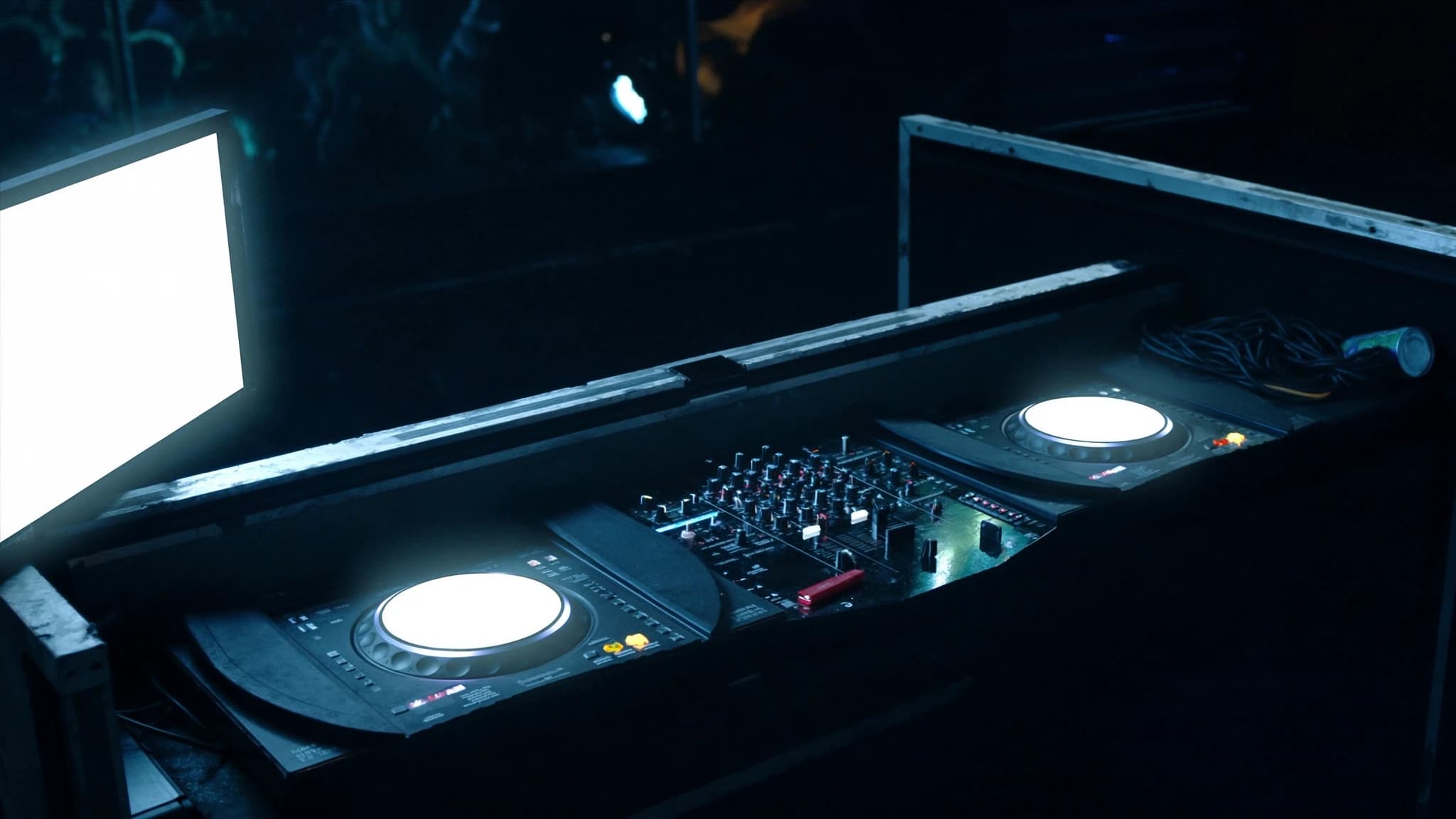
A club DJ booth is more than a table with turntables. It is a critical listening environment, a connectivity hub, and the interface between the DJ and the main PA. This guide explains the 2026 industry-standard setup, from Pioneer DJ CDJ-3000s and DJM mixers to booth monitors, isolation, and how the booth integrates with a professional sound system.
Key takeaways
- The 2026 club standard is Pioneer DJ CDJ-3000 players with a DJM series mixer, providing familiarity and reliability for touring DJs.
- Booth monitors are essential for accurate DJ monitoring; they should be positioned at ear height and decoupled from the booth surface.
- Isolation and acoustic treatment prevent main PA bleed and ensure the DJ hears a clean, detailed mix.
- Signal flow must separate booth and main outputs, with proper delay and EQ alignment for a cohesive experience.
- SSOUNDS engineers design booth monitoring solutions that integrate seamlessly with our line arrays, subwoofers, and DSP, backed by global support from our bases in the UK, US, Nigeria, Ghana, and West Africa.
The Core Player and Mixer Standard
In 2026, the club standard remains the Pioneer DJ CDJ-3000 paired with a DJM series mixer, typically the DJM-900NXS2 or DJM-A9. These units are ubiquitous because they offer reliability, a familiar layout, and seamless integration with rekordbox and Serato. For any venue that hosts touring DJs, providing this exact configuration reduces setup time and eliminates rider friction.
The CDJ-3000 brings a larger touchscreen, improved jog wheel resolution, and enhanced processing power for track analysis. The DJM mixer provides the central routing, EQ, and effects that DJs expect. Together they form the control surface that feeds both the booth monitors and the main PA.
From a system design perspective, the booth must accommodate this standard while allowing for flexibility. Some venues add a third or fourth player, or a turntable for vinyl sets. The key is to ensure all sources connect cleanly to the mixer and that the mixer output can be routed independently to the booth and the main system.
Booth Monitoring: The DJ's Reference
Booth monitors are not optional. They give the DJ a clear, isolated reference of the mix without relying on the main PA, which may be delayed, reverberant, or simply too loud. The goal is accurate, full-range sound at a controlled level, so the DJ can beatmatch, EQ, and cue tracks without guessing.
A typical booth monitor is a powered loudspeaker with a 12-inch or 15-inch woofer and a horn-loaded high-frequency driver. It should be positioned at ear height, angled toward the DJ, and decoupled from the booth surface to prevent vibration. Many clubs use two monitors, one on each side, for stereo imaging.
SSOUNDS engineers approach booth monitoring as a critical subsystem. Our point-source loudspeakers are designed for precise coverage and low distortion, making them ideal for nearfield monitoring. We also consider the acoustic treatment of the booth area, because reflections from a glass booth or hard walls can smear the stereo image and cause fatigue.
Isolation and Acoustic Control
Isolation serves two purposes: protecting the DJ from excessive main PA levels and preventing booth sound from bleeding into the main system or nearby areas. In practice, this means physical isolation, such as placing the booth on a decoupled platform, and acoustic isolation, such as using directional monitors and absorptive treatment.
The main PA is often delayed to the booth position, but even with delay, the sheer SPL can overwhelm the DJ. Booth monitors must be loud enough to compete, yet clean enough to preserve detail. This is where high-quality amplification and DSP come in: they allow precise level control and EQ shaping without distortion.
SSOUNDS incorporates AI-assisted acoustic modeling to predict how booth monitors will interact with the room. We simulate coverage and intelligibility before installation, ensuring the DJ hears a consistent mix regardless of where they stand. This is part of our broader approach to system design, where every element is optimized before it ships.
Connectivity and Signal Flow
A professional booth needs a clear signal flow. The DJ mixer outputs a master signal (often via XLR) to the main PA system, and a separate booth output (often via TRS or XLR) to the booth monitors. Some setups use a matrix output or aux send for additional flexibility.
Connectivity should include multiple inputs for guest DJs: RCA, XLR, and 1/4-inch, plus USB for rekordbox and Serato. Power outlets must be plentiful and positioned to avoid cable strain. A patch panel or labeled snake can simplify connections and reduce setup errors.
SSOUNDS designs its amplifiers and DSP with comprehensive input and output options, making integration with any club standard straightforward. Our systems support analog and digital connections, and our DSP presets are tuned for common booth monitors and main PA configurations.
How the Booth Interacts with the Main PA
The booth and main PA are two separate but interdependent systems. The main PA delivers the dancefloor experience: high SPL, deep bass, and even coverage. The booth provides the DJ with a reference mix. If they are not properly aligned, the DJ may overcompensate, pushing the main system into distortion or losing track of the low end.
Alignment involves delay, EQ, and level matching. The main PA should be delayed so that its sound arrives at the booth in sync with the booth monitors. EQ should be applied to the booth monitors to compensate for their proximity and the room's acoustics. Level matching ensures the DJ can hear the booth without fighting the main system.
SSOUNDS line array systems and subwoofers are designed with this integration in mind. Our DSP includes presets for booth monitoring and main PA delay, and our engineers work with venues to optimize the entire signal path. The result is a cohesive experience where the DJ and the audience hear the same mix, just at different levels.
Choosing the Right Booth Monitors
Not all booth monitors are created equal. The best options offer high output, low distortion, and a controlled dispersion pattern. A 12-inch two-way design is often sufficient for small booths, while larger clubs may benefit from a 15-inch or a coaxial design for better phase alignment.
Consider the monitor's power handling and sensitivity. Higher sensitivity means more output from less power, which can reduce amplifier stress. Also look for robust construction and mounting options, as booth monitors are often moved or adjusted.
SSOUNDS point-source loudspeakers are engineered for this exact application. They deliver the clarity and reliability that professional DJs demand, and they integrate seamlessly with our amplifiers and DSP. For venues that need a complete solution, we offer booth packages that include monitors, amplification, and processing.
Installation and Commissioning
Proper installation makes or breaks a booth setup. Monitors should be securely mounted, cables should be routed safely, and power should be conditioned to prevent noise. Commissioning involves measuring the booth's frequency response and setting delays and EQs for optimal performance.
SSOUNDS provides commissioning support for our systems, either remotely or on-site through our teams in the UK, US, Nigeria, Ghana, and West Africa. We use advanced simulation and measurement tools to ensure the booth meets the DJ's needs and the venue's acoustic goals.
A well-commissioned booth reduces DJ fatigue, improves mix quality, and extends the life of the equipment. It is an investment in the venue's reputation as a professional music destination.
Frequently asked
What is the standard DJ booth setup in 2026?
The standard is two or more Pioneer DJ CDJ-3000 players and a DJM series mixer (such as the DJM-900NXS2 or DJM-A9), plus dedicated booth monitors, proper connectivity, and isolation from the main PA.
Why are booth monitors necessary if there is a main PA?
Booth monitors provide a clear, nearfield reference that is not affected by the main PA's delay, reverberation, or high SPL. They allow the DJ to beatmatch and mix accurately without guessing.
How do I connect the DJ mixer to both the booth monitors and the main PA?
Use the mixer's master output (often XLR) for the main PA and a separate booth output (TRS or XLR) for the booth monitors. Ensure the main PA is delayed to align with the booth monitors at the DJ's position.
Can SSOUNDS provide booth monitors and main PA as a complete system?
Yes. SSOUNDS offers point-source loudspeakers for booth monitoring, line arrays and subwoofers for the main PA, and amplifiers and DSP for seamless integration. We support venues globally from our bases in the UK, US, Nigeria, Ghana, and West Africa.
What should I consider when choosing booth monitors?
Look for high output, low distortion, controlled dispersion, and robust construction. A 12-inch or 15-inch two-way design is common, and coaxial designs can offer better phase alignment. SSOUNDS point-source loudspeakers are engineered for this application.
Building or upgrading a system?
SSOUNDS engineers and manufactures professional PA worldwide, from a single room to stadium scale.